


Choosing the right laser engraver is an important step for American makers, workshop owners, and small businesses. Monport GM Pro machines offer reliable industrial marking, but their large, single-purpose designs may limit users who need more flexibility.
This guide compares the Monport GM 20W Pro, GM 30W Pro, and GM 30W Pro MOPA with the LaserPecker LP5. It will help you choose the best Monport fiber laser alternative for your engraving and production needs.

Why Look for a Monport Fiber Laser Alternative?
Monport fiber lasers provide reliable metal marking, but they have practical limits for small businesses and desktop creators. Here are three common reasons users consider an alternative.
Limitation #1: Cannot Process Wood, Acrylic, or Leather
The Monport GM Pro series is designed mainly for metals and hard plastics. It cannot cut or engrave materials such as wood, acrylic, or leather. Businesses working with multiple materials therefore need to purchase a second laser system.
Limitation #2: No Color Marking on Standard Models
The GM 20W Pro and GM 30W Pro provide standard monochrome marking. Color marking on stainless steel and titanium requires the more expensive MOPA model.
Limitation #3: Limited to a Fixed Engraving Area
The laser head is attached to a fixed column, so materials must fit under the lens and within the baseplate area. This makes it difficult to engrave large signs, furniture parts, and other bulky or assembled objects.
Limitation #4: Bulky and Heavy
Monport GM Pro machines are heavy and take up considerable desk space. They usually require a permanent workstation and are difficult to move between rooms, events, or markets.
Limitation #5: USB Only
Monport machines require a direct USB connection to a computer. Without Wi-Fi or a mobile app, users cannot control the machine from a phone or tablet.
Limitation #6: Open Laser Design
The Monport GM Pro uses an open laser workspace instead of a fully enclosed Class 1 design. Users must wear suitable laser safety glasses and keep others away from the work area during operation.
Limitation #7: Extra Equipment for Fume Extraction
Engraving metal, coated materials, and stone can produce smoke, fumes, particles, and residue. Indoor users may need a separate fume extractor or air filter. The LaserPecker LP5 works with an optional official Air Purifier to help keep the workspace cleaner and reduce cleanup.
Limitation #8: Limited Accessories
Monport offers few plug-and-play accessories for expanding the engraving area. Without a native slide extension, users are limited to a small, fixed workspace and must manually reposition larger projects.
Why Choose the LaserPecker LP5?
The LaserPecker LP5 combines powerful engraving with a flexible desktop design. It offers broader material support and easier expansion than a traditional fiber-only system.
Reason #1: 20W Fiber and 20W Diode Lasers
The LP5 combines a 20W fiber laser and a 20W diode laser in one machine. The fiber laser engraves metals and hard plastics, while the diode laser cuts or engraves wood, leather, and dark acrylic. This makes the LP5 a versatile all-in-one system.

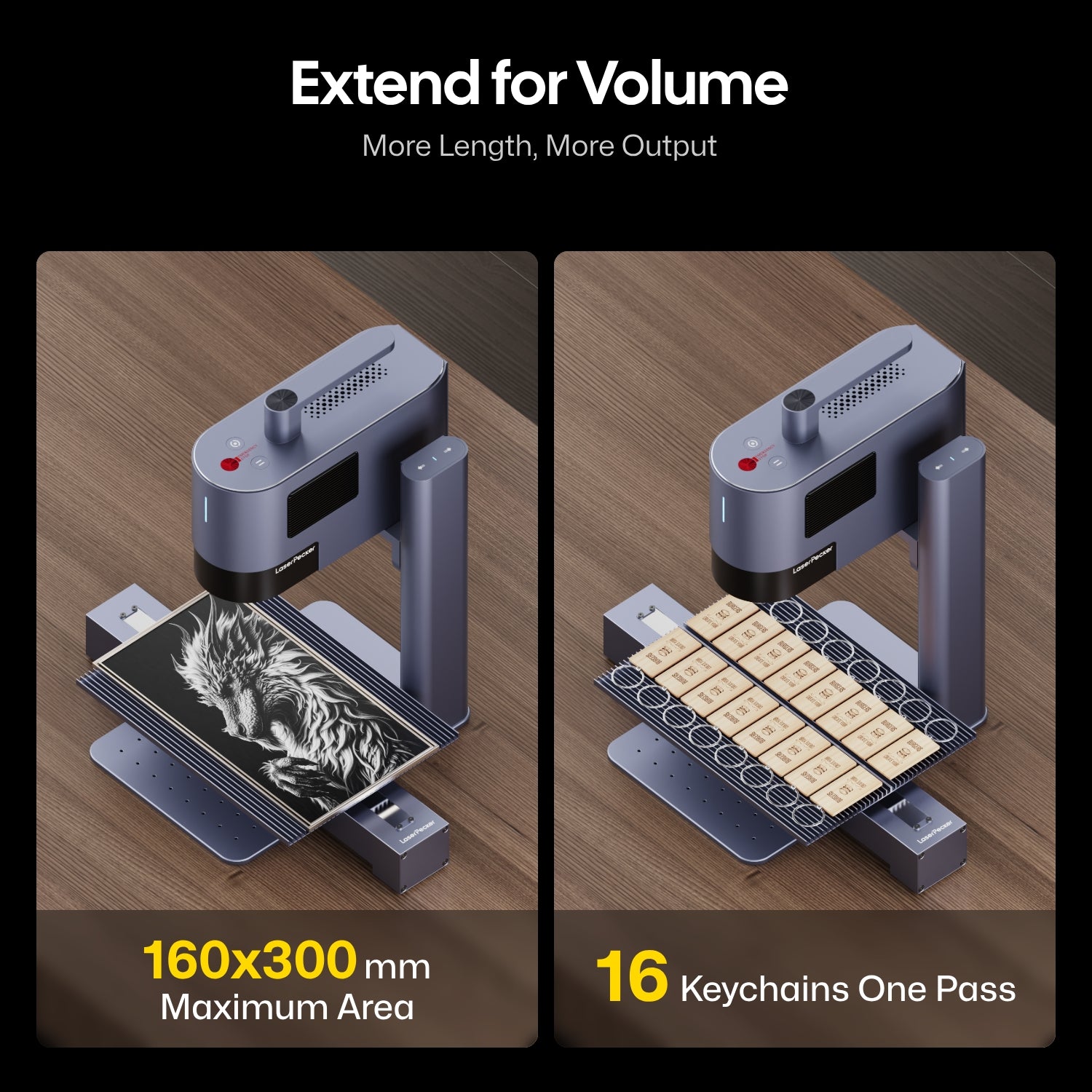
Reason #2: Expandable Work Area up to 160 × 300 mm
The optional slide extension expands the LP5 work area to 160 × 300 mm. This provides more space for larger designs and batch engraving multiple small items in one run.
Reason #3: Lightweight and Portable
The standalone LP5 laser unit weighs only 3.36 kg. Its portable design allows users to engrave vertical surfaces, walls, large objects, and onsite projects that cannot fit under a fixed laser system.
Reason #4: Class 1 Safety Enclosure
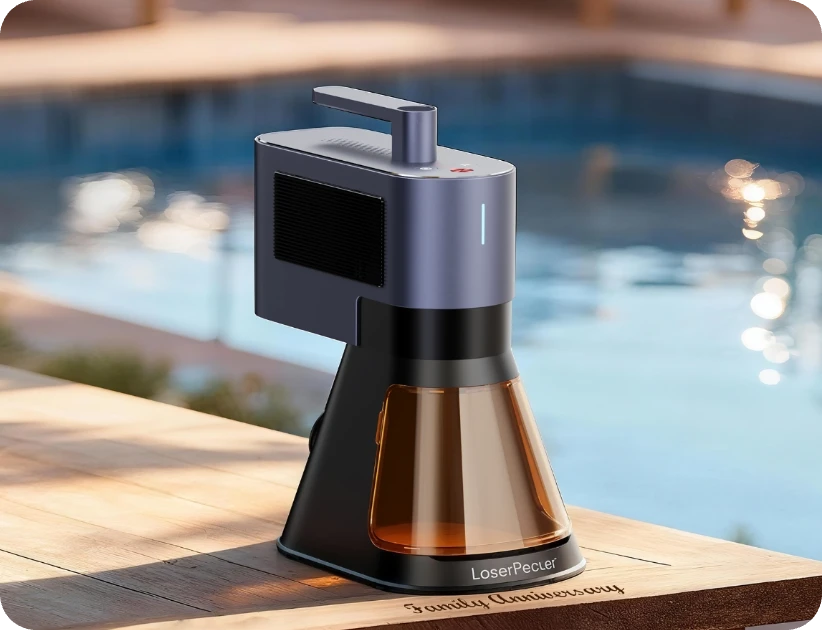
The LP5 includes a protective cone that helps reduce laser reflections. For safer use in homes, schools, studios, and retail spaces, it can also be paired with a certified Class 1 Safety Enclosure.

Reason #5: USB and Wi-Fi Connectivity
The LP5 supports USB and Wi-Fi connections, allowing users to manage projects from a smartphone, tablet, or computer. It also supports offline engraving from a USB flash drive for convenient batch production.
Reason #6: A Versatile Accessory Ecosystem
The LP5 supports official accessories that make it easy to expand the machine as your production needs grow.
The Slide Extension expands the work area to 160 × 300 mm. It supports longer materials, larger designs, and batch engraving for more efficient production.
The Rotary Extension holds and rotates cylindrical objects for precise engraving. It is suitable for tumblers, mugs, bottles, rings, bracelets, and other curved products.
Monport GM Pro vs LaserPecker LP5: Key Comparison Table
To help visualize how these systems match up side-by-side, this comprehensive technical matrix pits the LaserPecker LP5 directly against Monport's dominant 20W and 30W pro variants.
| Feature / Specification | LaserPecker LP5 | Monport GM 20W Pro | Monport GM 30W Pro | Monport GM 30W Pro (MOPA) |
|---|---|---|---|---|
| Laser Type | Dual-Source: Fiber + Diode | Fiber Only | Fiber Only | Fiber (MOPA Architecture) |
| Laser Output Power |
20W 450nm Blue Diode Laser 20W 1064nm Fiber Laser |
20W | 30W | 30W |
| Working Area |
120 x 160 mm (Ellipse) 100 x 100 mm (Square) 160 x 300 mm (with the Slide Extension) |
110x110mm | 150x150mm | 175x175 mm |
| Maximum Engraving Speed | 10,000 mm/s | 10,000 mm/s | 10,000 mm/s | 10,000 mm/s |
| Engraving Accuracy | 0.0027mm | 0.01 mm | 0.01 mm | 0.01 mm |
| Metal Capability |
0.4mm Iron, 2 passes 0.2mm Aluminum, 1 pass 0.5mm Stainless Steel, 4 passes 0.5mm Brass, 2 passes |
No | No | No |
| Software Compatibility | LaserPecker Design Space Mobile App & LaserPecker Design Space PC Software & LightBurn | BslAppSimple, Lightburn | BslAppSimple, Lightburn | BslAppSimple, Lightburn |
| Connectivity | USB, Wi-Fi | USB | USB | USB |
| Compatible OS | iOS, Android, macOS, Windows | Windows, macOS | Windows, macOS | Windows, macOS |
| Weight | 3.36 kg (Laser Unit) | 15.6 kg | 17.1 kg | 15.6 kg |
| Price | Start from $2,699.00 | Start from $1,599.99 | Start from $1,999.99 | Start from $2,699.99 |
| Best For / Use Case | Versatile multi-material desktop makers | Basic metal customization shops | High-speed dedicated metal marking | High-volume precision color metal runs |
Where the Monport GM Pro Still Has an Edge
The LaserPecker LP5 offers greater flexibility, but the Monport GM Pro may be better suited to some specialized industrial applications.
Advantage #1: More Space for Tall and Bulky Parts
Monport's tall, heavy-duty support column provides more vertical clearance. This makes it easier to position large brackets, automotive parts, and metal housings on the workbed.
Advantage #2: Built for Metal-Only Workflows
For businesses that only mark steel, brass, or aluminum, a dedicated fiber laser can be a practical choice. The Monport GM Pro is suitable for industrial tags, serial-number plates, asset labels, and tool identification.
Advantage #3: Adjustable MOPA Color Marking
The Monport GM 30W Pro MOPA offers adjustable pulse duration for controlled color marking on stainless steel. However, this feature is not available on the standard GM 20W Pro or GM 30W Pro, and the MOPA model costs more.
Advantage #4: Stable for Continuous Production
Monport's heavy, rigid frame helps reduce vibration during long production runs. This can provide consistent results when factories process the same parts continuously for many hours.
FAQ About Monport Fiber Laser Alternatives
Q1: Can the LP5 mark and cut metal like a Monport fiber laser?
Yes. The LP5 uses a 20W fiber laser to mark, engrave, and cut thin metals at speeds of up to 10,000 mm/s. A 30W Monport model may be better for deeper engraving and continuous metal-only production, while the LP5 offers greater portability and material flexibility.
Q2: What can the LP5 do that a Monport fiber laser cannot?
The LP5 combines fiber and diode lasers in one machine. In addition to marking metal, it can engrave or cut materials such as wood, leather, and dark acrylic. Its portable design also supports engraving large or vertical objects.
Q3: Does the LP5 require water cooling or laser tube replacement?
No. The LP5 uses air-cooled, solid-state lasers, so it does not require a water-cooling system or regular laser tube replacement.
Q4: Does the LP5 work with LightBurn?
Yes. The LP5 supports LightBurn, allowing users to import vector files, manage layers, and adjust engraving settings. It also works with LaserPecker Design Space on mobile and desktop devices.
Q5: LP5 vs. GM 30W Pro vs. GM 20W Pro: Which is best for high-volume metal marking?
Choose the Monport GM 30W Pro for continuous, high-volume metal marking and deeper engraving. Choose the LP5 if you need a compact machine that supports wireless control and both metal and non-metal projects.
Conclusion
The Monport GM Pro and LaserPecker LP5 serve different production needs. The Monport GM Pro is a strong choice for fixed, high-volume metal marking in an industrial workspace.
The LaserPecker LP5 is better suited to creators and small businesses that need more flexibility. Its 20W fiber and 20W diode lasers support both metals and non-metals, while its 3.36 kg laser unit, wireless control, and optional 160 × 300 mm work area make it suitable for a wider range of projects.
For users who want one compact machine for diverse engraving and cutting tasks, the LaserPecker LP5 is the more versatile choice.


