


The Monport K40 is a popular entry-level CO2 laser for makers and small businesses. However, it requires frequent manual adjustments, takes up considerable space, and can be difficult for beginners to use.
If you want a faster and easier option, the LaserPecker LX2 is a strong modern alternative. It offers greater speed, precision, and ease of use without the complicated setup of a traditional K40 laser.

Why Do People Look for a Monport K40 Alternative?
The Monport K40 is affordable, but its older technology can limit speed, precision, material compatibility, and ease of use. These common limitations lead many creators and small businesses to look for a more efficient alternative.
Limitation #1: Slower Max Engraving Speed
The Monport K40 has a maximum engraving speed of 350 mm/s. This may be enough for small projects, but it can slow down high-volume production.
Limitation #2: Limited Working Area
Its 300 × 200 mm working area limits the size of projects. Larger signs, boards, and other wide items may require complicated multi-step engraving.
Limitation #3: Motion Accuracy Limitations
The K40 has a claimed motion accuracy of about 0.254 mm. Belt tension changes and normal wear may further reduce consistency during detailed or long engraving jobs.
Limitation #4: Manual Focus Only
The K40 requires manual focusing whenever the material changes. Incorrect focus can reduce engraving quality and waste materials.
Limitation #5: No Curved-Surface Focus Compensation
The K40 focuses on a fixed flat plane and cannot compensate for curved or uneven surfaces. This may cause distortion or faded edges when engraving tumblers, baseball bats, and rounded objects.
Limitation #6: Limited Metal Engraving Capability
Its CO₂ laser cannot directly engrave most bare metals. A marking spray is usually required, adding extra cost, preparation, and cleanup.
Limitation #7: No Built-in Camera
Without a built-in camera, users must align designs manually. This can lead to off-center engraving and wasted materials.
Limitation #8: Water Cooling Required
The glass CO₂ tube requires an external water-cooling system with a pump, tubing, and water container. This takes up additional space and requires regular maintenance.
Limitation #9: Not Class 1 Certified
The Monport K40 is not Class 1 certified. Users need suitable laser safety protection and must take extra precautions when operating it around other people.
Why Some Users Choose the LaserPecker LX2 Instead
If you want to skip the industrial maintenance and get straight to creating, the LaserPecker LX2 represents a massive generational leap. It redefines what a desktop workspace can do by packing industrial-grade speed and intelligence into a compact, user-friendly footprint that fits right on an office desk.
Reason #1: Larger Working Area
The LaserPecker LX2 offers a 500 × 305 mm working area, over 2.5 times larger than the Monport K40's 300 × 200 mm workspace.
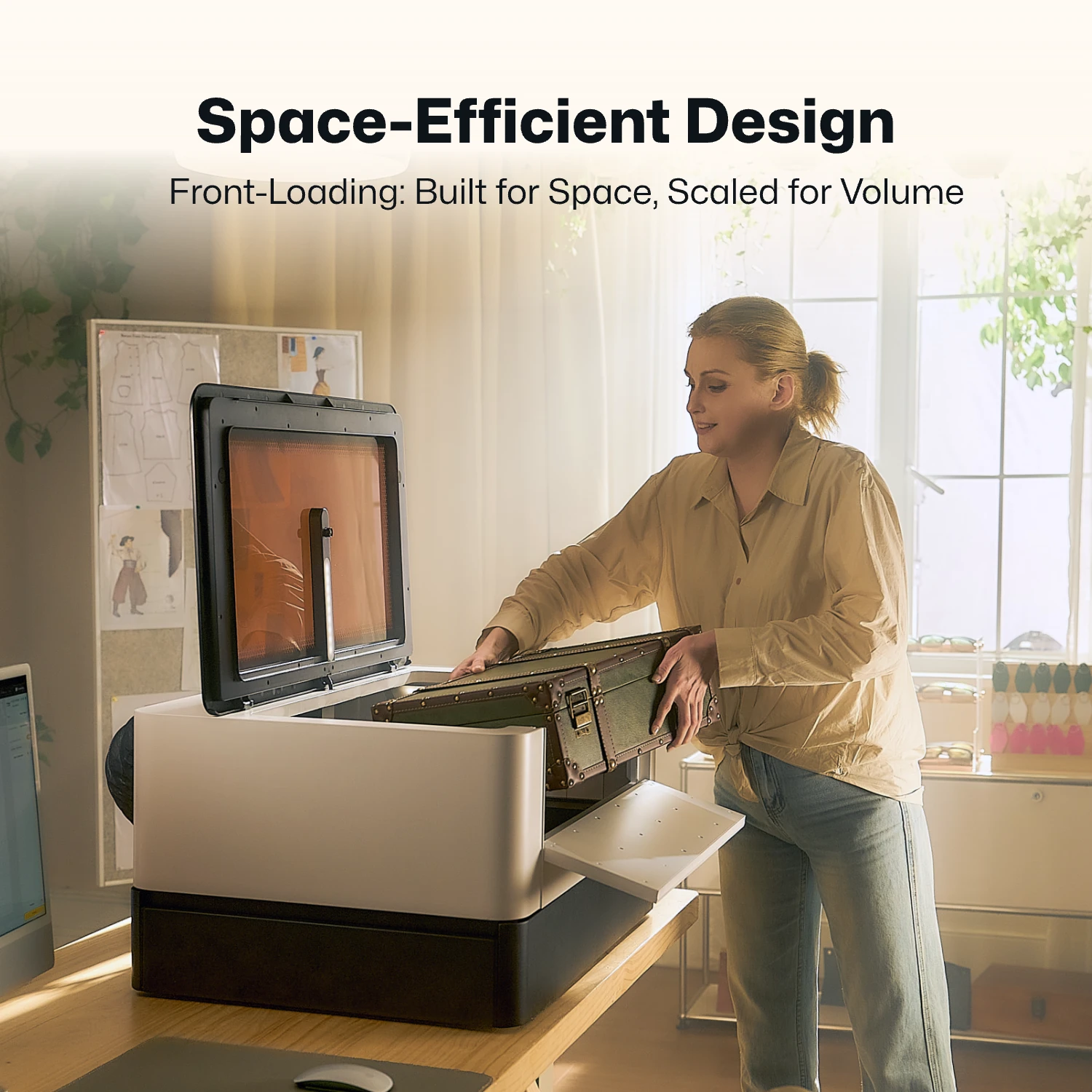
This larger area supports bigger projects and allows multiple small items to be processed in one run, reducing setup time and improving productivity.
Reason #2: 1000 mm/s Engraving Speed
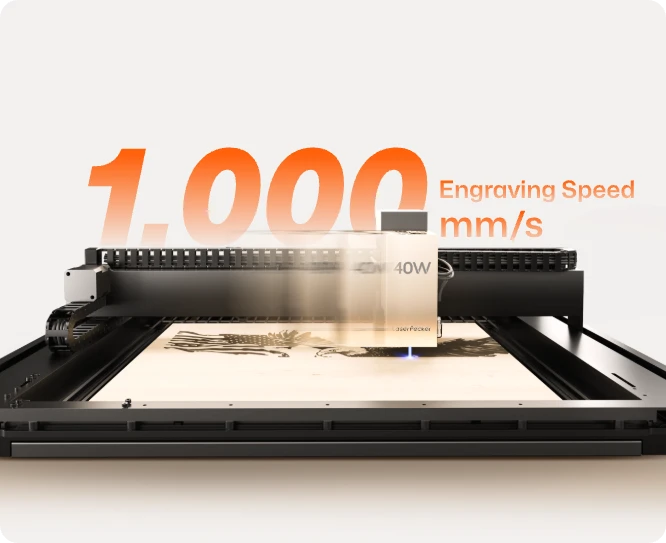
The LX2 offers an engraving speed of up to 1000 mm/s and acceleration of 10,000 mm/s². This allows it to process large graphics, detailed designs, and batch orders quickly and smoothly.
Compared with the Monport K40's maximum speed of 350 mm/s, the LX2 provides faster production and shorter processing times.
Reason #3: Higher Positioning Accuracy
Built with ultra-precise motion components, the LX2 achieves exceptional positioning accuracy down to fractions of a millimeter. Whether you are micro-engraving tiny serial numbers or executing ultra-fine line art, the details remain incredibly sharp.
Reason #4: Modular Laser Platform
- 20W Diode Laser for everyday engraving and cutting.
- 40W Diode Laser for stronger cutting performance.
- 60W Diode Laser for demanding cutting applications.
- 2W Infrared Laser for direct engraving on stainless steel, gold, silver, titanium, brass, and other metals.
This modular design allows one machine to handle many different types of projects.

Reason #5: 3D Adaptive Focus for Curved Surfaces
The LX2 includes 3D Surface Adaptive Auto-Focus. Its probe-based system can scan the surface of an object and adjust focus for curved or uneven materials.
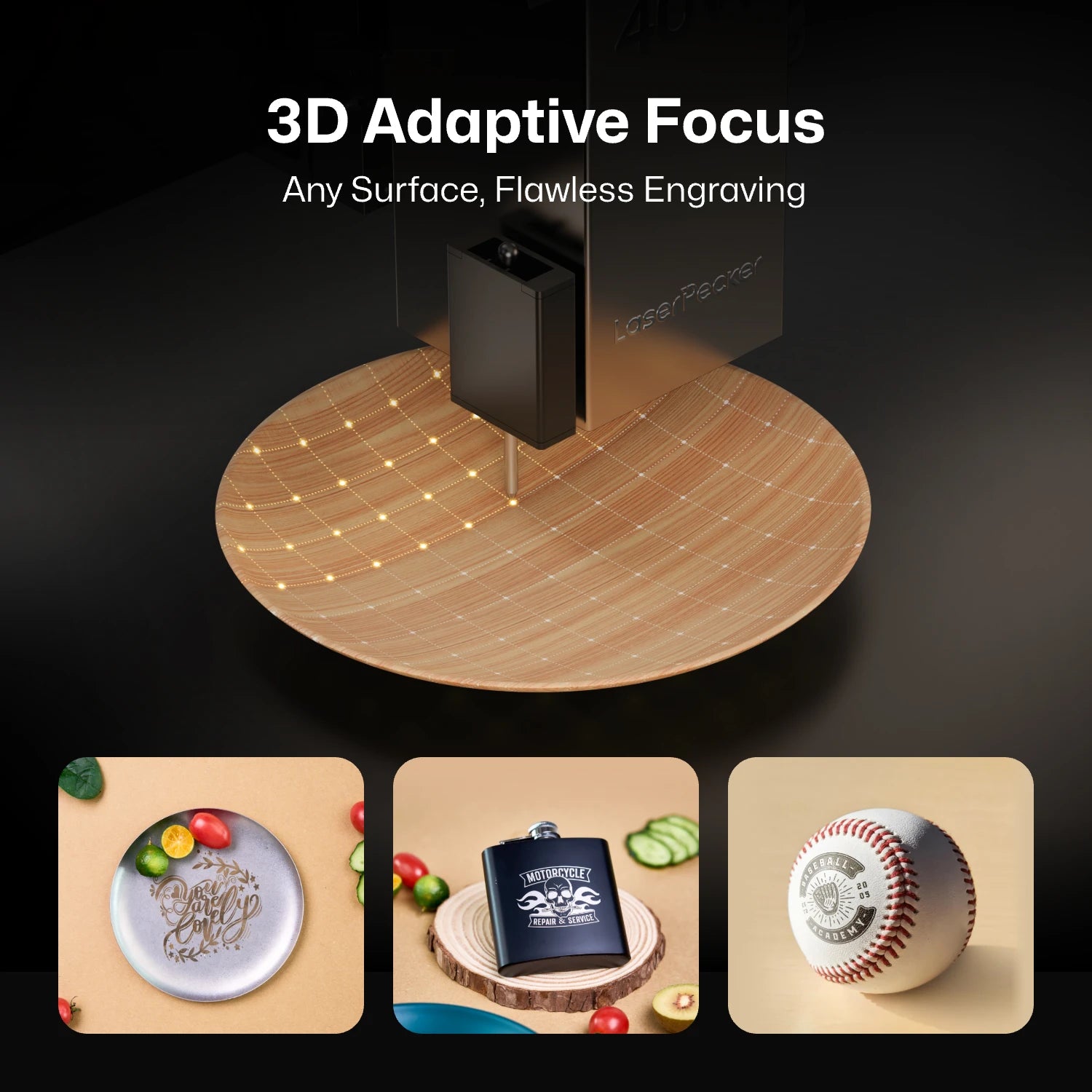
This makes it more practical for engraving objects that are not perfectly flat, such as curved surfaces, sloped items, and irregular handmade pieces.
Reason #6: 12MP Camera with Dual Positioning System
The LaserPecker LX2 combines a 12MP ultra-wide camera with Point-to-Shape™ intelligent probing to simplify project setup and improve engraving accuracy. Together, these technologies reduce manual alignment, shorten setup time, and make batch production much more efficient.
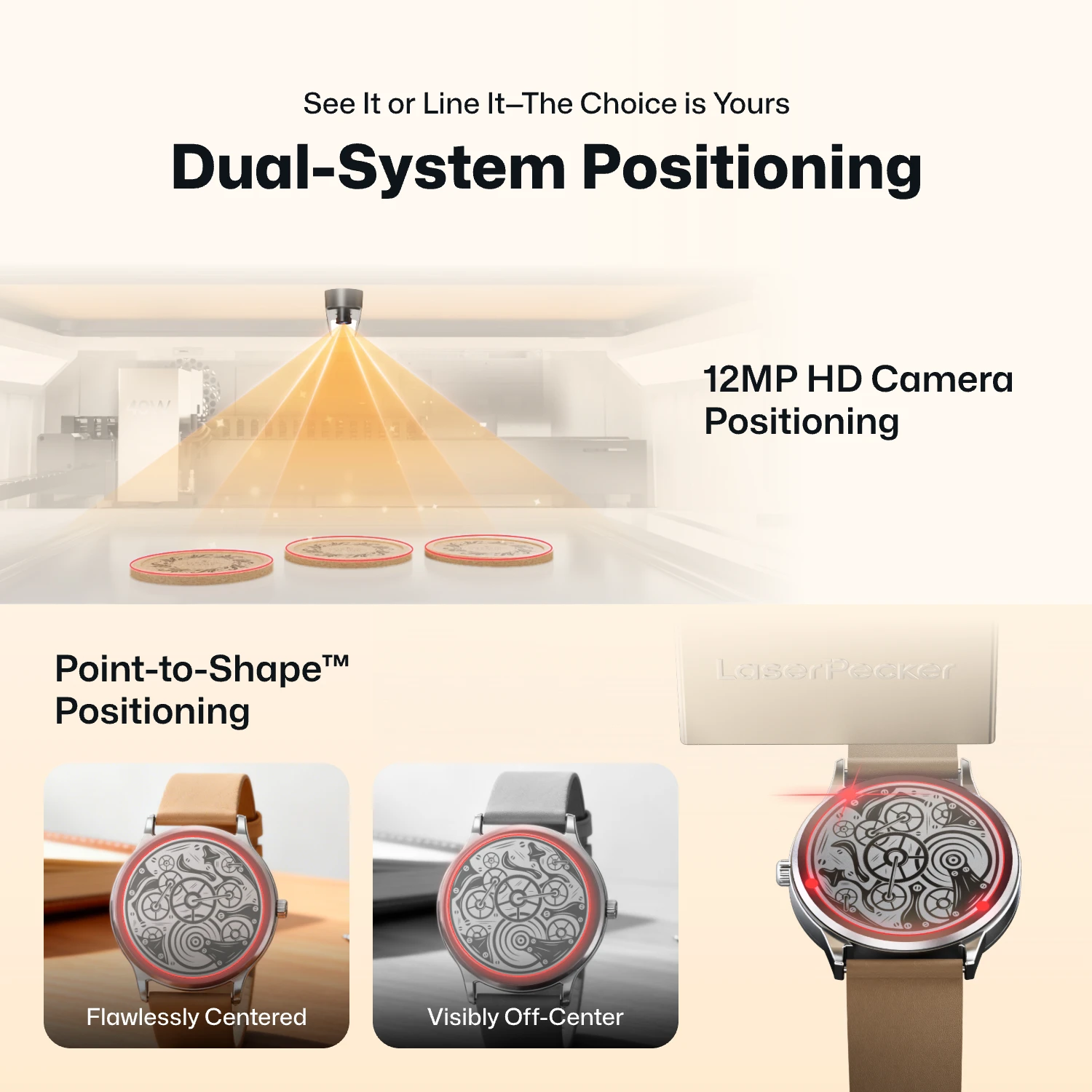
- 12MP Camera Positioning: The built-in ultra-wide camera provides a live preview of the entire workspace, allowing users to position artwork accurately before engraving begins.
- Smart Fill: Using the camera, the LX2 automatically detects multiple objects in the workspace and intelligently fills each one with the selected design, dramatically speeding up batch engraving.
- Remote Live View: The live camera feed lets users remotely monitor the workspace, verify positioning, and check engraving progress without standing next to the machine.
- Point-to-Shape™ Intelligent Probing: Instead of relying on visual recognition alone, the LX2 uses a mechanical probe to physically trace the outline of irregular objects. The detected shape is then imported into the software, allowing artwork to fit the object's exact contour with high precision.
The higher-resolution camera provides a clearer preview of your material, making it easier to position designs accurately before engraving. Whether you're engraving a single item or arranging multiple products for batch production, the system helps reduce setup time and improve positioning accuracy.
Reason #7: Lower Maintenance Cost
As a solid-state diode system, the LX2 has no fragile glass tubes to replace, no mirrors to manually align, and no water pumps to monitor. This translates to near-zero maintenance costs and a reliable machine that is always ready to work when you are.
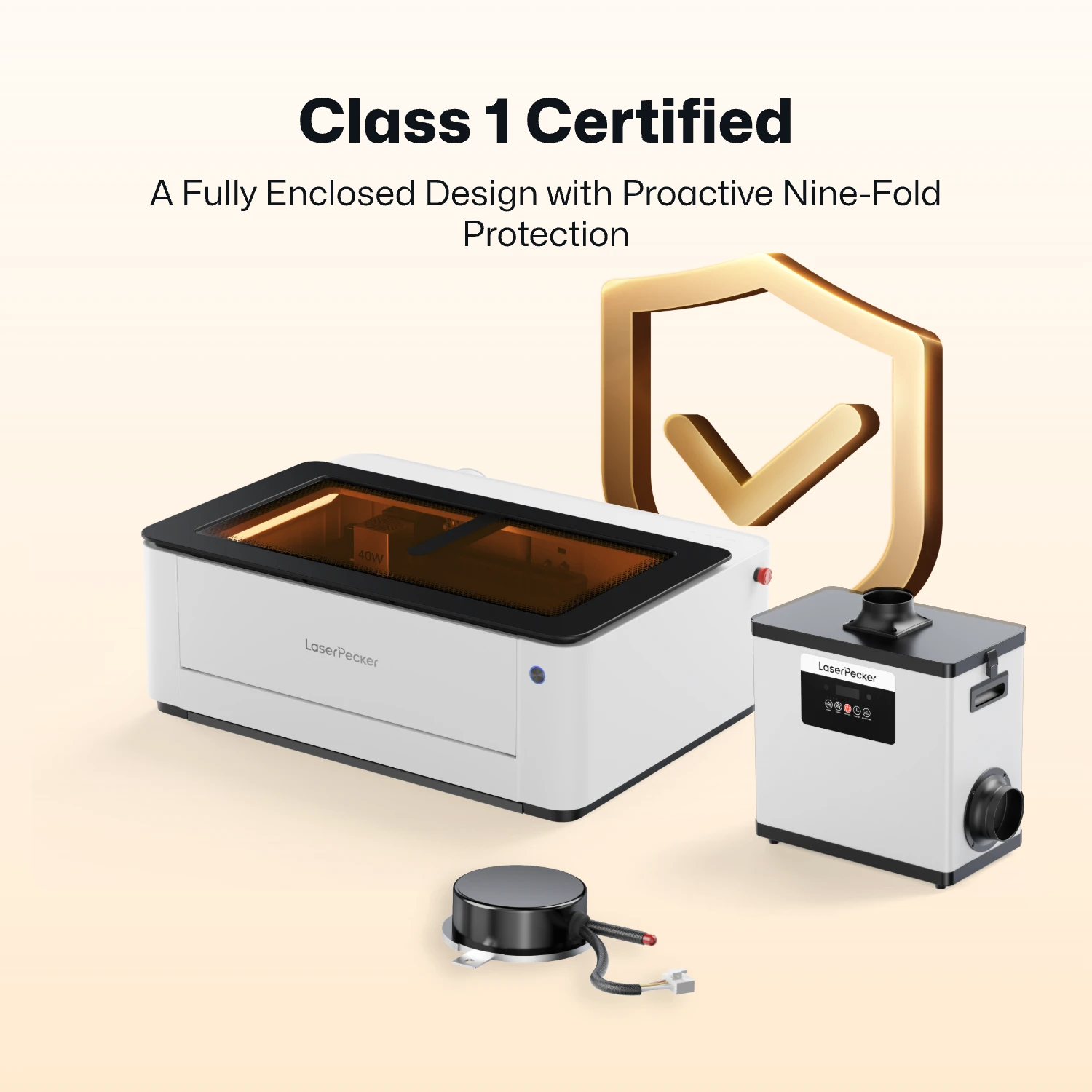
Reason #8: Class 1 Certified for Home/Classroom
With its fully enclosed safety shield option, the LX2 achieves a strict Class 1 safety certification. This makes it completely safe to operate on a kitchen counter, in a shared home office, or in a school STEM classroom without needing to clear the room or wear bulky goggles.
Monport K40 vs LaserPecker LX2: Key Comparison Table
To help you visualize how these two machines stack up side-by-side, let's look at a comprehensive breakdown of their technical specifications, processing capabilities, and overall user experience.
| Monport K40 CO2 Laser | LaserPecker LX2 Series | |
|---|---|---|
| Laser Type | CO2 Laser | Diode / Infrared |
| Maximum Laser Power | 40W | 20W/40W/60W / 2W IR |
| Maximum Engraving Speed | 350 mm/s | 1000 mm/s |
| Metal Engraving & Cutting | Requires spray | Direct metal engraving via 2W IR module |
| Working Area | 300 x 200 mm | 500mm × 305mm |
| Motion Accuracy | 0.254 mm | 0.01 mm |
| Built-in Camera | None | 12MP HD Camera |
| Autofocus Method | Manual focus | 3D Adaptive Autofocus & Focus Compensation |
| Software Compatibility | LightBurn, GRBL |
APP: LaserPecker Design Space PC: LaserPecker Design Space Beta (PC 3.0) & LightBurn |
| Operating System |
MacOS, Windows XP/7/8/10/11 macOS、Windows XP/7/8/10/11 |
Mobile: iOS 13.0 / Android 7.0 (minimum) Computer: macOS 10.15 / Windows 10 (minimum) |
| Weight and Dimensions | 22 kg | 22.5 kg |
| Starting Price | $599.99 | $1,499.00 |
| Best For / Use Case | Dedicated workshops cutting clear acrylics | Home businesses, creators, on-the-go batching |
Where the Monport K40 Still Holds an Advantage
The Monport K40 still offers a few advantages for users focused on a low upfront price or working with transparent materials.
Advantage #1: Budget-Friendly
The Monport K40 provides strong laser power at a lower initial price. However, additional costs may include upgrades, water-cooling equipment, and alignment tools.
Advantage #2: CO2 Laser
Its 10,600 nm CO2 laser can process transparent materials such as clear acrylic and glass. These materials are more difficult for visible-light diode lasers to process directly.
FAQ about Monport K40 Alternatives
Q1. Can the LX2 Cut Thicker Material Than the K40?
At the same output power, the LX2 offers comparable cutting performance on wood, MDF, plywood, leather, and dark acrylic. The K40 has an advantage when cutting clear acrylic because of its CO2 laser wavelength.
The LX2 is available with 20W, 40W, and 60W laser modules, allowing users to choose more power for thicker materials and demanding cutting projects.
Q2. Can You Control the LX2 from a Phone or Tablet?
Yes. The LX2 supports wireless control through iOS and Android apps, as well as desktop software. Users can create designs, adjust settings, and start projects from a phone or tablet.
Q3. LX2 vs K40: Which Machine Is Better for Detailed or Curved-Surface Engraving?
The LX2 is better suited for detailed and uneven-surface engraving because of its adaptive focus system. The K40 uses manual focusing and is mainly designed for flat materials.
Q4. Does the LX2 Need Water Cooling Like the K40?
No. The LX2 uses an internal air-cooling system and does not require external water pumps, tubing, or water containers.
Q5. Is the LX2 Safer for Home or Classroom Use?
Yes. The LX2 features a fully enclosed design, laser containment, and safety interlocks for Class 1 operation under normal use. The K40 requires additional safety precautions during operation.
Conclusion
The Monport K40 is a budget-friendly choice for users who need to cut clear acrylic and are comfortable with manual adjustments and water cooling. For a faster, easier, and more flexible workflow, the LaserPecker LX2 is a strong modern alternative for engraving and cutting projects.


