


For a long time, fully enclosed systems like the WeCreat Vision Pro caught the attention of creators trying to scale their production from a garage or local studio. However, as production demands evolve, many users begin looking for greater flexibility, faster workflows, and a platform that can adapt to a wider range of projects.
If you find yourself searching for a WeCreat Vision Pro alternative, the newly introduced LaserPecker LX2 is one option worth considering thanks to its modular design and focus on workflow flexibility.
This guide compares the two machines side by side, covering speed, positioning systems, accuracy, module options, and overall usability to help you decide which model better fits your needs.

Why Do People Look for a WeCreat Vision Pro Alternative?
The WeCreat Vision Pro handles many standard cutting and engraving tasks, but its fixed design may limit growing workshops.
Limitation #1: Limited Laser Module Options
The machine includes a 45W diode laser and a 2W infrared laser, but it does not support other module options. Users who need different power levels or specialized capabilities may have to purchase another machine.
Limitation #2: Lower Engraving Speed
The WeCreat Vision Pro has a maximum engraving speed of 600 mm/s. This may be enough for occasional projects but can slow down high-volume production.
Limitation #3: Single-Camera Positioning
The machine mainly relies on its built-in HD camera for positioning. Without a separate mechanical positioning system, precise alignment may be harder to maintain during detailed or repeated batch jobs.
Limitation #4: Optical LiDAR Autofocus System
The optical LiDAR autofocus system may be less reliable on reflective metals, dark acrylic, and uneven surfaces because these materials can affect optical measurements.
Limitation #5: Limited Working Height Range
The auto-lifting chassis supports materials up to 140 mm high. This is suitable for most standard projects but may limit oversized, irregular, or layered objects.
Why Some Users Choose the LaserPecker LX2 Instead
Recognizing these production bottlenecks, a wave of agile creators is migrating toward the LaserPecker LX2, a machine meticulously engineered to solve precision and mobility limitations.
Reason #1: Four-Module Ecosystem
The LaserPecker LX2 features a four-module power ecosystem consisting of 20W, 40W, and 60W blue diode laser modules, along with a 2W infrared module.
- 20W Diode Laser for everyday engraving and cutting.
- 40W Diode Laser for stronger cutting performance.
- 60W Diode Laser for demanding cutting applications.
- 2W Infrared Laser for direct engraving on stainless steel, gold, silver, titanium, brass, and other metals.
This modular design allows one machine to handle many different types of projects.

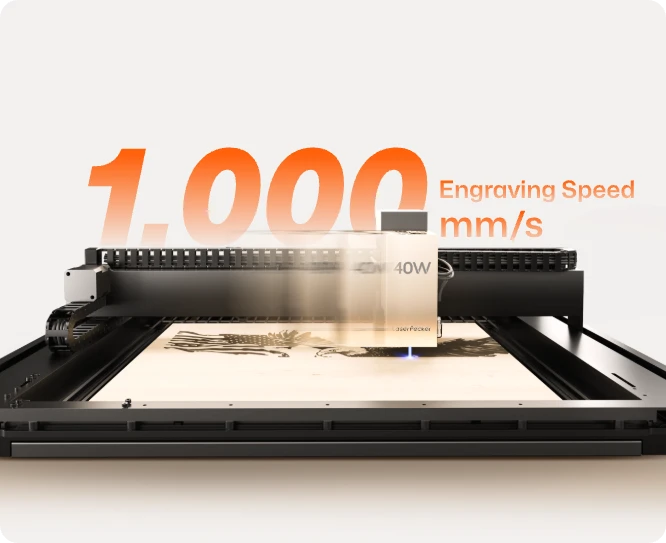
Reason #2: 1,000 mm/s Engraving Speed
Blazing past standard limitations, the LX2 delivers a staggering maximum engraving speed of 1,000 mm/s. This blistering throughput allows small business owners to slash their production times by nearly half, turning out customized batches faster than ever before.
Reason #3: 12MP Dual-System Positioning
The LaserPecker LX2 combines a 12MP ultra-wide camera with Point-to-Shape™ intelligent probing to simplify project setup and improve engraving accuracy. Together, these technologies reduce manual alignment, shorten setup time, and make batch production much more efficient.
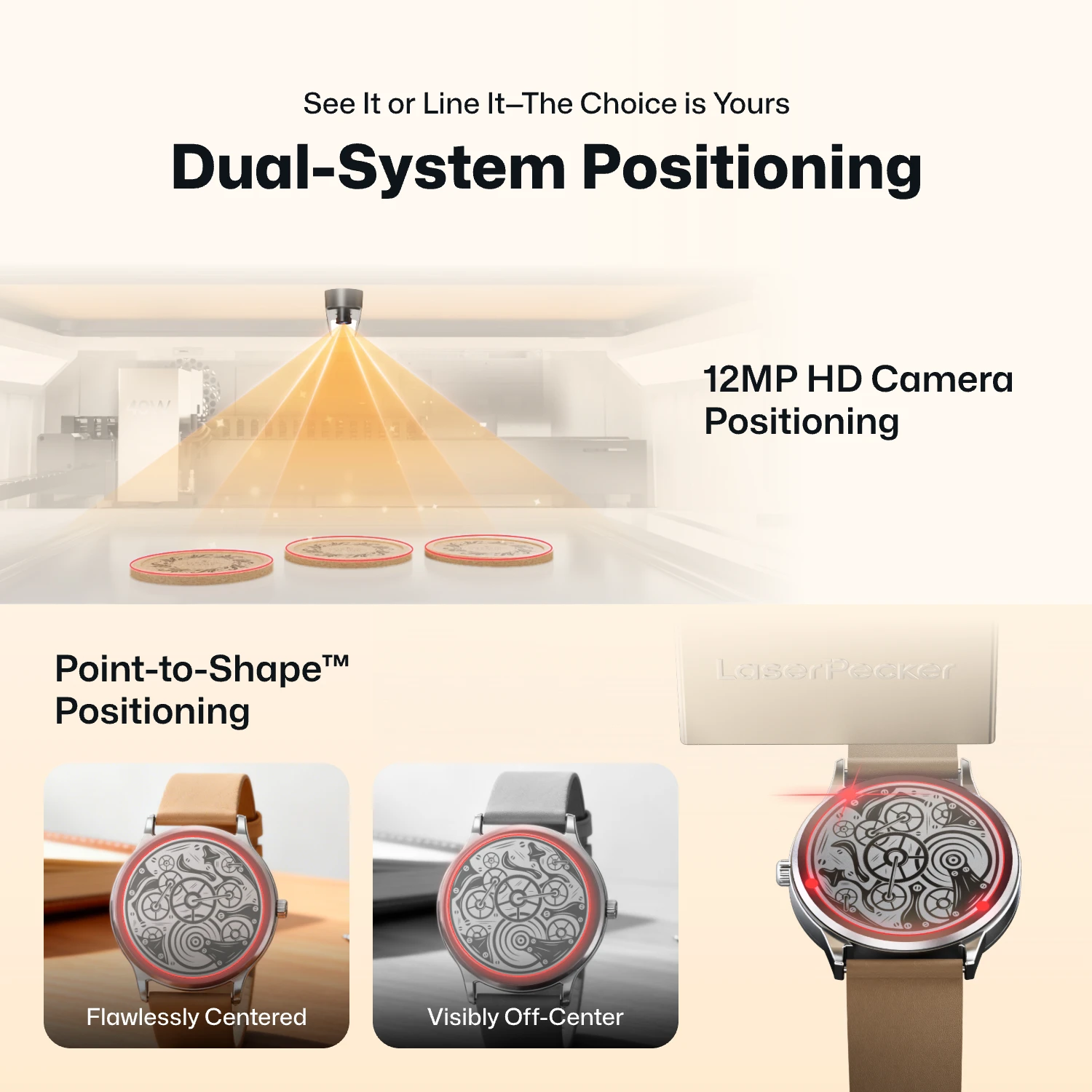
- 12MP Camera Positioning: The built-in ultra-wide camera provides a live preview of the entire workspace, allowing users to position artwork accurately before engraving begins.
- Smart Fill: Using the camera, the LX2 automatically detects multiple objects in the workspace and intelligently fills each one with the selected design, dramatically speeding up batch engraving.
- Remote Live View: The live camera feed lets users remotely monitor the workspace, verify positioning, and check engraving progress without standing next to the machine.
- Point-to-Shape™ Intelligent Probing: Instead of relying on visual recognition alone, the LX2 uses a mechanical probe to physically trace the outline of irregular objects. The detected shape is then imported into the software, allowing artwork to fit the object's exact contour with high precision.
The higher-resolution camera provides a clearer preview of your material, making it easier to position designs accurately before engraving. Whether you're engraving a single item or arranging multiple products for batch production, the system helps reduce setup time and improve positioning accuracy.
Reason #4: 3D Probe-Based Auto-Focus During Processing
The LX2 includes 3D Surface Adaptive Auto-Focus. Its probe-based system can scan the surface of an object and adjust focus for curved or uneven materials.
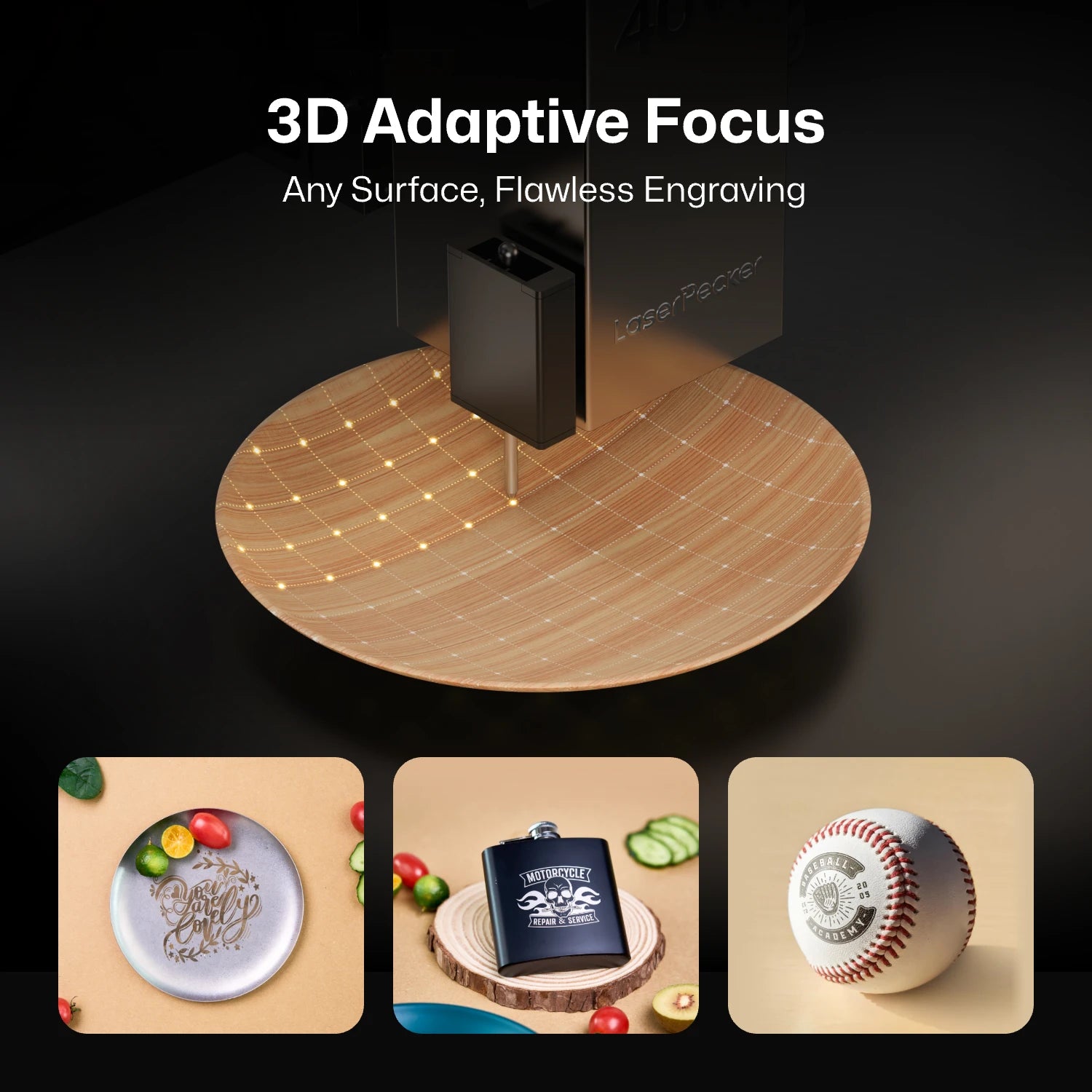
This makes it more practical for engraving objects that are not perfectly flat, such as curved surfaces, sloped items, and irregular handmade pieces.
Reason #5: Lower Entry Price
The LaserPecker LX2 hits the market with a relatively friendlier entry price starting at $1649 for its base configuration, offering a more attainable pathway into professional-grade laser crafting.
WeCreat Vision Pro vs LaserPecker LX2: Key Comparison Table
To provide a clear, objective snapshot for your purchasing decision, let's look at the raw technical specs of both machines side-by-side.
| WeCreat Vision Pro | LaserPecker LX2 | |
|---|---|---|
| Laser Type | Diode Laser | Diode Laser |
| Available Laser Modules | 45W (Diode) + 2W (IR) | 20W / 40W / 60W (Diode) + 2W (IR) |
| Maximum Laser Power | Up to 45W | Up to 60W |
| Working Area | 500 mm × 320 mm | 500 mm × 305 mm |
| Maximum Engraving Speed | 600 mm/s | 1,000 mm/s |
| Camera Resolution | Integrated HD Camera | 12MP / 6K Ultra-HD Camera |
| Positioning System | Camera Positioning | Camera & Mechanical Probe |
| Engraving Accuracy | 0.1mm | ≤0.01 mm |
| Autofocus Method | LiDAR-powered Auto-Focus | 3D Surface Adaptive Auto-Focus |
| Maximum Material Height | 140 mm via integrated auto-lifting |
Standard: 45 mm With Optional Riser Base: 150 mm |
| Max. Cutting Capability |
25mm Basswood 20mm black acrylic |
22mm Paulownia / 20mm Acrylic (with 40W) 25mm wood, 30mm black acrylic and 0.8mm stainless steel(with 60W) |
| Rotary Attachment Support | Yes | Yes |
| Software Compatibility | MakeIt, LightBurn | LaserPecker Design Space (LDS), LightBurn |
| Connectivity | USB, Wi-Fi | USB, Wi-Fi |
| Safety Certifications | FDA Class 1 Enclosed | FDA Class 1 (with 9-Stage safety protection) |
| Weight | 21kg | 22.5 kg (49.6 lbs) |
| Starting Price | $1940 | $ 1649 |
Who Should Still Buy the WeCreat Vision Pro
The WeCreat Vision Pro remains a suitable choice for users who prefer an enclosed, all-in-one machine.
Users Who Need an Auto-Lifting Chassis
The integrated 0–140 mm auto-lifting chassis automatically adjusts the working height. This is useful for workshops that frequently switch between flat sheets and thicker materials.
Production Environments Needing a Full-Metal Enclosure
The flame-retardant metal enclosure has an FDA Class 1 safety rating. It is suitable for commercial workshops, schools, and shared spaces that require an enclosed operating environment.
Buyers Wanting a Fully Bundled Package
The WeCreat Super Pack ($3,290) includes the rotary axis, infrared module, smoke purifier, and conveyor extension. It provides a convenient package for businesses that want to begin producing different types of projects quickly.
The LaserPecker LX2 may be a better option for jewelers, custom engraving studios, small-batch manufacturers, traveling makers, and businesses that need faster production and flexible material processing.
FAQ about WeCreat Vision Pro Alternatives
Q1: Can LX2 cut 20 mm acrylic in one pass like Vision Pro?
The cutting result depends on the laser module, acrylic type, focus, speed, and other settings. Users should check the specifications of the selected LX2 module and test the material before production.
Q2: Does LX2 have an auto-lifting design like Vision Pro?
No. The LaserPecker LX2 does not have an internal motorized auto-lifting chassis. Its modular design uses adjustable supports or risers to accommodate materials of different heights.
Q3: Can I use LightBurn with LX2 and Vision Pro?
LightBurn compatibility may depend on the machine configuration, firmware, and supported connection method. Users should check the latest official software information for each machine before purchase.
Q4: Which machine is better for engraving jewelry and metal?
The LaserPecker LX2 is suitable for detailed jewelry and metal marking when equipped with its 2W 1064 nm infrared module. Its fine laser spot and precise positioning help create clear marks on compatible metals.
Conclusion
The WeCreat Vision Pro is a solid choice for users who want an enclosed, all-in-one machine with automatic height adjustment. The LaserPecker LX2 is better suited to users who value faster production, precise positioning, modular laser options, and a more flexible workflow. The best choice depends on the materials, workspace, and production needs.


