














Learning how to cut paper properly can improve the quality of your crafts, artwork, scrapbooking projects, greeting cards, and DIY decorations. Different paper cutting methods offer different levels of precision, speed, and creative flexibility depending on the tools you use.
Whether you need clean straight cuts, intricate paper art, or fast bulk production, there are several effective tools and techniques available. From simple scissors to advanced laser cutting machines, each method has its own advantages.
In this guide, you'll learn how to cut paper using four popular methods: laser cutting machines, craft knives, scissors, and Cricut Maker machines.

In this article:
- Method 1: Cut Paper with a Laser Cutting Machine
- Method 2: Cut Paper with a Craft Knife
- Method 3: Cut Paper with Scissors
- Method 4: Cut Paper with a Cricut Maker
Method 1: Cut Paper with a Laser Cutting Machine
Using a laser cutting machine is one of the most precise and efficient ways to cut paper. This method is ideal for intricate paper art, layered designs, wedding invitations, packaging prototypes, greeting cards, and bulk production projects.
Paper laser cutting uses a focused laser beam to create clean and highly detailed cuts with minimal manual effort. It is especially useful when you need repeatable designs or complex patterns that are difficult to cut by hand.
Tools & Materials Needed
- Laser cutting machine
- Design software (e.g., LDS, LightBurn, RDWorks, CorelDRAW)
- High-quality paper or cardstock
Recommended Desktop Laser Cutter for Paper Cutting: LaserPecker LX2
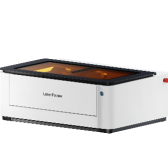
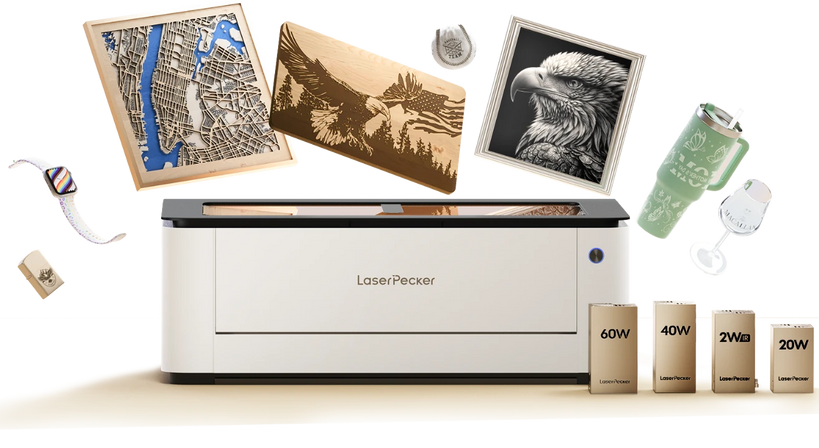
The LaserPecker LX2 is a powerful desktop laser cutter designed for precision craft projects such as paper cutting, greeting cards, paper art, invitations, packaging, and layered decorative designs.
With its precise laser control and camera-assisted workflow, the LX2 can create clean paper cuts, intricate patterns, and highly detailed designs that are difficult to achieve with manual cutting tools.
-
Precise Laser Cutting for Intricate Paper Designs
The LX2 delivers clean and accurate cuts on paper, cardstock, and craft materials, making it suitable for detailed paper art, invitations, stencils, and layered decorations. -
Camera-Assisted Positioning System
The built-in camera helps improve material alignment and positioning accuracy, especially useful for small paper patterns and batch paper cutting projects. -
Large Working Area for Batch Production
The spacious workspace allows users to process multiple paper designs in a single run, improving efficiency for craft businesses and creative studios.
How to Cut Paper with a Laser Cutter - Steps
Step 1: Prepare Your Design
Create or import your pattern into the laser software.
Step 2: Set up the paper
Place the paper flat on the laser bed. Use low-tack tape or clamps if needed to prevent shifting.
Step 3: Adjust Laser Settings
Choose low power and high speed to avoid burning the edges.
Step 4: Cut the design
Start the laser cutting process and monitor for any paper movement or scorching.
Step 5: Remove and inspect
Carefully take out the paper and remove any loose cut-out pieces.
Pros & Cons of Cutting Paper with a Laser Cutting Machine
Pros
- Extremely precise and clean cuts
- Can create highly detailed, intricate designs
- Fast and repeatable—ideal for bulk production
Cons
- Requires access to a laser cutter (high initial cost)
Method 2: Cut Paper with a Craft Knife
A craft knife is one of the best tools for detailed paper cutting projects. It allows for precise control when cutting straight lines, intricate patterns, stencils, scrapbooking designs, and paper art.
If you're wondering what to use to cut paper for detailed work, a craft knife offers more accuracy than scissors and works especially well for clean edges and sharp corners.
Tools & Materials Needed
- Craft knife / precision knife (with a sharp blade)
- Cutting mat (self-healing recommended to protect surfaces)
- Ruler or straight edge (metal is best)
- Pencil (optional, for marking cut lines)
- Paper to be cut
How to Cut Paper with a Craft Knife - Steps
Step 1: Prepare your workspace
Place the cutting mat on a stable surface to protect your table or desk.
Step 2: Mark your design
Use a pencil to lightly sketch or mark the cut lines on your paper if needed.
Step 3: Position the ruler
Align the ruler along the cutting line to guide your knife for a straight cut.
Step 4: Cut with the craft knife
Hold the knife firmly and use a steady hand to slice along the marked line, pressing firmly but carefully.
Step 5: Repeat if necessary
For thicker paper, you may need to make multiple passes with the knife to cut through completely.
Step 6: Finish and clean up
Carefully lift the cut paper from the mat. Replace the blade if it becomes dull for best results.
Pros & Cons
Pros
- Allows for very precise and detailed cuts.
Cons
- Requires practice to avoid mistakes or injuries.
- Slower than some automated methods.
- Not suitable for very large volumes of cutting.
Method 3: Cut Paper with Scissors
Scissors are one of the most common and accessible tools used to cut paper. They are ideal for simple crafts, school projects, wrapping paper, basic shapes, and everyday paper cutting tasks.
If you're wondering what you use to cut paper for quick and easy projects, a sharp pair of scissors is often the simplest solution. Scissors work well for both children and adults and require very little setup.
Tools & Materials Needed
- A pair of sharp scissors (preferably with a pointed tip for precision)
- Paper to cut
- Pencil (optional, for marking lines)
How to Cut Paper with Scissors - Steps
Step 1: Prepare your paper:
Place the paper on a flat surface. If needed, lightly draw the shape or lines you want to cut.
Step 2: Hold the scissors correctly
Use your dominant hand to hold the scissors, and the other hand to hold the paper steady.
Step 3: Start cutting
Begin cutting along the marked line or edge of the paper. For straight cuts, try to keep the scissors steady and use smooth, continuous movements.
Step 4: For curves or shapes
Open and close the scissors carefully, turning the paper with your non-cutting hand to follow curves accurately.
Step 5: Finish the cut
Once complete, check the edges and trim any uneven parts if necessary.
Method 4: Cut Paper with a Cricut Maker
The Cricut Maker is an electronic cutting machine designed for precise and automated paper cutting. It is widely used for scrapbooking, paper crafts, greeting cards, vinyl projects, decals, and intricate paper art.
If you need a fast and accurate way to cut paper with detailed designs, a Cricut Maker is one of the best tools available. It can cut complex shapes and repeated patterns much more quickly than manual methods.
Tools & Materials Needed
- Cricut Maker
- Engraving tip or deep-cut blade
- Paper to cut (compatible with Cricut cutting settings)
- Design software (Cricut Design Space)
- Weeding tools (optional, for removing excess pieces)
How to Cut Paper with a Cricut Maker - Steps
Step 1: Design or select a pattern
Use Cricut Design Space to create your own design or choose from thousands of pre-made templates.
Step 2: Prepare the paper and mat
Place the paper onto the cutting mat, aligning it as shown in the software instructions.
Step 3: Load the mat
Insert the mat into the Cricut Maker machine and ensure it's properly aligned.
Step 4: Set cut settings
In the software, select the correct material type to set the blade pressure and cutting speed automatically.
Step 5: Start cutting
Send the design to the machine and let it cut the paper precisely.
Step 6: Unload and finish
When cutting is complete, unload the mat and carefully remove your cut paper. Use weeding tools to clean up any small pieces if necessary.
Conclusion
There are many effective ways to cut paper, and the best method depends on your project, budget, and level of detail required.
Laser cutting machines offer maximum precision for intricate designs and bulk production, while craft knives provide excellent control for detailed manual work. Scissors remain the easiest and most accessible option for everyday cutting, and Cricut Maker machines combine automation with high precision for advanced crafting projects.
Whether you're creating paper art, greeting cards, stencils, decorations, or DIY crafts, choosing the right paper cutting tool can help you achieve cleaner cuts and better results.