


A golf ball marking tool can help you identify your ball, add a putting alignment line, or create a personalized design. Options range from simple permanent markers and alignment stencils to stamps and laser marking machines.
The best golf ball marker tool depends on what you want to achieve. A marker pen is suitable for quick identification, an alignment stencil helps create straight guide lines, and a laser system offers repeatable customization for suitable golf ball surfaces.

In this article:
- Part 1: Why is a Golf Ball Marker Tool Essential
- Part 2: 3 Types of Golf Ball Marker Tools
- Type 1: Alignment and Aiming Tools
- Type 2: Identification Tools
- Type 3: Laser Engraving Tools
- Part 3: Why Laser Engraver is the Best Golf Ball Marker Tool
- FAQs: Hot Questions about Golf Ball Marker Tool
Part 1: Why Use a Golf Ball Marking Tool?
A golf ball marking tool can serve two main purposes: helping a player identify the correct ball and adding visual guides for setup and putting. It can also be used to add initials, symbols, or other custom details.
Reason 1: Create a Consistent Putting Reference
An alignment line gives the player a visible reference that can be aimed toward the intended starting line. Some golfers find this useful for positioning the ball and putter consistently, although it does not guarantee better putting performance.
Reason 2: Identify Your Ball More Easily
Players often use the same brands and models. Adding initials, dots, a color pattern, or a small symbol makes the ball easier to distinguish and reduces the risk of playing the wrong ball.
Reason 3: Add Personal or Promotional Designs
Custom golf ball markers, stamps, printing systems, and laser marking machines can add names, logos, event graphics, or simple designs. These options are useful for personal gifts, golf events, pro shops, and promotional products.
Part 2: 3 Types of Golf Ball Marker Tools
Golf ball marking tools differ in cost, durability, precision, and intended use. Some are designed for drawing putting lines, while others add identification marks or produce repeatable custom graphics.
Understanding these differences will help you choose the best golf ball marking tool for casual play, personalization, events, or small-batch production.
Type 1: Golf Ball Alignment and Aiming Tools
An alignment tool is usually a plastic or metal stencil that fits around part of the ball. It guides a marker pen so the user can draw a straight line, multiple parallel lines, arrows, or other putting references.
This type is inexpensive and easy to use, making it a practical choice for golfers who mainly want a consistent visual reference when setting up a putt.
Pros
- Affordable and beginner-friendly
- Creates straighter lines than drawing freehand
- Available in different line and stencil patterns
Cons
- Ink can fade, smear, or wear away
- Results depend on the pen and how securely the stencil fits
- Not designed for detailed custom graphics
Type 2: Golf Ball Identification Tools
Identification tools include permanent markers, golf ball stamps, decals, and simple printing devices. They are commonly used to add initials, dots, numbers, symbols, or small logos.
A permanent marker is the fastest and least expensive option. A stamp or printing system can create a more consistent result when the same design needs to be applied to several balls.
Pros
- Quick and easy to apply
- Suitable for initials, dots, and simple symbols
- Low starting cost for pens and basic stamps
Cons
- Ink and decals may wear off with use
- Curved, dimpled surfaces can cause uneven results
- Basic tools offer limited design detail
Type 3: Laser Marking Machines for Golf Balls
A laser marking machine can add text, logos, symbols, or alignment graphics by modifying a small area of the ball's outer coating. Digital control makes the design repeatable and can provide finer detail than a pen or manual stamp.
Because golf ball covers vary by manufacturer and model, settings must be tested on a spare ball first. Use only low-impact surface settings, confirm that the material is laser-compatible, and provide appropriate ventilation. A ball whose performance characteristics have been deliberately altered should not be used in a rules-governed competition.
Pros
- Repeatable placement and design quality
- Supports text, logos, symbols, and detailed graphics
- No ink drying time or stamp pad required
- Suitable for personalization and small batches
Cons
- Higher initial cost than pens or stencils
- Requires material testing and parameter adjustment
- Needs secure positioning on the curved surface
- May affect competition eligibility if the ball is materially altered
Golf Ball Marker Tool Comparison
| Tool Type | Starting Cost | Precision | Durability | Batch Use | Best For |
|---|---|---|---|---|---|
| Alignment Stencil | Low | Medium | Depends on the ink | Low | Putting lines and arrows |
| Marker, Stamp, or Decal | Low to Medium | Low to Medium | Low to Medium | Medium | Identification and simple logos |
| Laser Marking Machine | High | High | High when properly tested | Medium to High | Detailed, repeatable customization |
Part 3: Is a Laser the Best Golf Ball Marking Machine?
A pen or stencil is usually the best choice for a golfer who only needs a quick identification mark or putting line. A golf ball marking machine becomes more useful when the goal is to produce detailed, repeatable designs for gifts, events, pro shops, or customization services.
Laser marking offers several advantages, but it should be treated as a controlled surface-customization process rather than deep engraving.
Reason 1: Precise and Repeatable Placement
A digitally controlled laser can reproduce the same text, alignment graphic, symbol, or logo on multiple golf balls. This offers more consistent placement than drawing each design by hand.
The dimples and curved surface still make positioning important. A stable fixture or suitable rotary setup should be used to prevent the ball from moving during processing.
Reason 2: No Ink or Adhesive
Laser marking does not rely on marker ink, stickers, or stamp pads. When the surface and settings are compatible, it can produce a clean mark that is less likely to smear than a hand-drawn line.
Durability varies with the cover material and processing depth. Always test a spare ball rather than assuming that one setting will work on every brand or model.
Reason 3: Greater Design Flexibility
Laser software can process names, numbers, line graphics, logos, and other custom artwork. Once the design and positioning have been tested, the same file can be reused for small production runs.
This makes laser marking particularly useful for personalized gifts, corporate events, golf clubs, coaching programs, and promotional merchandise.
Recommended Golf Ball Marking Machine: LaserPecker LP2 Plus
For users who want to create repeatable surface markings on suitable golf balls, the LaserPecker LP2 Plus provides a compact 10W diode-laser platform for custom text, line graphics, and logos.
Because golf balls have curved, dimpled surfaces and can use different cover materials, every new ball model should be tested before production. Use conservative settings, secure the ball properly, and confirm that its coating is safe for laser processing.
Why Consider the LP2 Plus for Golf Ball Marking?
-
10W Diode Laser:
Suitable for controlled surface marking on compatible coated materials after parameter testing. -
Compact Design:
The portable format can fit into workshops, pro shops, event booths, and small customization spaces. -
Digital Design Workflow:
Users can prepare text, alignment graphics, initials, and logos and reproduce the same design when needed. -
Support for Curved-Object Workflows:
A compatible fixture or rotary accessory can help stabilize and position small curved objects. Verify that the selected setup can hold the golf ball securely before engraving. -
Expandable System:
Optional accessories include the Rotary Extension, Slide Extension, enclosure, and air-filtration solutions.
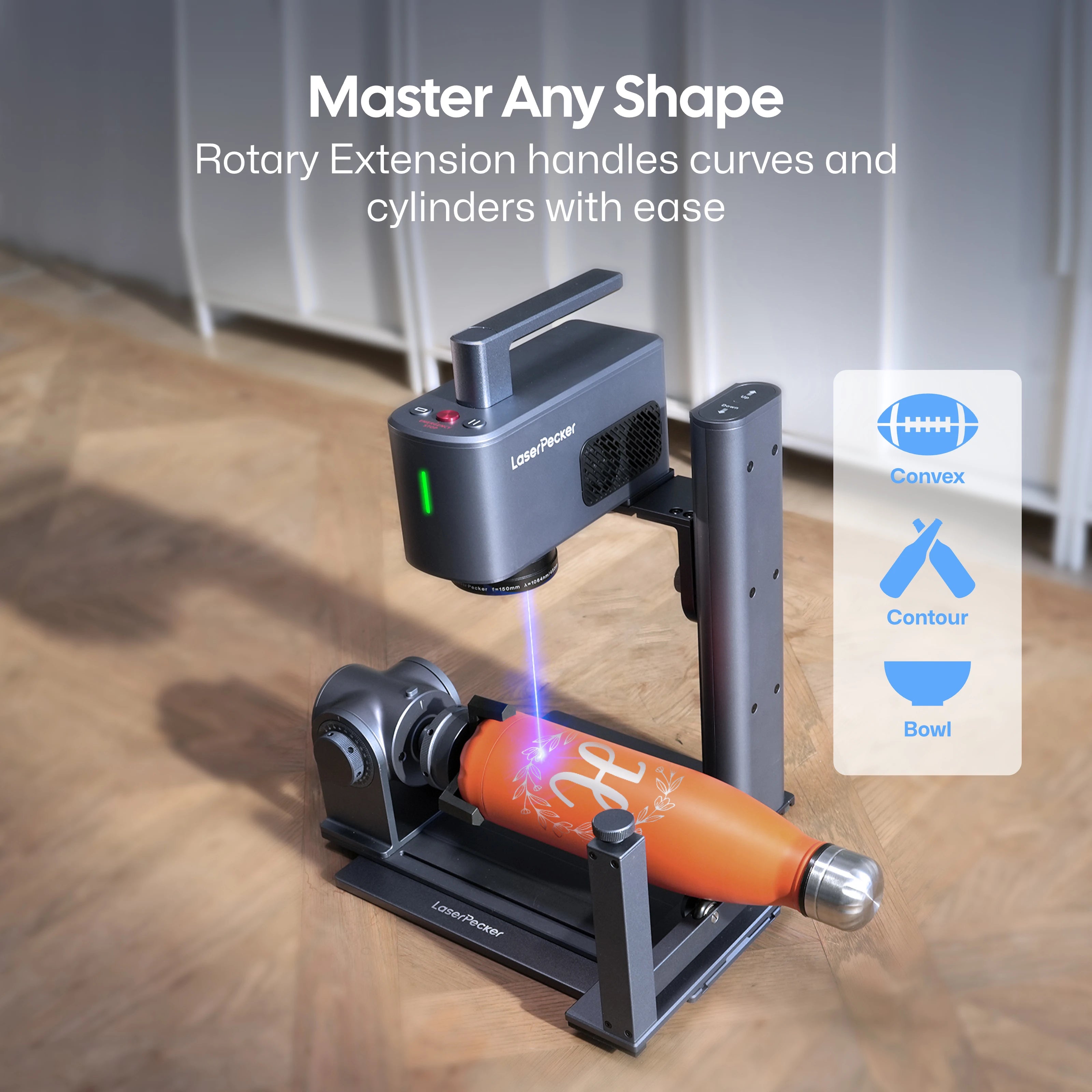
The LP2 Plus is most appropriate when repeatability and design flexibility matter more than the low cost and simplicity of a marker pen. For balls intended for formal competition, confirm compliance before use and avoid any process that materially changes the ball's performance characteristics.
FAQs About Golf Ball Marker Tools
Q1. What is a golf ball marking tool?
A golf ball marking tool is any pen, stencil, stamp, printer, or laser system used to add identification marks, alignment lines, text, or graphics to a golf ball. It is different from a ball-marker, which is the coin-like object used to mark a ball's position before lifting it from the putting green.
Q2. What is the difference between a golf ball marker and a golf ball marking tool?
A golf ball marker, or ball-marker, is a small artificial object such as a coin or token placed beside a ball to preserve its position when the ball is lifted. A golf ball marking tool applies a line, dot, name, or design directly to the ball's surface.
Q3. What type of marker should you use on a golf ball?
Use a fine-tip permanent marker that adheres to the ball's coated surface and dries quickly. Choose a high-contrast color and allow the ink to dry completely before handling the ball. Test the marker first, as adhesion can differ between cover materials.
Q4. Do golf ball alignment lines help with putting?
Alignment lines can provide a consistent visual reference for aiming and setup. Some golfers find them helpful, while others putt more comfortably without them. Their value depends on the player's vision, routine, and ability to align the mark correctly.
Q5. Is it legal to draw alignment lines on a golf ball?
Generally, yes. The Rules of Golf encourage players to place an identification mark on their ball, and a drawn alignment line is commonly permitted. However, a player must still use a conforming ball and follow the applicable procedures when marking, lifting, and replacing it.
Q6. What is the most permanent way to mark a golf ball?
Factory printing and properly tested surface marking generally last longer than ordinary marker ink. Laser marking may create a durable design on a compatible cover, but it must be tested carefully. Avoid deep engraving or any treatment that could change the ball's performance characteristics.
Q7. Can you laser engrave a golf ball?
A laser can mark the outer coating of some golf balls, but compatibility varies by cover material and construction. Test a spare ball using low-impact settings, secure it in a suitable fixture, and use proper ventilation. Do not assume that a laser-marked ball remains eligible for competition if the process materially alters its surface or performance.
Conclusion
The best golf ball marker tool depends on the type of mark you need. A permanent marker is inexpensive and convenient, an alignment stencil creates cleaner putting guides, and a stamp can repeat simple identification designs.
For golfers who only need a quick mark, a pen or stencil remains the most practical choice. For pro shops, events, gift businesses, and users producing custom golf ball markers or personalized balls, the LaserPecker LP2 Plus provides a compact digital customization platform for compatible materials.
Before laser marking any golf ball, test a spare sample and avoid processing that could alter its playing characteristics—particularly if the ball will be used in a rules-governed competition.


