


If you enjoy making personalized gifts, home décor, signs, or products to sell, you may be comparing a Cricut vs laser cutter. Both machines turn digital designs into physical projects, but they use completely different cutting methods and work best with different materials.
A Cricut is a blade-based cutting machine designed primarily for paper, cardstock, adhesive vinyl, heat-transfer vinyl, fabric, and other thin craft materials. A laser cutter uses a focused beam of light to cut or engrave materials such as wood, acrylic, leather, coated metal, and certain plastics. The materials a laser can process depend on its wavelength and power.
This laser cutter vs Cricut comparison explains how the two machines differ in cutting method, material compatibility, precision, speed, cost, ease of use, and suitable applications. It will help you choose the right tool for home crafting, professional customization, or a small creative business.

In this article:
- Part 1: What Is a Cricut?
- Part 2: What Is a Laser Cutter?
- Part 3: Key Differences
- Part 4: Which Should You Choose?
Part 1: What Is a Cricut Machine?
A Cricut is a computer-controlled craft cutting machine that uses interchangeable blades and tools to cut, draw, score, foil, or emboss compatible materials. It is especially popular among beginners, home crafters, teachers, and small businesses that make stickers, cards, labels, apparel graphics, and paper decorations.
Is Cricut a laser cutter? No. A Cricut uses a physical blade or tool that touches the material, whereas a laser cutter uses a focused, non-contact beam. This fundamental difference affects the materials, detail, cutting depth, maintenance, and safety requirements of each machine.
How Does a Cricut Work?
First, you create or upload a design in Cricut Design Space. The software sends the cutting path to the machine, which moves a blade across material secured to a cutting mat. Depending on the Cricut model and installed tool, the machine may also draw, score, deboss, or apply foil.
Cut quality depends on the selected blade, pressure, material setting, mat condition, and complexity of the design. Cricut machines perform best with relatively thin, flat materials such as paper, cardstock, fabric, adhesive vinyl, and heat-transfer vinyl.

Pros and Cons of a Cricut Machine
Pros:
- Beginner-friendly setup and software.
- Compact enough for most home craft spaces.
- Well suited to paper, cardstock, fabric, and vinyl projects.
- Lower initial cost than most laser cutters.
- Supports cutting, drawing, scoring, foiling, and other craft functions.
Cons:
- Material thickness and hardness are limited by the blade and machine model.
- Cannot perform true laser engraving or deep engraving.
- Blades and cutting mats wear out and require replacement.
- Intricate designs may be difficult to weed or assemble.
- Not designed for cutting substantial wood, acrylic sheets, or metal.
Part 2: What Is a Laser Cutter?
A laser cutter is a computer-controlled machine that directs a focused beam of light across a material to cut, engrave, mark, or remove its surface coating. Unlike a Cricut blade, the laser processes the material without physical contact.
Different laser sources are suited to different materials. Diode lasers are commonly used for wood, leather, dark acrylic, paper, and coated surfaces. Fiber lasers are primarily used for marking and engraving metals and certain plastics. Examples include the dual-laser LaserPecker LP5 and the large-format LaserPecker LX2.
How Does a Laser Cutter Work?
A laser cutter focuses light onto a small area of the material. The concentrated energy heats, vaporizes, melts, or alters the surface as the laser head or galvanometer follows a digital path. Power, speed, frequency, number of passes, and focus are adjusted according to the material and desired result.
Laser designs can be prepared in vector or laser-control software. Some compact desktop systems can also be operated through a mobile app. Before processing any unfamiliar material, users should verify its composition, test appropriate settings, and provide suitable ventilation or fume extraction.
Pros and Cons of a Laser Cutter
Pros:
- Produces highly detailed, repeatable cuts and engravings.
- Can process a wider variety of rigid materials than a Cricut.
- Supports permanent engraving and surface marking.
- Does not require a blade to follow the cutting path.
- Suitable for personalized products, prototypes, signage, and batch production.
Cons:
- Usually has a higher initial cost than a Cricut.
- Requires material-specific settings and safety knowledge.
- Produces smoke or fumes that must be properly extracted or filtered.
- Not every material is laser-safe; PVC and materials of unknown composition must not be processed.
- Optical components and the work area require regular cleaning.
Part 3: Laser Cutter vs Cricut: 7 Key Differences
Although both machines follow digital designs, a Cricut and a laser cutter differ in much more than cutting power. The following comparison covers the factors that matter most when choosing a machine.
1. Cutting Method and Precision
A Cricut moves a physical blade through the material. It can produce clean, precise results on compatible craft materials, but very small details may lift, tear, or become difficult to weed.
A laser cutter follows the design with a narrow, non-contact beam. This makes it well suited to intricate patterns, small text, detailed graphics, and repeatable engraving. Actual precision depends on the laser spot size, focus, material, settings, and mechanical system.
2. Material Compatibility
Cricut machines are primarily designed for paper, cardstock, adhesive vinyl, heat-transfer vinyl, fabric, thin leather, and selected lightweight craft materials. Compatibility varies by Cricut model and tool.
Laser cutters can process materials such as wood, acrylic, leather, paper, cardboard, coated metal, and some plastics. A fiber laser can also mark or engrave many bare metals. However, laser compatibility depends on wavelength and power, and certain materials must never be used.
Important: Do not place ordinary PVC-based vinyl in a laser cutter. Heating PVC can release corrosive and hazardous fumes. Use only materials specifically identified by the manufacturer as laser-safe.
3. Cutting Thickness
A Cricut is best for thin materials that a blade can penetrate without excessive force. Some models can cut thin craft wood and tooling leather, but they are not intended for substantial sheets of wood, acrylic, or metal.
A laser cutter can cut thicker wood, acrylic, and other compatible materials, depending on laser type, power, focus, air assist, and number of passes. Metal-cutting capability varies significantly and should be confirmed for the specific machine and metal.
4. Engraving Capability
What can a laser engraver do that a Cricut cannot? A laser engraver can permanently remove, darken, oxidize, or alter a material's surface without using a physical engraving tip. It can reproduce detailed photos, fine text, serial numbers, logos, and patterns on compatible wood, leather, glass, coated products, plastics, and metals.
A Cricut can deboss or engrave certain compatible materials when fitted with the appropriate tool, but its engraving depth, material range, and detail are more limited.
5. Speed and Production Workflow
A Cricut is efficient for cutting individual decals, cards, fabric shapes, and similar craft projects. Projects with multiple colors or layers may require separate cutting, weeding, alignment, and assembly.
A laser cutter can complete detailed cutting and engraving in the same workflow. It is often more efficient for personalized products and repeated batches, although processing time still depends on design size, material, depth, and settings.
6. Cost and Maintenance
Cricut machines generally have a lower purchase price. Ongoing costs may include blades, cutting mats, pens, specialty tools, and optional materials or software content.
Laser cutters usually cost more initially and may require an enclosure, ventilation system, air assist, filtration, or rotary accessory. Maintenance includes cleaning lenses, protective windows, fans, and the work area. The higher investment may be worthwhile for users who need broader material compatibility or sell engraved products.
7. Ease of Use and Safety
A Cricut is generally easier for beginners because setup is simple and there are fewer material-safety considerations. Users still need to select the correct blade, pressure, mat, and tool.
A laser cutter requires a stronger understanding of focus, power, speed, ventilation, fire prevention, and material compatibility. An enclosed machine with safety interlocks and effective fume extraction can provide a more controlled workflow, but it must still be operated according to the manufacturer's instructions.
Cricut vs Laser Cutter Comparison Table
| Cricut | Laser Cutter | |
|---|---|---|
| Cutting Method | Physical blade | Focused light beam |
| Best Materials | Paper, vinyl, fabric, and cardstock | Wood, acrylic, leather, coated surfaces, and other laser-compatible materials |
| Engraving | Limited to compatible models, tools, and materials | Detailed, non-contact engraving and marking |
| Material Thickness | Primarily thin craft materials | Thin to thicker materials, depending on laser power and material |
| Initial Cost | Generally lower | Generally higher |
| Learning Curve | Lower | Moderate |
| Best Suited To | Home crafts, decals, cards, and apparel graphics | Engraved products, signage, prototypes, and small-batch production |
Part 4: Cricut vs Laser Cutter: Which One Should You Choose?
The right choice depends on the materials you use, the products you want to make, your available workspace, and your budget. Neither machine is automatically better for every project.
Choose a Cricut If:
- You mainly work with paper, cardstock, fabric, adhesive vinyl, or heat-transfer vinyl.
- You want to make decals, greeting cards, labels, scrapbook elements, or apparel graphics.
- You prefer a lower initial cost and a shorter learning curve.
- You do not need true laser engraving or deep material cutting.
- You want a compact machine for occasional home crafting.
Choose a Laser Cutter If:
- You want to cut or engrave wood, acrylic, leather, coated metal, or other laser-compatible materials.
- You need detailed, permanent personalization on products.
- You plan to produce signs, jewelry, tumblers, tags, prototypes, or small product batches.
- You need more material flexibility than a blade-based craft cutter can provide.
- You have suitable space for safe operation, ventilation, and material storage.
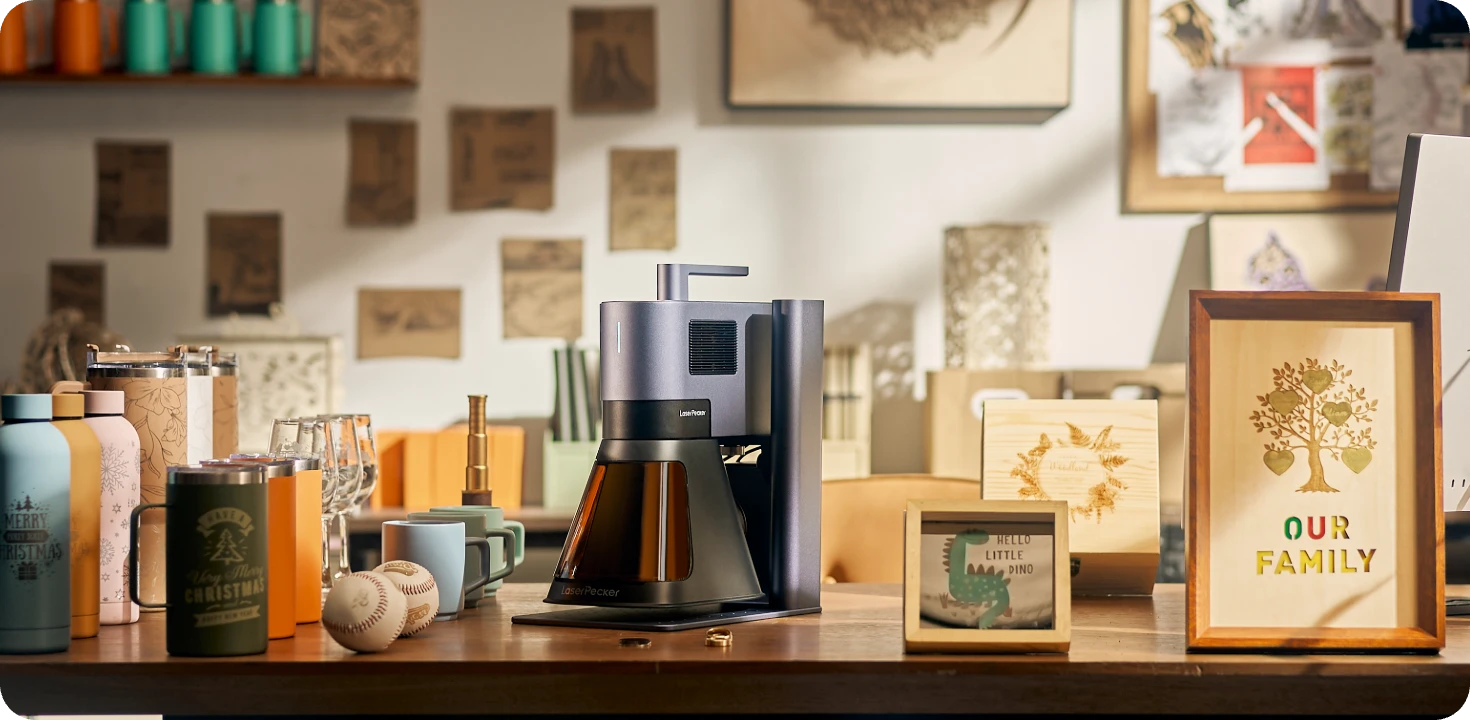
For users who need both metal engraving and non-metal cutting or engraving, the LaserPecker LP5 combines a 20W fiber laser with a 20W diode laser. The fiber source is designed for metals and certain plastics, while the diode source supports materials such as wood, leather, paper, and dark acrylic.
The LP5 reaches engraving speeds of up to 10,000 mm/s. Its optional Slide Extension expands the working area to 160 × 300 mm, while the Rotary Extension supports cylindrical and curved objects such as tumblers, rings, and bracelets.
The machine works with LaserPecker Design Space and LightBurn and can be controlled from supported computers or mobile devices. Its dual-laser design makes it suitable for creators and small businesses that regularly switch between metal and non-metal projects.
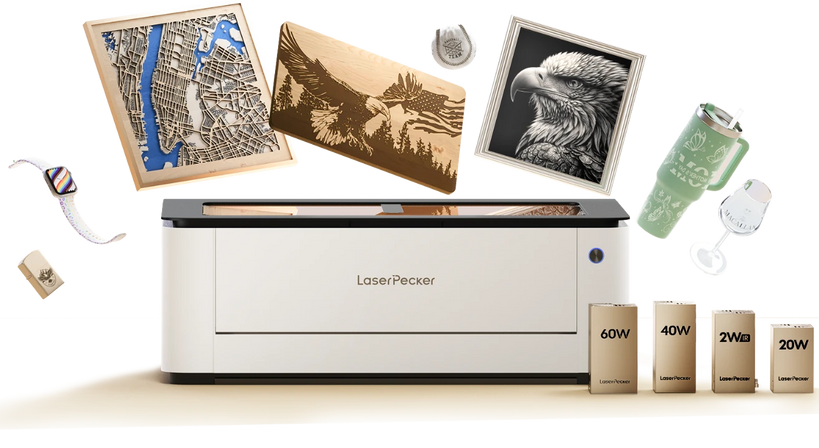
If your work focuses on larger wood, acrylic, leather, or paper projects rather than compact metal engraving, a large-format laser cutter such as the LaserPecker LX2 may be a more suitable option.
Part 5: FAQs About Cricut vs Laser Cutter
Q1. Is Cricut a laser cutter?
No. A Cricut uses a physical blade or interchangeable tool to cut, draw, score, foil, deboss, or engrave compatible craft materials. A laser cutter uses a focused beam of light to cut, mark, or engrave material without physical contact.
Q2. What is the main difference between a Cricut and a laser cutter?
The main difference is the cutting method. Cricut machines use blades and are optimized for thin craft materials such as paper, cardstock, fabric, and vinyl. Laser cutters use light and can cut or engrave a broader range of compatible materials, including wood, acrylic, leather, and coated surfaces.
Q3. What can a laser engraver do that a Cricut cannot?
A laser engraver can create permanent, highly detailed marks on compatible wood, leather, glass, coated products, plastics, and metals. Depending on the laser source, it can reproduce photographs, fine text, logos, serial numbers, and deep or textured engravings that are generally beyond the capabilities of a Cricut tool.
Q4. Can a Cricut cut wood or metal?
Some Cricut models can cut selected thin craft woods, such as balsa wood or basswood, when fitted with the correct blade. Cricut machines are not intended to cut metal sheets, although they may cut or engrave certain very thin metal materials with compatible tools. Always follow the material limits specified for the individual model.
Q5. Can a laser cutter cut vinyl?
Do not laser-cut ordinary PVC-based vinyl. Heating PVC can release hazardous, corrosive fumes and may damage the machine. Only process vinyl-like films that are explicitly certified as laser-safe and whose chemical composition has been verified.
Q6. Which is better for beginners: a Cricut or a laser cutter?
A Cricut is generally easier for beginners because it has a simple setup and focuses on common craft materials. A laser cutter has a steeper learning curve because users must understand material compatibility, focus, power, speed, ventilation, and fire safety. However, enclosed desktop laser machines and guided software can make the process more accessible.
Q7. Is a laser cutter better than a Cricut for a small business?
A laser cutter is often more suitable for businesses selling engraved wood, acrylic, leather, metal, or personalized products. A Cricut may be more cost-effective for decals, cards, labels, apparel graphics, and paper crafts. The better choice depends on your product range, production volume, workspace, and budget.
Q8. Do I still need a Cricut if I own a laser cutter?
Possibly. The two machines can complement each other. A Cricut is convenient for adhesive vinyl, heat-transfer vinyl, fabric, paper crafts, and pen-based projects. A laser cutter is better for rigid materials, permanent engraving, and detailed cutting. Businesses that sell a broad range of customized products may benefit from owning both.
Conclusion
In the Cricut vs laser cutter comparison, the best machine depends on what you want to make. A Cricut is affordable, beginner-friendly, and well suited to paper crafts, decals, fabric, cards, and heat-transfer designs. A laser cutter requires a larger investment and more safety knowledge, but it offers permanent engraving, greater material flexibility, and stronger production potential.
Choose a Cricut if your projects mainly involve thin craft materials and you value simplicity. Choose a laser cutter if you want to create detailed engraved products, cut compatible wood or acrylic, personalize metal items with a suitable laser source, or expand a small customization business.
Before buying, compare the machine's supported materials, working area, laser or tool type, safety system, ventilation requirements, software, accessories, and total operating cost. The right machine is the one that matches both your current projects and the products you plan to make next.


