






















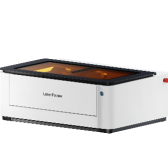

Stencil cutting is widely used across creative and industrial applications—from wall art, graffiti, and fabric printing to product labeling, circuit board marking, packaging, and branding.
Clean edges, strong bridges, durable materials, and precise cuts are all essential for a reliable stencil. And all of these factors depend heavily on the cutting machine you choose.
In this guide, you'll learn what a stencil cutting machine is, explore the main types available today, and compare their strengths and limitations. By the end, you'll have a clear understanding of which machine best fits your needs—based on precision, speed, material compatibility, and cost.

In this article:
- Part 1: What is a Stencil Cutting Machine
- Part 2: 4 Types of Stencil Cutting Machines
- Type 1: Manual Stencil Cutting Tools
- Type 2: Plotter Machines
- Type 3: CNC Router Machines
- Type 4: Laser Engraving & Cutting Machine
- Part 3: Why Laser Cutting Machine is the Best Stencil Cutting Machine
- FAQs: Hot Questions about Stencil Cutting Machine
Part 1: What Is a Stencil Cutting Machine?
A stencil cutting machine is a device used to cut patterns, shapes, letters, or logos from flat materials to create reusable templates. The cut-out areas allow paint, ink, sand, or other media to pass through, transferring the design onto surfaces such as walls, fabric, metal, wood, or packaging.
Modern stencil making typically starts with a digital design file. The machine follows the design path and cuts the material precisely along those lines. The higher the precision and control of the machine, the cleaner the stencil edges will be, resulting in sharper designs and better reusability.

What Makes a Good Stencil?
A high-quality stencil should meet the following standards:
- Precision: Clean, sharp, and accurate cutting lines.
- Detail Capability: Able to handle small text and intricate designs consistently.
- Integrity: Thin bridges and small sections remain strong and intact.
- Material Compatibility: Works effectively with both flexible films and rigid sheets.
- Repeatability: Produces identical results across multiple stencil copies.
If these standards are not met, issues such as paint bleeding, broken stencil sections, or uneven edges can affect the final result.
Common Stencil Materials
The choice of material depends on the intended application:
- Mylar (PET film): Durable, flexible, and reusable.
- Polypropylene (PP): Chemical-resistant and washable.
- Vinyl film: Thin with adhesive backing, ideal for single-use masking.
- Acrylic sheets: Rigid and long-lasting.
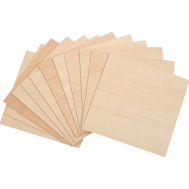
- MDF or plywood: Suitable for thicker, spray-paint stencils.
- Cardboard: Low-cost and disposable.
Stencil materials range in thickness from thin films (around 0.1 mm) to rigid boards up to 6 mm, depending on the application and required durability.
Part 2: 4 Types of Stencil Cutting Machines
There are several types of machines used for headstone engraving, each designed for different materials, design styles, and levels of detail.
From traditional methods to modern digital systems, each option offers unique advantages in terms of precision, depth, and workflow. Below are four common types of headstone engraving machines and how they are typically used.
Type 1: Manual Stencil Cutting Tools for Stencil
Manual stencil cutting tools are the most basic and accessible way to create stencils. These tools typically include craft knives, precision blades (such as hobby knives), and cutting mats. Users manually follow printed or drawn designs to cut out patterns from materials like paper, cardboard, or thin plastic sheets.
This method is widely used for simple DIY projects, quick prototypes, or low-volume stencil production. It requires no software or machine setup, making it a popular choice for beginners and hobbyists.
Pros
- Easy to Use: No learning curve for software or machines.
- No Power Needed: Can be used anywhere without electricity.
Cons
- Limited Precision: Difficult to achieve clean and consistent edges, especially for complex designs.
- Time-Consuming: Cutting intricate patterns manually takes significant time and effort.
- Low Repeatability: Hard to produce identical stencils consistently.
- Material Limitations: Not suitable for thick or rigid materials.
Type 2: Plotter Machines for Stencil
Plotter machines, commonly known as vinyl cutters, are widely used for stencil making with thin and flexible materials. These machines use a fine blade to follow vector paths from digital designs, cutting materials such as vinyl film, masking film, or thin plastic sheets with precision.
The workflow is simple: create or import a design, send it to the plotter, and let the machine handle the cutting automatically. Plotter machines are popular among hobbyists, designers, and small businesses due to their balance of affordability, ease of use, and reliable results.
Pros
- Good Precision: Capable of producing clean and accurate cuts for most stencil designs.
- Good Repeatability: Can produce multiple identical stencils.
Cons
- Material Limitations: Primarily suitable for thin and flexible materials like vinyl.
- Limited Thickness Capability: Cannot handle thick or rigid materials.
- Blade Wear: Cutting blades require regular replacement.
- Detail Limitations: Very fine or intricate designs may not cut cleanly.
Type 3: CNC Router Machines for Stencil
CNC router machines are computer-controlled cutting systems that use rotating cutting bits to carve or cut materials. For stencil making, they are typically used with rigid materials such as wood, MDF, acrylic, or plastic sheets. The machine follows toolpaths generated from digital design files, allowing for automated and consistent cutting.
Compared to vinyl cutters, CNC routers are more powerful and can handle thicker and harder materials. They are commonly used in woodworking, signage, and industrial applications where durability and structural strength are required.
Pros
- High Cutting Strength: Can process thick and rigid materials like wood and acrylic.
- Automation: Digital workflow enables consistent and repeatable results.
- Versatility: Suitable for a wide range of materials beyond stencil use.
Cons
- Higher Cost and Space Requirements: Machines are larger and more expensive.
- Tool Wear: Cutting bits need maintenance and replacement over time.
Type 4: Laser Engraving & Cutting Machine for Stencil
Laser engraving and cutting machines use a focused laser beam to cut or engrave materials with high precision. For stencil making, the laser follows vector design paths and removes material cleanly without physical contact. This allows for extremely fine details, smooth edges, and consistent results.
Laser machines can process a wide range of materials, including mylar (PET), polypropylene (PP), wood, acrylic, paper, and more. They are widely used for professional stencil production, custom design work, and small-scale manufacturing where precision and versatility are critical.
Pros
- High Precision: Produces sharp edges and handles intricate designs with ease.
- No Tool Wear: No physical blade, reducing maintenance and ensuring consistent quality.
- Wide Material Compatibility: Works with both flexible films and rigid materials.
- Fast Processing: Efficient for both simple and complex stencil designs.
- High Repeatability: Ideal for producing identical stencils in batches.
Cons
- Higher Initial Cost: More expensive than manual or plotter machines.
Part 3: Why Laser Cutting Machine is the Best Stencil Cutting Machine
| Method | Precision | Speed | Contact | Edge Quality | Complex Designs | Setup Cost |
|---|---|---|---|---|---|---|
| Manual Stencil Cutting Tools | Low | Slow | Yes (Physical Contact) | Rough to Moderate | Limited | Low |
| Plotter Machines | Medium | Medium | Yes (Blade Contact) | Clean | Moderate | Low to Medium |
| CNC Router Machines | Medium | Slow to Medium | Yes (Tool Contact) | Moderate (May require finishing) | Moderate | Medium to High |
| Laser Engraving & Cutting Machine | High | Fast | No (Non-contact) | Very Clean | Excellent | Medium to High |
Among all stencil cutting methods, laser cutting machines stand out for their precision, versatility, and efficiency. They are especially suitable for users who need clean results, detailed designs, and consistent production quality.
Reason 1: Supports Complex and Fine Designs
Laser systems are excellent at handling intricate designs. They can accurately cut small text, detailed logos, and complex patterns with sharp, clean edges. Even thin bridges between letters or shapes remain strong, thanks to precise heat control. This makes laser cutting ideal for high-detail stencil work where accuracy is critical.
Reason 2: Wide Material Compatibility
Laser cutting machines can process a wide range of materials, including:
- Mylar (PET film)
- Polypropylene (PP)
- Acrylic
- MDF
- Plywood
- Cardboard
- Thin rubber
This flexibility allows one machine to serve multiple applications, from DIY crafts to industrial stencil production.
Reason 3: Non-Contact Cutting for Cleaner Edges
Unlike blade-based methods, laser cutting is a non-contact process. This brings several advantages:
- No tearing of thin films
- No mechanical stress on the material
- Minimal edge burrs
- Reduced material movement during cutting
As a result, laser-cut stencils have cleaner edges and higher overall quality, making them more suitable for repeated use.
Reason 4: High Efficiency & Perfect Repeatability
Laser machines follow digital design files with high accuracy, ensuring every stencil is produced exactly the same. Once the setup is complete, you can create multiple copies without recalibration. This makes laser systems ideal for batch production and professional applications where consistency is essential.
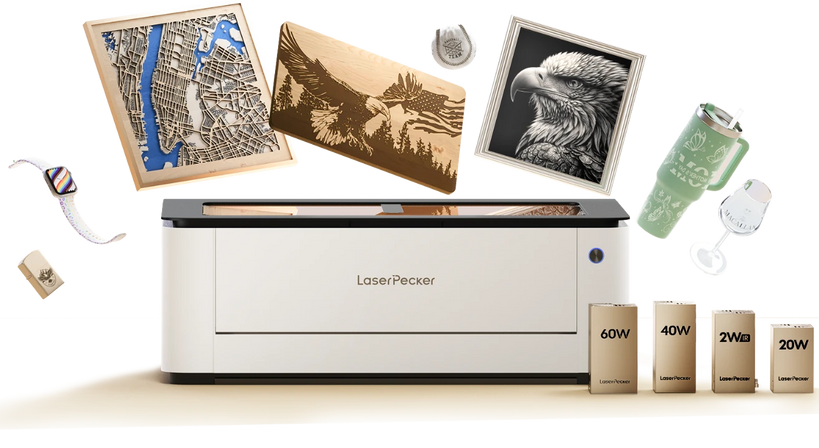
Recommended Popular Laser Cutting Machine for Stencil: LaserPecker LX2
The LX2 laser cutting machine combines strong power output with precise motion control, making it a reliable choice for stencil production in both small businesses and professional workshops.
-
Ultra Fine Laser Spot (135.9 × 103.3 μm)
The LX2 features an ultra-fine laser spot, allowing it to produce highly precise cuts with sharp, clean edges. This level of accuracy is especially important for stencil work involving small text, detailed logos, and intricate patterns. Fine bridges and gaps are clearly defined, resulting in stronger and more durable stencils. -
Multi-Laser System (450nm Diode + 1064nm IR)
Equipped with both a 450nm diode laser and a 1064nm infrared laser, the LX2 can process a wide range of materials. It supports over 300 materials, including Mylar, acrylic, MDF, and even certain metals. This makes it highly versatile for stencil production, whether working with flexible films or rigid boards, without needing to switch tools. -
Software-Controlled Cutting Paths for Batch Production
All cutting paths are controlled through software. Once a stencil design is finalized, the same settings can be reused to produce multiple copies with consistent accuracy. This ensures efficient batch production and minimizes manual adjustments. -
Large Working Area (Up to 500 mm × 305 mm | 19.7" × 12")
The LX2 offers a spacious working area that accommodates a variety of stencil sizes, from small craft templates to larger signage or industrial stencils. This reduces the need for repositioning materials and helps maintain alignment for larger designs.
FAQs: Hot Questions About Stencil Cutting Machines
Q1: What is the best machine for cutting Mylar stencils?
For thin Mylar sheets, a vinyl cutter works well for simple shapes and large lettering. However, if you need fine details, small elements, or batch production, a laser cutting machine is usually the better choice. Laser systems produce cleaner edges with higher precision and do not rely on blades, which can distort thin plastics. For logos, reusable stencils, or small business use, laser machines offer more consistent results.
Q2: Can a laser cutter cut stencil plastic?
Yes, laser cutters can process stencil plastics such as Mylar (PET), PET film, and thin acrylic. The laser vaporizes the material, creating smooth and clean edges. It is important to adjust power and speed settings properly to avoid warping. Also, always ensure the material is safe for laser use—plastics like PVC should never be cut with a laser.
Q3: Is a laser better than a vinyl cutter for stencil making?
It depends on your needs. Vinyl cutters are ideal for adhesive films and simple designs, and they are generally affordable and easy to use. Laser cutters, on the other hand, are better for handling a wider range of materials, producing fine details, and creating multiple identical stencils. Since they are non-contact machines, there is no blade pressure or wear. For precision and versatility, laser systems are often the better option.
Q4: How thick can stencil material be for laser cutting?
The maximum thickness depends on the laser power and the material type. Most desktop diode laser machines can cut stencil materials in the range of approximately 0.1 mm to 7 mm. Higher-powered systems can handle thicker plastics or thin acrylic sheets. Proper adjustment of speed, power, and airflow helps maintain clean edges when cutting thicker materials.
Q5: Are laser-cut stencils durable?
Yes, laser-cut stencils made from materials like Mylar or PET are durable and reusable. Because the laser does not physically contact the material, it avoids stress damage, cracks, or rough edges. With proper material selection and design, these stencils can withstand repeated use, including painting and cleaning, while maintaining their shape and precision.
Conclusion
Stencil cutting machines range from simple manual tools to advanced digital systems. Manual tools are affordable but time-consuming. Vinyl cutters are effective for thin films, while CNC routers are suitable for rigid materials and industrial applications. For users who require high precision, material flexibility, and consistent repeatability, laser cutting machines provide the best overall solution. They support a wide variety of materials, enable intricate designs, and allow efficient batch production—making them a versatile choice for modern stencil making.