Choosing the right laser engraver depends on the projects you make and how you like to work. A machine that's perfect for one creator may not be the best choice for another.
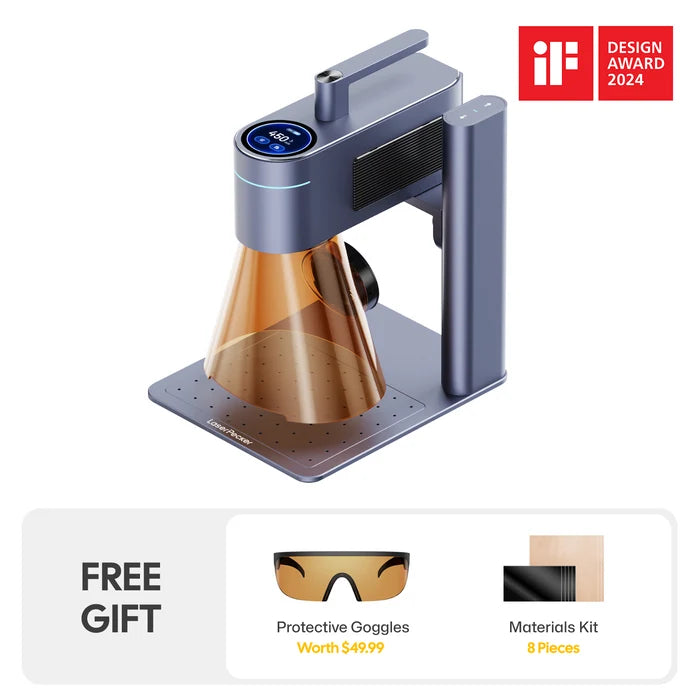
The xTool F1 is a popular dual-laser engraver known for its compact size and fast engraving speed. However, the LaserPecker LP4, the world's first desktop dual-laser engraver combining a blue diode laser and a 1064 nm infrared laser, offers a larger working area, a built-in touchscreen, an adjustable laser unit, and a more flexible workflow.
In this guide, we'll compare the xTool F1 and the LaserPecker LP4 side by side to help you decide which machine best fits your needs.

Part 1: Why Do People Want an xTool F1 Alternative?
The xTool F1 is a capable laser engraver, especially for small projects and everyday engraving. However, as your projects grow or your needs change, you may start looking for a machine with more flexibility and a wider range of features.
Limitation #1: Limited Working Area
The xTool F1 is compact, but that compact size comes with a trade-off. Its standard working area measures only 115 × 115 mm, making it best suited for smaller items such as keychains, tags, jewelry, and other compact products.
For larger projects like notebook covers, leather patches, small signs, or batch engraving multiple items at once, the available workspace can become limiting. xTool offers an optional Slide Extension to expand the engraving area, but this requires an additional accessory.
Limitation #2: No Built-in Touchscreen Control
The xTool F1 does not include a built-in touchscreen. Instead, users operate the machine through xTool Creative Space (XCS) on a computer or the xTool mobile app.
For users who prefer running engraving jobs directly from the machine, this means an external device is required whenever projects are created, managed, or started.
Limitation #3: Limited Power Bank Portability
The xTool F1 is mainly designed around fixed power setups, such as wall outlets or workshop stations. For users who want to engrave at outdoor markets, pop-up booths, or on-site events, power access can become a challenge.
By comparison, the LaserPecker LP4 can work with the optional PowerPack Plus, giving creators more flexibility when reliable wall power is not available.
Limitation #4: Fixed Engraving Position
The xTool F1 uses a fixed laser head inside its enclosed design. During operation, materials are positioned beneath the laser rather than adjusting the laser head itself.
For projects that involve large objects, installed surfaces, or items that cannot be easily placed inside the machine, users may need a more flexible engraving setup.
Part 2: Why Choose the LaserPecker LP4 Instead of the xTool F1?
If you're looking for a laser engraver with more flexibility, the LaserPecker LP4 is worth considering. Compared with the xTool F1, it offers a larger working area, a built-in touchscreen, and an adjustable laser head, making it easier to handle a wider variety of engraving projects.
Reason #1: Larger Standard Working Area
The LaserPecker LP4 provides a standard engraving area of 160 × 120 mm, compared with the xTool F1's 115 × 115 mm. This gives the LP4 approximately 45% more engraving area for everyday projects.
The larger workspace allows users to engrave larger items without additional accessories and provides more room to arrange multiple small objects within a single engraving area.
Reason #2: Built-in Touchscreen Control
The LaserPecker LP4 features a built-in touchscreen that allows users to control the machine directly without relying on a computer during every engraving job.
Users can save frequently used designs to the machine and start repeat engraving jobs directly from the touchscreen, making everyday operation more convenient.
- Standalone operation: Many engraving jobs can be started directly from the machine without connecting a computer.
- Quick access to saved designs: Frequently used projects can be selected and started from the built-in touchscreen.

Reason #3: Multi-Angle Adjustable Laser Head
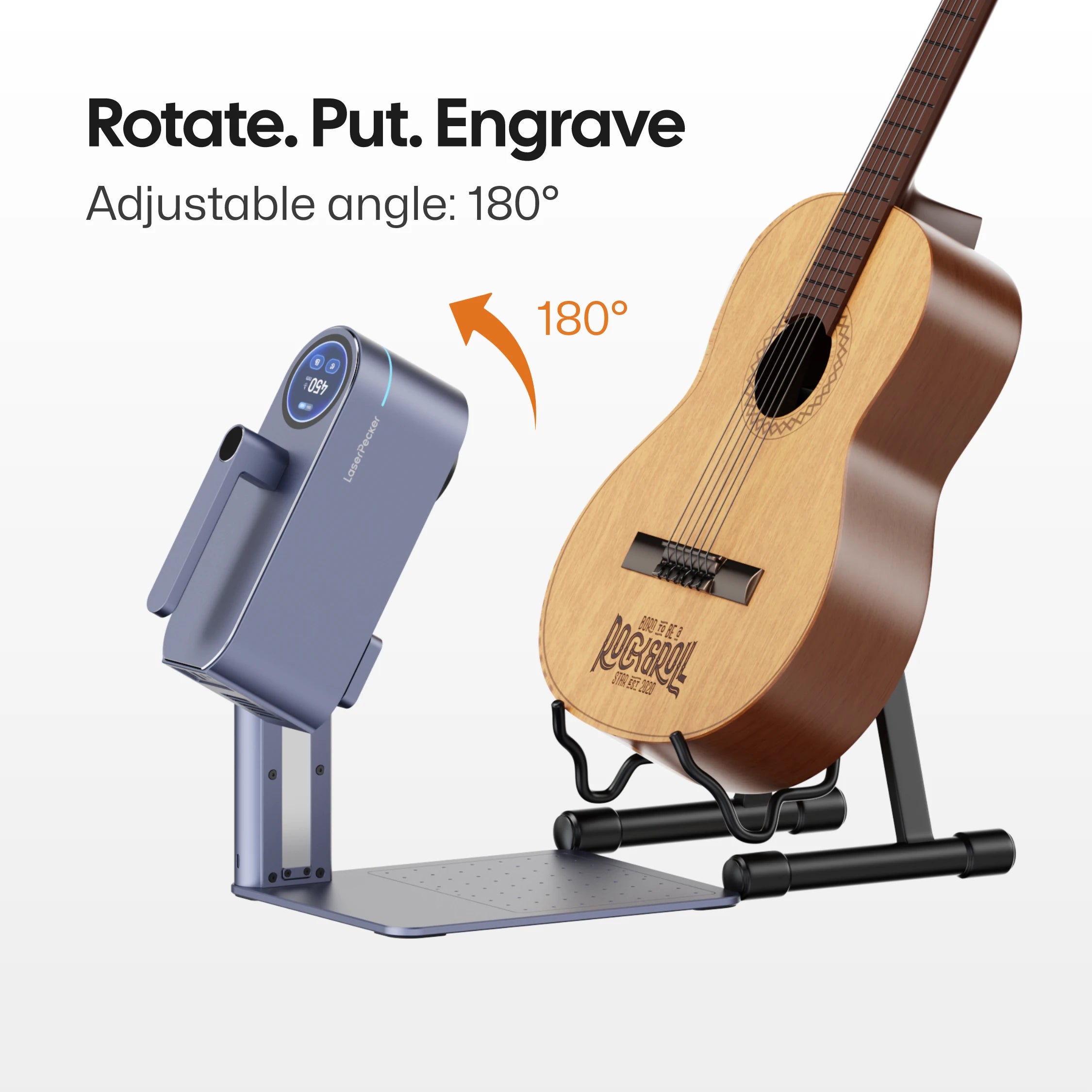
The LaserPecker LP4 features a multi-angle adjustable laser head that can be positioned at different angles for a wider range of engraving applications.
Unlike traditional fixed-head desktop engravers, the adjustable design allows the LP4 to engrave objects such as doors, furniture, large artwork, luggage, and other items that may not fit easily inside an enclosed engraving area.
Reason #4: Official Portable Power Solution
The LaserPecker LP4 can be paired with the official PowerPack Plus, allowing the machine to operate without relying on a nearby wall outlet. This gives creators greater flexibility when engraving in locations where AC power may be inconvenient or unavailable.
Whether you're working at craft fairs, outdoor markets, wedding personalization booths, exhibitions, or other on-site events, the PowerPack Plus helps support a more mobile engraving workflow while keeping the LP4 compact and easy to transport.

Reason #5: Designed for High-Precision Micro Engraving
With an official motion accuracy of 0.0019 mm, the LaserPecker LP4 is designed for high-precision engraving on small objects. LaserPecker officially demonstrates detailed engraving on items such as coffee beans, jewelry, and the inside of rings.

Reason #6: Real-Time Preview
The LaserPecker LP4 supports real-time preview, allowing users to see the engraving outline before starting a job.
This preview helps users verify the engraving position and adjust material placement before engraving begins, reducing the chance of misalignment.

Part 3: xTool F1 vs LaserPecker LP4: Key Comparison Table
To help you see the big picture, here is a side-by-side comparison of the xTool F1 and the LaserPecker LP4.
| xTool F1 | LaserPecker LP4 | |
|---|---|---|
| Laser Type | 10W blue diode + 2W 1064nm IR laser | 10W 450nm blue diode + 2W 1064nm IR laser |
| Standard Working Area | 115 × 115 mm | 160 × 120 mm |
| Expandable Workspace | Up to 400 × 115 mm with Slide Extension | Up to 160 × 300 mm with Slide Extension |
| Motion Accuracy | 0.00199 mm | 0.0019 mm |
| Max Engraving Speed | Up to 4,000 mm/s | Up to 4,000 mm/s |
| Built-in Touchscreen | No | Yes |
| Standalone Operation | Requires XCS on a computer or mobile device | Built-in touchscreen with onboard storage |
| Adjustable Laser Head | No | Yes, multi-angle adjustable laser unit |
| Official Portable Battery Support | No official battery accessory | Compatible with PowerPack Plus |
| Preview Method | Red-light preview | Real-time preview / red-light positioning |
| Connectivity | USB / Wi-Fi | USB / Bluetooth 5.0 |
| Software | xTool Creative Space / LightBurn | LaserPecker Design Space / LightBurn |
| Rotary Engraving | Supported with rotary accessory | Supported with Rotary Extension |
| Supported Materials | Wood, leather, paper, cardboard, metals, dark acrylic, coated surfaces, etc. | Wood, leather, paper, cardboard, metals, dark acrylic, stone, coated surfaces, etc. |
FAQ: Hot Questions About xTool F1 Alternatives
Q1: Is the LaserPecker LP4 a good choice for beginners?
Yes. The LP4 is easy to learn and simple to set up. Its built-in touchscreen and straightforward controls help beginners start engraving quickly, even if they have never used a laser engraver before.
Q2: Do I need extra accessories for the LaserPecker LP4?
Not always. The standard machine can handle many everyday engraving projects. If you want to engrave tumblers, mugs, bottles, or larger designs, you can add accessories like the Rotary Extension or the Slide Extension.
Q3: Is the LaserPecker LP4 good for small business use?
Yes. Its larger working area, dual-laser system, and built-in touchscreen make it a practical choice for making personalized products, repeat orders, and small-batch engraving.
Q4: Can the LaserPecker LP4 be used at craft fairs or pop-up events?
Yes. The LP4 is compact and easy to carry. With its built-in touchscreen, you can start saved projects directly on the machine. If you need to work where wall power is unavailable, you can also pair it with the optional PowerPack Plus for greater flexibility.
Conclusion
Both the xTool F1 and the LaserPecker LP4 are excellent dual-laser engravers, but they are designed for different needs.
If you mainly engrave small items and want a compact machine for everyday projects, the xTool F1 is a solid option.
If you want a larger working area, a built-in touchscreen, an adjustable laser unit, and more flexibility for different types of projects, the LaserPecker LP4 is worth considering.
Whether you're creating personalized gifts, selling at craft fairs, or running a small business, the LP4 offers a flexible workflow that can grow with your needs.