


Laser engraving turns leather belts into personalized accessories, meaningful gifts, or custom products. It can add names, initials, logos, dates, patterns, and detailed artwork directly to the leather with precise and consistent results.
Compared with stamping, hand tooling, and hot stamping, laser engraving makes detailed customization easier and requires less manual work.
This guide covers how leather belt laser engraving works, suitable leather types, machine options, and practical tips for DIY projects, gifts, and custom orders.

In this article:
Part 1: Understanding Leather Belt Laser Engraving
1.1 What Is Leather Belt Laser Engraving?
Leather belt laser engraving uses a focused laser beam to remove or darken the leather surface, creating permanent designs without physical cutting tools. Users can engrave names, initials, logos, dates, Western patterns, geometric designs, and brand marks.
Because it turns digital files into precise patterns, laser engraving can reproduce detailed artwork consistently. It is suitable for personalized gifts, handmade leather goods, and small-batch belt projects.
1.2 How Does Laser Engraving Work on Leather Belts?
The laser applies controlled energy to the leather, removing or darkening its top layer to create a visible design. The result depends on the laser settings, leather type, tanning process, thickness, and surface finish.

Vegetable-tanned leather often produces dark, natural-looking marks, while full-grain leather can retain its texture and show fine details. Test the settings on scrap leather first, then adjust the power, speed, and resolution for clean lines and balanced contrast.
1.3 What Laser Engraving Machine Is Best for Leather Belt Projects?
The best machine depends on engraving precision, material compatibility, working area, and the ability to handle long, narrow belts. Diode laser engravers are commonly used because they can create detailed text, patterns, and logos on materials such as vegetable-tanned and full-grain leather.
A suitable machine should offer accurate focusing, stable performance, adjustable settings, and design preview features. Accessories for extended or curved materials can also make it easier to engrave different belt sizes consistently.
Part 2: Why Choose Laser Engraving for Leather Belts?
Reason 1: Create Personalized Gifts That Last
Laser engraving can turn a leather belt into a meaningful gift by adding names, initials, dates, monograms, or short messages. Personalized belts are suitable for birthdays, Father’s Day, anniversaries, weddings, and other special occasions.
It also helps leather makers, Etsy sellers, and small workshops produce custom belts more efficiently. Businesses can offer personalized cowboy belts, branded accessories, gifts, and limited-edition products while maintaining consistent quality.
Reason 2: Produce Intricate Patterns and Fine Details
Laser engraving can create detailed Western floral patterns, basket weave textures, Celtic knots, geometric designs, and logos that may be difficult to produce with hand tools.
Users can adjust the design size, position, and settings before engraving. This provides greater control over both simple personalization and complex decorative patterns.
Reason 3: Repeat Designs with Consistent Precision
Once a digital design is prepared, the same logo, pattern, or text layout can be engraved on multiple belts without recreating it manually.
This is useful for branded merchandise, corporate gifts, and small-batch products. Users can quickly adjust the design size and position while maintaining accurate and consistent results.
Reason 4: Ideal for Handmade Leather Businesses
Laser engraving helps leather makers, Etsy sellers, and small workshops add names, logos, and decorative designs efficiently while maintaining consistent quality.
It also reduces the time needed to repeat designs and manage custom orders. Businesses can offer personalized belts, leather accessories, branded gifts, and limited-edition products.
#1 Recommended Compact & Handheld Laser Engraver
The LaserPecker LP2 Plus uses a 10W diode laser to engrave names, initials, logos, and decorative patterns on suitable leather belts.
Its fast and precise engraving workflow is useful for personalized gifts, handmade leather goods, and small-batch custom orders.
-
10W Diode Laser
The diode laser can create clear text, logos, and decorative patterns on compatible leather. -
Engraving Speed up to 4,000 mm/s
Fast engraving helps reduce processing time when producing personalized belts or repeat orders. -
Precision for Fine Designs
Accurate engraving supports small lettering, monograms, Western patterns, and detailed artwork. -
Compact Engraving Workflow
The compact setup is suitable for home studios, leather workshops, and small custom businesses.

#1 Recommended Desktop Laser Engraver
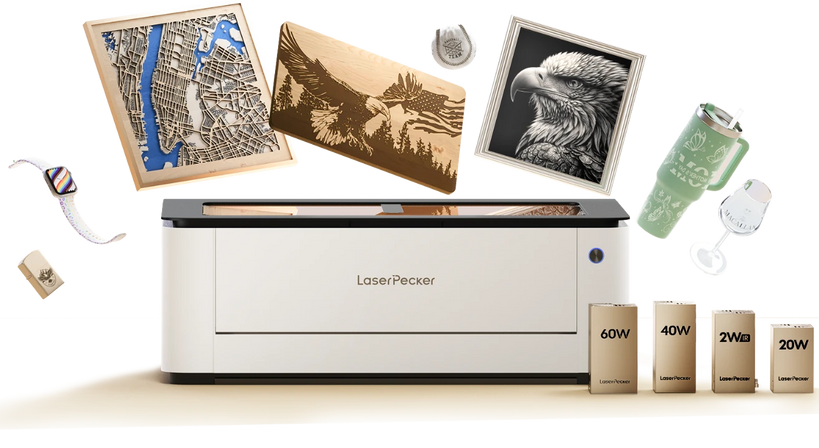
The LaserPecker LX2 offers a large workspace and accurate design placement for engraving names, logos, and decorative patterns on leather belts.
-
500 × 305 mm Working Area
The large workspace provides more room for positioning long belt sections and engraving several leather pieces in one setup. -
12MP/6K Overhead Camera
The camera provides a clear material preview for placing names, logos, and patterns accurately on the belt. -
Smart Air Assist Support:
Helps reduce excessive burn marks and residue during engraving, contributing to cleaner engraving results. -
Class 1 Safety Enclosure:
Suitable for workshops, schools, and professional environments that require a more organised laser engraving setup. -
Precision of ≤0.01 mm
High movement precision supports fine text, detailed patterns, and consistent results across custom orders.
Part 3: What Types of Leather Belts Can Be Laser Engraved?
Type 1: Vegetable-Tanned Leather Belts
Vegetable-tanned leather is ideal for laser engraving because its natural surface produces clear contrast. It works well for names, logos, Western patterns, and other detailed designs.
Engraving usually creates a dark, burnt effect that gives the belt a traditional handcrafted appearance.
Type 2: Full-Grain Leather Belts
Full-grain leather retains its natural grain and texture, making each engraved belt unique. It is suitable for initials, dates, logos, and custom artwork.
Results vary by color, thickness, and finish, so test a small sample before engraving the final belt.
Type 3: Top-Grain Leather Belts
Top-grain leather has a smooth, uniform surface that is suitable for clean logos, names, and simple patterns.
Because coatings and finishes can affect the result, check the leather treatment and adjust the laser settings as needed.
Type 4: Genuine Leather Belts
Genuine leather belts can be laser engraved, but dyes, coatings, and manufacturing methods may affect the contrast and color.
Test a similar piece first, then adjust the power, speed, and focus to achieve an even result.
Type 5: Leather Belt Buckle Areas and Keepers
Smaller leather areas, including belt tips and keepers, can be engraved with initials, symbols, brand marks, or decorative details.
These details can also be combined with customized buckles or hardware to create personalized cowboy belts, gifts, and boutique leather products.
Case Study: How to Laser Engrave a Personalized Western Leather Belt in 5 Steps
Creating a personalised Western leather belt is a popular project for leather crafters, gift makers, and small custom businesses. In this case study, we will use a vegetable-tanned leather belt to create a classic Western-style design featuring an initial monogram, floral scroll pattern, and established year. This type of engraved belt can be used as a Father’s Day gift, cowboy belt, handmade leather gift, or personalised accessory.
Checklist
Before starting the project, prepare the following materials and tools:
- Vegetable-Tanned Leather Belt
- Laser Engraving Machine
- LaserPecker Design Space or LightBurn
Step 1: Choose the Right Leather Belt
Choose a clean, flat belt with few coatings or glossy finishes. Vegetable-tanned leather is a good option because it usually produces clear contrast and a natural engraved appearance.
Step 2: Set Up the LaserPecker LP2 Plus and Prepare the Belt
Place the belt on a stable surface and keep the engraving area flat. Import the design into the LaserPecker LP2 Plus software and position it on the belt.
Use the preview function to check the placement. Avoid belt holes, buckles, and uneven areas.
Step 3: Create Your Western Belt Design
A Western-style belt design can include:
- Initial Monogram: Add initials such as “JH.”
- Western Floral Scroll: Use a classic cowboy-inspired pattern.
- Established Year: Add a date such as “Est. 2026.”
- Decorative Corner Pattern: Balance the layout with small details.
These elements create a personalized design suitable for gifts, custom accessories, and commemorative projects.
Step 4: Configure the Laser Settings and Run a Test
Test the design on a scrap piece of similar leather before engraving the belt. Adjust the power, speed, and resolution until the engraving has clear details and even contrast without excessive burning.
Step 5: Engrave, Clean, and Finish the Leather Belt
Engrave the final design, then gently remove any dust or residue. Apply a suitable leather conditioner if needed to maintain the belt’s appearance and flexibility.
FAQs: Hot Questions about Leather Belt Laser Engraving
Q1. Can you laser engrave a leather belt?
Yes, suitable leather belts can be laser engraved with names, initials, logos, dates, artwork, and Western-style patterns.
Natural materials such as vegetable-tanned and full-grain leather often produce clear results. Test a similar piece first because finishes and treatments may affect the engraving.
Q2. What type of leather is best for laser engraving?
Vegetable-tanned leather is a popular choice because it usually produces clear contrast. Full-grain leather is also suitable and retains its natural texture.
Top-grain and genuine leather can also be engraved, but dyes and coatings may affect the result. Always test the material first.
Q3. Does laser engraving damage leather belts?
Laser engraving should not damage a leather belt when the correct settings are used. It changes only a controlled surface layer while keeping the belt intact.
Excessive power can cause deep burns, uneven marks, or discoloration, so test the settings on scrap leather first.
Q4. Can you engrave names and monograms on belts?
Yes, laser engraving can add initials, names, dates, short messages, and symbols with accurate placement.
These designs are popular for Father’s Day, weddings, anniversaries, and other personalized gifts. Font, size, and layout can be adjusted before engraving.
Q5. Will laser-engraved leather fade over time?
A properly engraved design can remain visible for a long time with normal use and care. The laser changes the leather surface instead of applying a temporary print.
The appearance may change as the leather develops a natural patina. Regular cleaning and conditioning can help preserve the belt and its design.
Q6. Can laser engraving replace leather stamping?
Laser engraving and stamping create different effects. Stamping produces a pressed or embossed finish, while laser engraving is better suited to detailed artwork, logos, and repeat designs.
Laser engraving can be a practical option when precision, flexibility, and consistency are important.
Q7. Is laser engraving suitable for leather businesses?
Yes, it helps leather businesses create personalized belts, branded goods, and small-batch products efficiently and consistently.
It also allows Etsy sellers, workshops, and gift businesses to offer custom names, logos, and decorative patterns.
Q8. What is the best laser engraver for leather belts?
A compact diode laser with accurate focusing is suitable for DIY projects and small workshops.
For larger projects or repeat orders, choose a machine with a larger working area and reliable positioning features. Consider material compatibility, engraving area, precision, and project size.
Conclusion
Laser engraving is a flexible way to create personalized leather belts, handmade gifts, and custom products. It can produce simple names, monograms, detailed patterns, and logos with precise and repeatable results.
Choose suitable leather, prepare the surface, and test the settings before engraving. These steps help DIY makers and small businesses create durable custom belts with a clean finish.


