


Watch dials are small, detailed, and highly visible, which makes them one of the most exciting surfaces for precision customization. Whether you want to add a logo, initials, numerals, patterns, or a limited-edition design, laser engraving watch dial customization offers a clean, permanent, and professional way to upgrade a timepiece.
In this guide, we’ll walk through the basics of watch dial laser engraving — what it is, how it works, which machine works best, and how to engrave a watch dial step by step.

In this article:
- Part 1: The Overview of Laser Engraving Watch Dial
- 1.1 What is Watch Dial Laser Engraving?
- 1.2 How Does Laser Engraving Work on a Watch Dial?
- 1.3 What Engraving Machine Do You Need?
- Part 2: Why Use Laser for Watch Dial Engraving?
- Case Study: How to Laser Engrave a Watch Dial in 5 Steps💡
- Part 4: Safety & Tips for Watch Dial Engraving
Part 1: The Overview of Laser Engraving Watch Dial
1.1 What is Watch Dial Laser Engraving?
Watch dial laser engraving is the process of using a focused laser beam to mark text, logos, indices, decorative textures, or custom artwork directly onto the surface of a watch dial. It is commonly used for personalized watches, micro-brand prototypes, luxury-style customization, commemorative gifts, and small-batch watchmaking projects.

Source: LaserPecker Facebook Group
1.2 How Does Laser Engraving Work on a Watch Dial?
The laser focuses energy onto the dial surface and removes or changes a very thin layer of material. Depending on the dial material — such as stainless steel, brass, coated metal, painted metal, or anodized aluminum — the result may appear as a dark mark, bright metallic contrast, shallow engraving, or fine surface texture.
Because watch dials are small and detailed, laser engraving is especially useful for tiny numerals, minute markers, logos, signatures, and decorative patterns that require high precision.
1.3 What Engraving Machine Do You Need for Watch Dial Engraving?
For watch dial engraving, precision matters more than raw cutting power. A suitable machine should offer:
- High-resolution marking for small text and fine lines.
- Accurate preview positioning to align the design on the dial.
- Stable focusing for thin metal surfaces.
- Fiber or infrared laser capability for metal and coated metal dials.
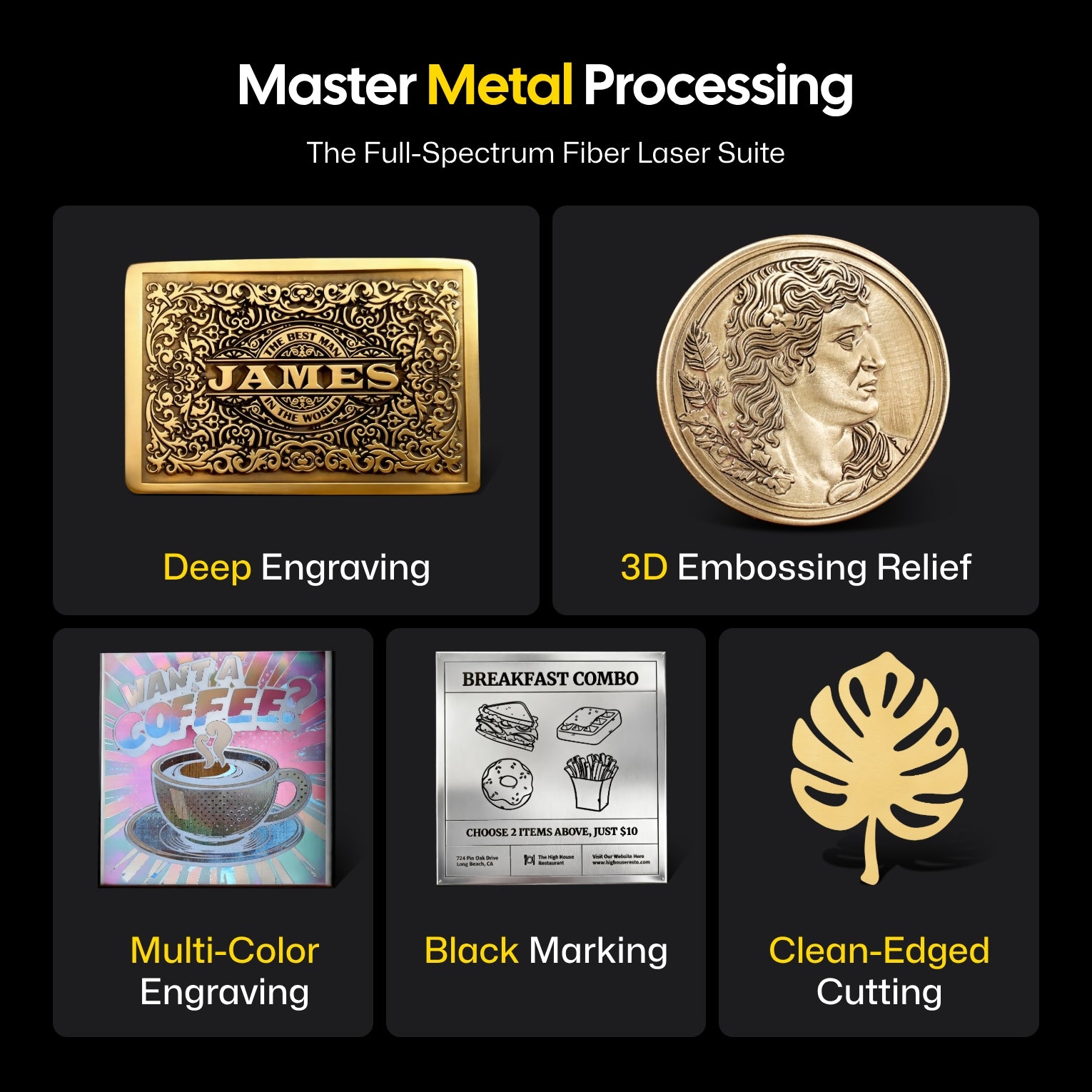
For home studios, custom watch shops, and small-batch projects, fiber laser engravers such as LaserPecker LP5 is a practical choice for detailed watch dial customization.
Part 2: Why Use Laser for Watch Dial Engraving?
Laser engraving is ideal for watch dials because it combines accuracy, permanence, and repeatability in a way that traditional hand marking or printing cannot easily match.
① Fine Detail for Small Surfaces
Watch dials have limited space, so every line matters. Laser engraving can produce small numerals, logos, serial numbers, and decorative patterns with clean detail.
② Permanent and Professional
Unlike stickers or surface printing, laser engraving creates a lasting mark on the dial surface. The result looks refined and is suitable for personalized gifts, brand prototypes, and collectible editions.
③ Works on Different Dial Materials
Laser engraving can be used on stainless steel, brass, coated metal, anodized aluminum, painted dials, and some plastic dial components. The final contrast depends on the coating, finish, and laser type.

Source: LaserPecker CrafZone - Laser Engraved 3D Printed Watch Dial
④ Repeatable for Small Batch Production
Once the design and settings are ready, the same dial layout can be repeated across multiple pieces, making it useful for watch repair studios, micro-brands, and customization businesses.
Case Study: How to Laser Engrave a Watch Dial in 5 Steps💡
Preparation checklist for laser engraving watch dial:
- Engraving Material: Watch dial
- Engraving Machine: Fiber laser engraver
- Engraving Design: Logo, indices, numerals, patterns, serial number, initials, etc.
Can you laser engrave a watch dial? Yes! With the right laser type and careful positioning, watch dial engraving is practical and highly detailed. Follow these 5 steps to create a clean engraved watch dial.
Step 1: Prepare Your Design
Start with a clean design file. Vector formats such as SVG, AI, or DXF are recommended for logos, numerals, and dial markers. Keep the artwork simple, high-contrast, and properly scaled to match the actual dial diameter.
Step 2: Choose the Right Laser Engraving Machine for Watch Dial Engraving
Here, we recommend fiber laser like LaserPecker LP5.
-
20W Fiber + 20W Diode Dual-Laser System
The LP5 supports metal, coated metal, anodized aluminum, brass, stainless steel, and other watch-related materials, making it suitable for dial engraving and accessory customization. -
10,000 mm/s Ultra-Fast Engraving Speed
The high-speed galvo system helps engrave fine dial details quickly while maintaining clean results for logos, markers, serial numbers, and decorative textures. -
High-Resolution Precision Engraving
Watch dials require tiny details. The LP5 can produce crisp micro text, fine lines, and high-detail patterns for professional-looking personalization. -
Compact Desktop Design
The portable structure is suitable for watch repair shops, customization studios, hobby makers, gift businesses, and small-batch production workflows.

Step 3: Position and Secure the Watch Dial
Place the watch dial flat in the engraving area. Use a small jig, fixture, or positioning guide to keep it stable. Make sure the dial feet, center hole, logo position, and 12 o’clock orientation are aligned correctly before engraving.
Step 4: Set up the Watch Dial Laser Engraving Machine
Use LaserPecker Design Space or third-party design software to import your artwork. Adjust the size, position, and rotation so the design matches the dial layout.
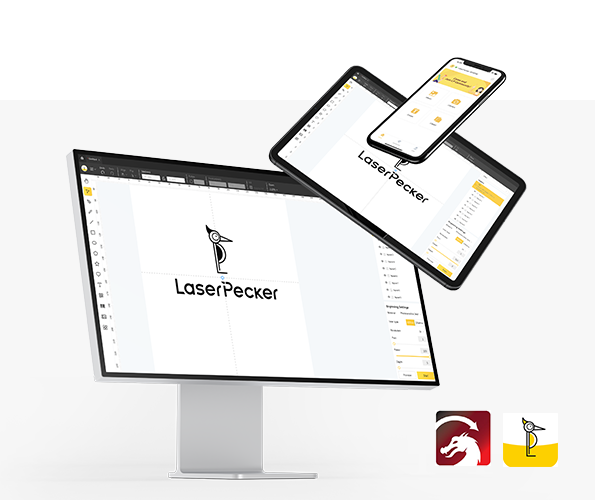
*You can also visit LaserPecker CraftZone for design inspiration or ready-made engraving files.
Now, it's time to set the laser engraving machine parameters.
Firstly, power on your laser engraver and connect it to your computer or mobile device using WiFi, USB, Bluetooth, or the supported connection method.
Secondly, open LaserPecker Design Space and load your design. Common formats like JPG, PNG, SVG, and G-code are usually supported.
Thirdly, place the watch dial in the engraving area, turn on Preview Mode, and make sure the laser is properly focused.
Fourthly, check whether your design fits the dial surface. Adjust the scale and placement carefully, especially around the center hole and outer minute track.

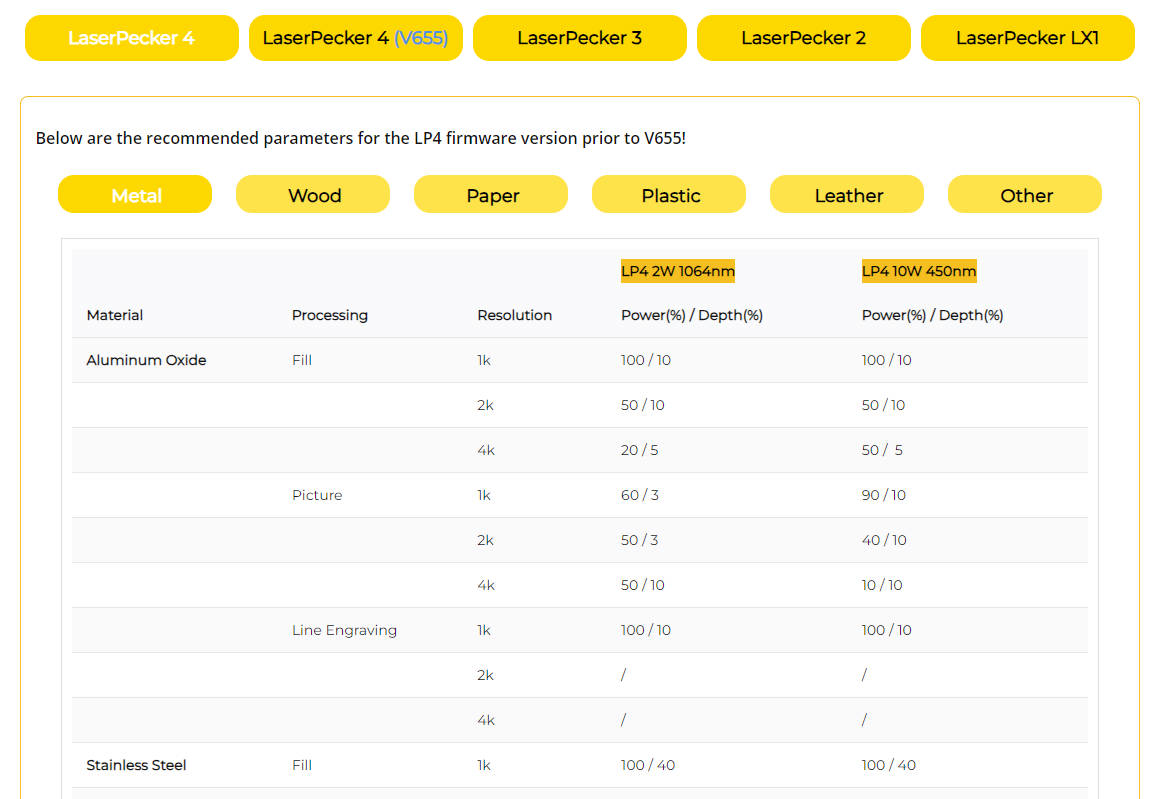
Finally, adjust power, speed, resolution, and engraving depth according to the dial material and finish. Always test on a spare dial or similar metal sample before engraving the final piece.
For coated or metal watch dials, a suggested starting point with LP5 is 2W 1064nm fiber laser; Resolution: 2k; Power: 60–100%; Depth: 5–15%; Pass: 1. Settings may vary depending on the coating, metal type, and desired contrast.
When operating a laser engraving machine, wear laser safety glasses or use a protective enclosure to protect your eyes and body.
Smoke or fumes may be produced during engraving, especially on painted or coated dials. Use proper ventilation or an air purifier for a safer workspace.
To explore more recommended engraving parameters, visit the LaserPecker material settings page.
Step 5: Start Engraving Your Watch Dial With Laser Now
Double-check alignment, focus, and settings before starting. Once everything is ready, begin engraving and monitor the process carefully. Because watch dials are small, even slight movement can affect the final result.
After engraving, remove the dial gently and clean the surface with a soft cloth or air blower. Avoid scratching the dial finish. Inspect the design for clarity, alignment, and contrast before installing it into the watch case.
Part 4: Safety & Tips for Watch Dial Engraving
Laser engraving a watch dial requires extra care because the surface is small, delicate, and often coated. Follow these tips to avoid damage and improve results.
1. Test Before Engraving the Final Dial
- Use a spare dial or similar coated metal sample first.
- Check contrast, depth, and heat effect before using the final part.
- Avoid excessive power that may burn paint or warp thin metal.
2. Pay Attention to Alignment
- Mark the 12 o’clock position before engraving.
- Use preview mode to confirm design placement.
- Keep the artwork away from the center hole unless the design requires it.
3. Use the Right Laser Type
- Fiber or infrared lasers are better for metal watch dials.
- Diode lasers may work on coated or painted surfaces, depending on the finish.
- Always match the laser type to the dial material.
4. Clean Carefully After Engraving
- Use a soft microfiber cloth or gentle air blower.
- Do not use harsh chemicals on painted or coated dials.
- Handle the dial with gloves to avoid fingerprints.
Conclusion
Laser engraving watch dial customization is a precise and professional way to create personalized timepieces, brand prototypes, limited editions, and meaningful gifts. From tiny logos to detailed minute markers, laser engraving gives watch dials a refined and permanent finish.
By choosing the right laser engraver, preparing a clean design, testing your settings, and carefully aligning the dial, you can achieve high-quality engraving results even on small and delicate watch surfaces.


