


Custom glassware is a popular choice for gifts, weddings, business branding, restaurants, and home décor. From personalized wine glasses and engraved tumblers to logo-marked barware, customized glass products add a unique and professional touch to any occasion.
If you're wondering how to personalize glassware, this guide covers the most effective customization methods, including glass laser engraving, sandblasting, printing, and vinyl decals.

In this article:
- Part 1: Why Custom & Personalized Glassware Is Trending
- Part 2: 5 Best Ways to Customize Glassware
- Method 1: Laser Engraving Glassware
- Method 2: Sandblasting / Etching
- Method 3: UV Printing & Screen Printing
- Method 4: Vinyl Decals & Stickers
- Method 5: Hand Painting / Calligraphy
- Part 3: How to Customize Glassware with a Laser Engraver
- Part 4: FAQs about Making Personalized Glassware
Part 1: Why Custom and Personalized Glassware Is Trending
Here are some of the main reasons why more people are learning how to personalize glassware and investing in custom designs:
Memorable Gifts for Special Occasions
Personalized wine glasses, champagne flutes, whiskey glasses, and tumblers make meaningful gifts for weddings, anniversaries, birthdays, and corporate events. Adding names, initials, dates, or custom messages transforms everyday glassware into lasting keepsakes.
Professional Business Branding
Restaurants, bars, breweries, hotels, and event companies use custom marking glassware to strengthen brand recognition. Engraved or printed logos create a professional appearance while helping businesses stand out from competitors.
Part 2: 5 Best Ways to Customize Glassware
There are many ways to customize glassware, each with its special look and technical features. Let's check out what they do well and when to use them.
Method 1: Laser Engraving Glassware (Recommended)
Custom glass laser engraving is one of the most durable and professional ways to personalize glassware. A laser engraver creates a permanent frosted design by precisely marking the glass surface without using ink, chemicals, or adhesives.
Laser engraving works well for names, logos, monograms, artwork, and custom text. Because the design becomes part of the glass itself, it won't peel, fade, or wash away over time.
This method is ideal for personalized gifts, wedding glassware, branded drinkware, and small-batch production.
Method 2: Sandblasting and Glass Etching
Sandblasting and etching are traditional glass customization methods that create a smooth, frosted appearance. Areas that should remain clear are masked before abrasive material is applied to the exposed surface.
Method 3: UV Printing & Screen Printing
UV printing and screen printing add color directly to the glass surface. UV printing can reproduce detailed graphics, photographs, and full-color artwork, while screen printing is better suited for simple logos and repeated designs.
Method 4: Vinyl Decals & Stickers
Vinyl decals offer a quick and affordable way to customize glassware. They are easy to apply and can create colorful, eye-catching designs without specialized equipment.
Method 5: Hand Painting / Calligraphy
Hand painting and calligraphy provide a highly personalized and artistic approach to glass customization. Artists use specialty paints and pens to create one-of-a-kind designs, names, or decorative patterns.
Although this method requires more time and skill, it offers unlimited creative freedom and is perfect for custom gifts, decorative pieces, and handmade products.
Comparison of Glassware Customization Methods
| Method | Suitable Glass Types | Precision | Durability | Style | Best For |
|---|---|---|---|---|---|
| Laser Engraving | All (wine, mugs, bottles, glass cups) | ★★★★★ | ★★★★★ | Elegant, frosted | Professional gifts, small batches |
| Sandblasting / Etching | Thick glass, bottles, décor items | ★★★★☆ | ★★★★☆ | Soft matte texture | Weddings, high-end designs |
| UV / Screen Printing | Smooth glass surfaces | ★★★☆☆ | ★★★☆☆ | Colorful, modern | Logos, events, barware |
| Vinyl Decals / Stickers | Any flat surface | ★★☆☆☆ | ★☆☆☆☆ | Bright, temporary | DIY projects, parties |
| Hand Painting / Calligraphy | Decorative or art glass | ★★★☆☆ | ★★★☆☆ | Artistic, unique | Personalized gifts, art pieces |
Among these methods, custom glass engraving stands out for its precision, durability, and professional appearance. Because the design is permanently etched into the glass surface, it remains sharp and attractive even after years of use.
Next, we'll show you exactly how to engrave glassware with a laser engraver, including the tools, materials, and settings needed to achieve professional-quality results.
Part 3: How to Customize Glassware with a Laser Engraver
Laser engraving is the best way to customize glassware because it's clean, fast, and professional. With the right setup, even beginners can get great results.

Tools & Materials You Need
So, you wanna etch some glass? Here's the stuff you'll need:
- A laser engraver that's good with glass. CO₂ or 450nm diode lasers are great.
- Software. LightBurn is a good one for making your designs.
- A rotary tool. Grab this if you're planning on doing curved surfaces like wine glasses.
- Masking tape or engraving spray. This helps the laser make cleaner marks.
- A microfiber cloth and cleaning alcohol. You will want to clean the glass first.
- Safety glasses and gloves. Safety first!
Recommended Laser Engraver for Glassware Customization: LaserPecker LP4
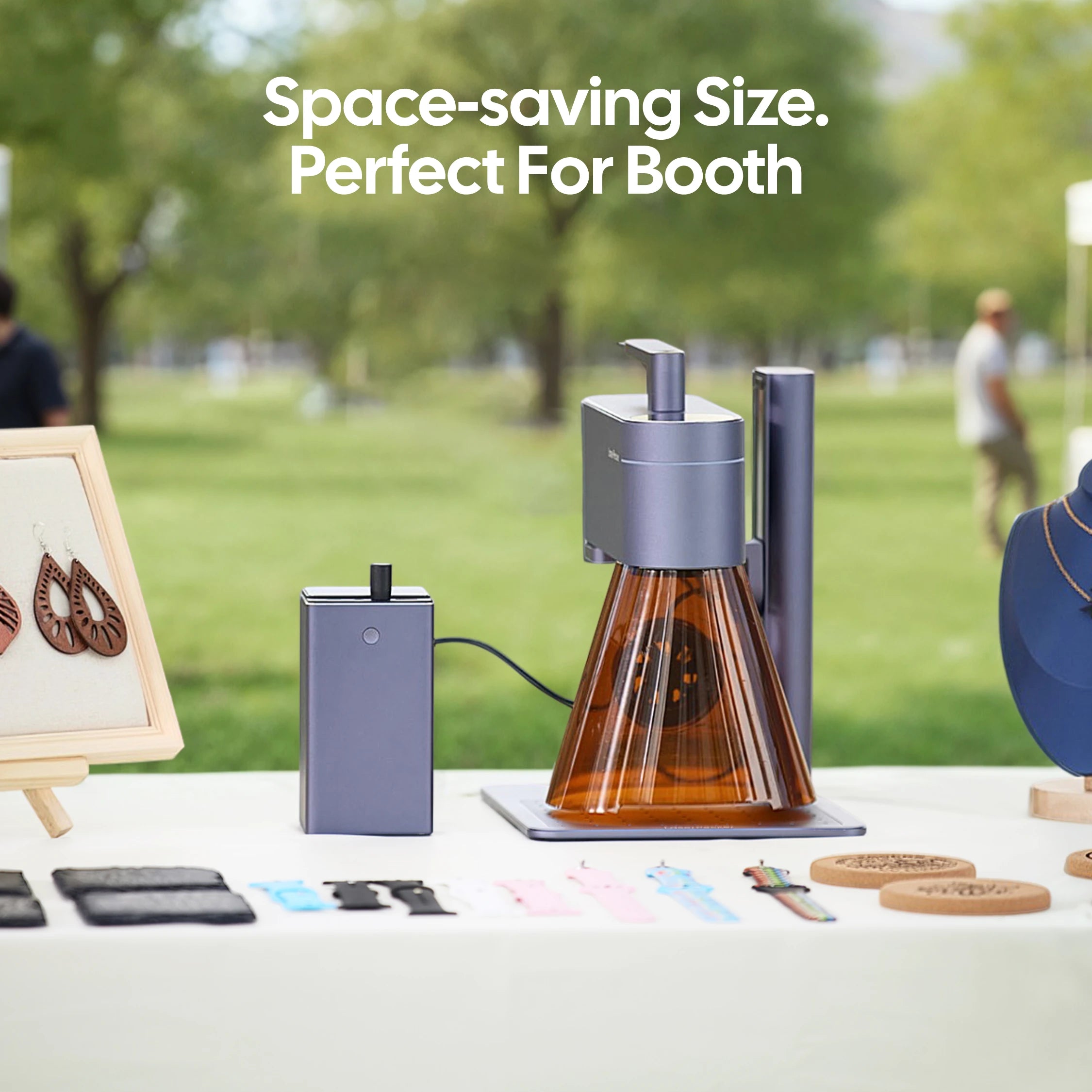
The LaserPecker LP4 is a compact dual-laser engraver designed for personalizing glassware, drinkware, gift items, and small decorative products.
-
4,000 mm/s High-Speed Engraving
The LP4's high-speed galvo system allows users to quickly engrave names, logos, wedding dates, and decorative patterns on glassware, making it ideal for personalized gifts and small-batch production. -
Rotary Engraving Support for Cylindrical Glassware
With rotary accessories, the LP4 can engrave curved items such as wine glasses, cups, jars, and bottles with more accurate positioning and consistent results. -
High Precision for Names, Logos, and Patterns
The LP4 delivers detailed engraving performance suitable for initials, wedding dates, brand logos, monograms, and decorative glassware artwork.
Step-by-Step to Customize Glass with Laser
Below are the detailed steps on how to customize glass with laser:
1. Prep Your Design:
Pick a logo or text that stands out. Put it into your engraving software and size it for your glass. Make it grayscale or vector for the clearest result.
2. Clean and Mask:
Wipe the glass with alcohol to get rid of any grease or dust. Put on masking tape or laser engraving spray. This helps the laser mark evenly and stops reflections.
3. Set Up the Engraver:
Hold the glass in place. If you're working with round stuff, use a rotary tool. With better engravers, you can change the laser angle using multi-angle engraving options. This makes sure everything is covered without moving the object.
4. Adjust Laser Settings:
Use low power and medium speed so the glass doesn't break. Change the power, focus, and depth to get a smooth, frosted look.
5. Start Engraving:
Start engraving and watch for even depth and clarity. Two-laser systems (like diode + IR) make clear frosted looks with good accuracy. They finish fast.
6. Clean Up:
Gently wipe off any leftovers with a soft cloth. If you want a shiny finish, polish the engraved spot. Or leave it frosted for a softer texture.
Part 4: FAQs About Making Personalized Glassware
Q1. Can all types of glass be laser engraved?
Most glassware can be laser engraved, including wine glasses, whiskey glasses, beer mugs, tumblers, bottles, and many decorative glass items. However, some glass types are more sensitive to heat than others and may be more prone to cracking.
For the best results, start with lower laser power settings and test on a similar piece of glass before engraving your final product.
Q2. Do I need a rotary attachment to engrave glassware?
A rotary attachment is highly recommended for curved items such as wine glasses, tumblers, mugs, and bottles. It rotates the glass during engraving, allowing the laser to maintain proper focus and produce consistent results.
For flat glass surfaces, a rotary attachment is usually not necessary.
Q3. How can I prevent glass from cracking during engraving?
Glass cracks when excessive heat builds up too quickly. To reduce the risk, use lower power settings, moderate engraving speeds, and proper focus. Many engravers also use masking tape or engraving spray to help distribute heat more evenly.
Always allow the glass to cool naturally after engraving and avoid exposing it to sudden temperature changes.
Q4. Is laser engraving better than sandblasting or printing?
The best method depends on your project goals. Laser engraving is often preferred because it creates permanent, highly detailed designs that won't peel, fade, or wash away.
Sandblasting produces a softer frosted appearance and is popular for decorative applications, while UV and screen printing are better suited for colorful graphics and branding. For long-term durability and precision, custom glass engraving is typically the top choice.
Conclusion
Learning how to customize glassware opens up endless possibilities for creating unique gifts, branded drinkware, wedding favors, and personalized home décor. From sandblasting and printing to hand painting and vinyl decals, each customization method offers its own advantages.
For those seeking the best combination of precision, durability, and professional results, glass laser engraving remains one of the most effective options. It creates permanent frosted designs that won't peel, fade, or wear away, making it ideal for both personal projects and commercial applications.
With the right tools, materials, and techniques, it's easier than ever to learn how to engrave glassware and create custom pieces that stand out. Whether you're personalizing a single wine glass or producing a collection of branded products, quality engraving can turn ordinary glassware into something memorable.


