

























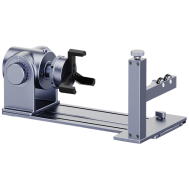
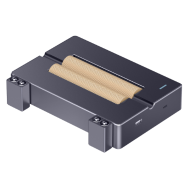

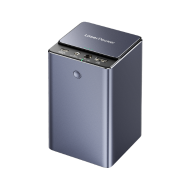


















Engraved bricks are a durable and meaningful way to personalize outdoor spaces, memorials, walkways, gardens, and fundraising projects. Whether you want to engrave a brick for a decorative display or create large batches for a public installation, choosing the right brick engraving method is important for both appearance and long-term durability.
In this guide, we'll explore four effective methods to engrave bricks — from high-tech precision tools to hands-on DIY approaches—so you can find the one that best suits your needs, budget, and project size.

In this article:
- Method 1: Engrave Bricks with a Laser Engraving Machine
- Method 2: Engrave Bricks with Rotary Tool or Engraving Pen
- Method 3: Engrave Bricks via Sandblasting
- Method 4: Engrave Bricks via a CNC Machine
- FAQs: Hot Questions About Engraving Bricks
Method 1: Engrave Bricks with a Laser Engraving Machine
Laser engraving on brick—similar to deep engraving on stone—offers a precise and clean way to personalize or mark bricks, especially for indoor decor, commemorative tiles, or fundraising pavers.
Using a high-powered laser engraving machine, you can engrave text, logos, patterns, and detailed artwork onto clay or concrete bricks with excellent accuracy.
What You'll Need for Laser Engraving Bricks:
- Fiber laser engraving machine
- Clay or concrete bricks (preferably with a flat, smooth surface)
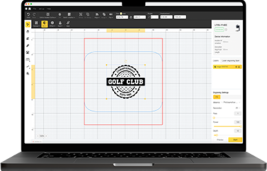
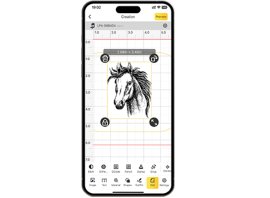
- Design software (e.g., LightBurn, LaserPecker Software & App)
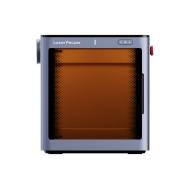
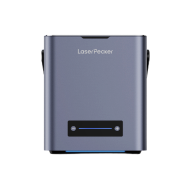
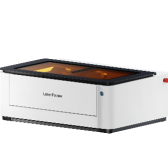
Recommended Laser Engraver for Brick Engraving: LaserPecker LP5
The LaserPecker LP5 is a powerful dual-laser engraver designed for detailed engraving projects on materials such as coated bricks, painted bricks, stone surfaces, plaques, and personalized memorial products.
-
20W Diode/Fiber Laser for Coated and Painted Brick Surfaces
The 20W diode/fiber laser supports engraving on coated bricks, painted bricks, ceramic-coated surfaces, and other decorative masonry materials commonly used for personalized projects. -
10,000 mm/s High-Speed Engraving
The ultra-fast galvo system allows users to engrave brick designs, names, memorial text, and decorative graphics quickly and efficiently. -
High-Precision Engraving for Detailed Artwork
The LP5 delivers detailed engraving performance suitable for fine text, logos, custom patterns, and intricate brick decoration projects. -
Compact Desktop Design with Portable Workflow
Despite its powerful engraving capabilities, the LP5 features a compact desktop structure suitable for home workshops, studios, small businesses, and custom engraving services.

Steps to Laser Engrave a Brick
Step 1: Design Your Artwork
Create or import your text, logo, or pattern in design software. Adjust the size to match the engraving area on the brick.
Step 2: Position the Brick
Place the brick on the laser bed. Make sure it's level and steady. Use spacers if needed for support.
Step 3: Adjust Laser Settings
Set appropriate power, speed, and focus height based on the type of brick (test on a spare brick first)
Step 4: Preview the Area
Use the frame or outline preview to check alignment. Make fine adjustments as needed.
Step 5: Start Engraving
Begin the engraving process. Monitor for smoke, dust, or fire risk. Use air assist and ventilation if available.
Step 6: Post-Engraving Cleanup
Once done, wipe off any soot or dust. Optionally seal the surface for durability.
Pros and Cons of Laser Engrave a Brick
👍Pros:
High precision with clean lines
Great for detailed logos, text, or small graphics
No physical contact = minimal risk of damaging the brick
👎Cons:
Brick Laser machine must be powerful and have enough bed space
Method 2: Engrave Bricks with a Rotary Tool or Engraving Pen
Using a rotary tool or engraving pen is an affordable and beginner-friendly way to engrave bricks at home. This method is popular for DIY garden markers, decorative bricks, personalized gifts, and small artistic projects.
Although manual brick engraving takes more time than laser or CNC methods, it gives you full control over the design and requires minimal equipment.
Required Tools:
- Rotary tool or electric engraving pen
- Brick (clay, concrete, or stone-based; preferably smooth surface)
- Clamp, vise, or non-slip mat
- Polishing cloth or fine sandpaper
Steps to Engrave a Brick with a Rotary Tool
Step 1: Plan Your Design
Draw directly on the brick with a marker or place a stencil over it.
Step 2: Secure the Brick
Use a clamp, vise, or rubber mat to hold the brick steady and prevent slipping.
Step 3: Select and Install the Right Bit
Use a diamond burr or carbide tip designed for hard surfaces like stone or concrete.
Step 4: Begin Engraving
Hold the tool like a pen and gently trace your design. Use light pressure and work slowly to control the cut.
Step 5: Clean Up
Brush off the dust and wipe the engraved area with a damp cloth.
Pros and Cons of Engraving a Brick with a Rotary Tool
👍Pros:
Low-cost and beginner-friendly
Great for small or personalized projects
👎Cons:
Labor-intensive and time-consuming
Not suitable for fine detail or large batches
Requires steady hands and some practice
Method 3: Engrave Bricks via Sandblasting
Sandblasting is one of the most durable and professional methods used for brick engraving. It is commonly used for memorial bricks, donor walls, public walkways, garden paths, and large outdoor installations.
This process uses high-pressure abrasive material to carve exposed areas of the brick through a stencil, creating deep and long-lasting engraved bricks that can withstand outdoor conditions for decades.
Required Tools:
- Sandblasting cabinet or sandblasting gun + air compressor
- Abrasive media
- Bricks (preferably smooth-surfaced clay or concrete bricks)
- Vinyl stencil or rubber resist mask
- Transfer tape (for applying stencil)
Steps to Engrave Bricks via Sandblasting
Step 1: Prepare Your Design
Use a vinyl cutter (like a Cricut) to create a stencil from sandblast-resistant material.
Step 2: Apply the Stencil
Transfer the stencil onto the brick surface. Make sure the edges are fully sealed to prevent blow-under.
Step 3: Mask the Rest of the Brick
Cover any area that should remain untouched using masking tape or extra stencil material.
Step 4: Set Up the Sandblaster
Load the abrasive media into your sandblaster and adjust the air pressure (usually between 60–100 PSI).
Step 5: Begin Sandblasting
Wearing full protective gear, blast the exposed areas in short bursts until the desired depth is achieved.
Step 6: Clean and Finish
Remove the stencil and dust. Clean the brick thoroughly. Optionally, apply a sealer for durability.
Pros and Cons of Engraving Bricks via Sandblasting
👍Pros:
Deep, long-lasting engraving (ideal for outdoor use)
Clean and consistent results with crisp edges
👎Cons:
Requires a sandblasting setup and safety precautions
Messy process — needs good ventilation or outdoor space
Not ideal for very small-scale or one-off jobs
Method 4: Engrave Bricks via a CNC Machine
CNC brick engraving is a precise and efficient method for creating detailed engraved bricks with consistent results. It is commonly used for commercial production, memorial installations, custom signage, and large-scale brick engraving projects.
A CNC machine uses computer-controlled cutting tools to carve designs directly into the brick surface, making it ideal for repeatable and permanent engraving.
Required Tools:
- CNC machine
- Brick (clay or concrete, preferably flat and smooth)
- Design & CAM software
- Clamp, vacuum table, or jig to hold the brick
Steps to Engrave a Brick Using a CNC Machine
Step 1: Create Your Design
Use design software to create or import your engraving layout. Convert it to toolpaths in CAM software with appropriate depth and passes.
Step 2: Secure the Brick
Clamp the brick firmly to the CNC bed or use a custom jig to hold it in place. Ensure it's perfectly level.
Step 3: Install and Set the Bit
Insert a durable engraving bit suitable for masonry. Set the origin point and zero the bit to the brick surface.
Step 4: Set Parameters
Adjust speed, feed rate, plunge depth, and number of passes according to the brick material and bit type. Always test on a spare brick first.
Step 5: Start the Job
Run the CNC job and monitor for vibrations or tool wear. Use a dust collector or vacuum to manage debris.
Step 6: Post-Processing
Once complete, clean the surface and remove any dust. Optionally seal the engraved area for outdoor durability.
Pros and Cons of Engraving a Brick Using a CNC Machine
👍Pros:
Highly precise and repeatable
Capable of deep, durable engraving
👎Cons:
Requires CNC knowledge and setup time
Generates significant dust and noise
FAQs: Hot Questions About Engraving Bricks
1. What are engraved bricks used for?
Engraved bricks are commonly used for memorials, fundraising campaigns, garden walkways, donor recognition walls, public spaces, decorative landscaping, and personalized gifts.
2. What types of bricks work best for brick engraving?
Clay and concrete bricks are the most popular choices for brick engraving because they are durable and compatible with laser engraving, sandblasting, CNC machining, and manual engraving methods.
3. Can you engrave bricks that are already installed?
Yes, it is possible to engrave bricks after installation. However, the process may require portable engraving equipment or specialized tools depending on the location and engraving depth needed.
4. What can be engraved onto a brick?
You can engrave names, dates, quotes, logos, artwork, symbols, business branding, memorial messages, and custom designs onto engraved bricks.
5. Which brick engraving method lasts the longest?
Sandblasting and CNC engraving usually create the deepest and most durable engraved bricks, making them ideal for outdoor environments and high-traffic areas.
6. Is laser brick engraving permanent?
Yes, laser engraving is permanent in most cases. However, the durability depends on the brick material, engraving depth, and environmental exposure.
7. Are engraved bricks weather resistant?
Most engraved bricks are highly weather resistant, especially when sealed properly. Protective sealants can help reduce fading, moisture damage, and surface wear over time.
8. Can I engrave a brick at home?
Yes. DIY methods such as rotary tools, engraving pens, and small desktop laser engravers make it possible to engrave a brick at home for personal projects and gifts.
9. What is the difference between laser engraving and mechanical brick engraving?
Laser engraving uses a focused laser beam to etch the surface without physical contact, while mechanical engraving removes material using cutting tools or abrasive force. Mechanical methods usually create deeper engraving.
10. How long do engraved bricks last?
Properly installed and maintained engraved bricks can last for several decades. Many outdoor memorial bricks remain readable for 50 years or more.
Conclusion
There are several effective ways to engrave bricks, and the best method depends on your project goals, budget, and desired engraving quality.
Laser engraving is ideal for detailed decorative work, while sandblasting and CNC engraving provide deeper and longer-lasting results for outdoor applications. For DIY projects and creative customization, a rotary tool or engraving pen offers an affordable and flexible option.
Whether you're creating memorial pavers, personalized gifts, garden markers, or fundraising bricks, the right brick engraving machine can turn an ordinary brick into a lasting and meaningful piece.