
























Custom pins have become a popular choice for creative merchandise, branding, and personalized products. From independent artists to schools and small businesses, many creators use pins to showcase designs and build a strong visual identity.
There are several ways to make custom pins, ranging from simple, low-cost techniques to more advanced, precision-based methods. Each approach offers different advantages depending on your design complexity, materials, and production scale.
In this article, we'll explore four common methods for making custom pins and help you choose the best option for your needs.

In this article:
Method 1: Make Custom Pins with Printable Shrink Plastic and Cricut
Using printable shrink plastic with a Cricut machine is a popular and beginner-friendly method for making custom pins at home. This approach combines digital design with automated cutting, allowing you to create detailed and consistent shapes with minimal manual effort.
Shrink plastic sheets can be printed with your design, then cut precisely using a Cricut cutting machine. After heating, the material shrinks and thickens, resulting in a durable, compact pin with vibrant colors.
Steps to Make Custom Pins with Printable Shrink Plastic and Cricut
- Create Your Design: Design your pin using graphic or vector software and adjust sizing to account for shrinkage.
- Print on Shrink Plastic: Use a compatible printer to print your design onto printable shrink plastic sheets.
- Load into Cricut: Place the printed sheet onto a cutting mat and load it into the Cricut machine.
- Cut the Shape: Use Cricut to precisely cut out your pin designs.
- Bake to Shrink: Heat the pieces in an oven according to material instructions until they shrink and harden.
- Seal the Surface (Optional): Apply a clear coat or resin for added durability and gloss.
- Attach Pin Back: Use strong adhesive to secure pin backs to the finished pieces.
This method is ideal for colorful, lightweight pins with detailed printed designs. It is especially suitable for hobbyists, small businesses, or creators looking to produce custom pins without investing in industrial equipment.
Method 2: Make Custom Pins with a Pin Maker Machine
A pin maker machine (also known as a button press machine) is a fast and efficient way to produce professional-looking custom pins. It uses pre-made metal components and a pressing mechanism to assemble pins with consistent quality.
This method is widely used for bulk production because it delivers uniform results with minimal manual effort once the setup is complete.
Steps to Make Custom Pins with a Pin Maker Machine
- Create and Print Your Design: Design your artwork and print it on paper to match the pin size.
- Cut the Design: Use a circle cutter or punch to cut the printed design accurately.
- Prepare Components: Gather the metal shell, mylar cover, and pin back.
- Assemble in Machine: Place the components into the pin maker machine in the correct order.
- Press the Pin: Pull the handle to press and secure all parts together.
- Remove Finished Pin: Take out the completed pin and inspect for quality.
This method is ideal for producing large quantities of round pins quickly and consistently. It works best for designs printed on paper and protected with a clear mylar layer.
While it offers high efficiency and professional results, customization is typically limited to standard shapes and sizes defined by the machine molds.
Method 3: Make Custom Pins with a CNC Cutting Machine
A CNC (Computer Numerical Control) cutting machine uses computer-controlled rotating bits to carve designs into solid materials such as wood, acrylic, or metal. By following precise digital vector paths, CNC machines can produce highly accurate and consistent results.
Unlike manual or straight-line cutting tools, CNC machines are capable of creating complex shapes and adding depth, making them ideal for thicker, more dimensional custom pin designs.
Steps to Make Custom Pins with a CNC Cutting Machine
- Create Digital Vector Design: Design your pin using vector-based software for precise toolpaths.
- Import File into CNC Software: Load the design and configure cutting parameters.
- Secure Material on Machine Bed: Fix the material firmly to prevent movement during cutting.
- Run Cutting Process: Start the CNC machine to carve out the design.
- Sand and Finish Edges: Smooth rough edges and refine the surface as needed.
- Add Pin Backs and Final Coating: Attach pin hardware and apply protective finishes if required.
CNC machines typically offer a cutting tolerance between ±0.1 mm and ±0.3 mm, depending on machine calibration and the size of the cutting bit. Smaller bits allow for finer details but increase processing time and tool wear.
Method 4: Make Custom Pins with a Laser Cutting Machine
Laser cutting is widely considered the gold standard for producing high-quality custom pins. Unlike mechanical tools, a laser beam precisely vaporizes the material, enabling intricate shapes and fine details that are difficult or impossible to achieve with traditional cutting methods.
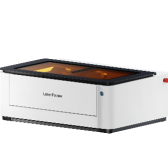
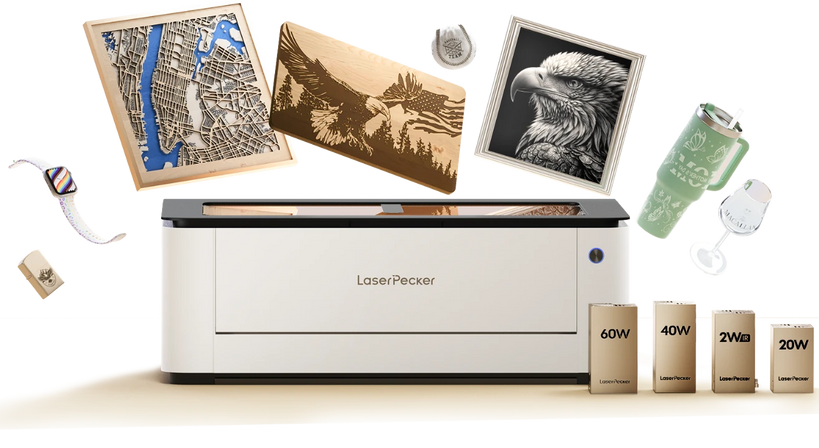
Recommended Popular Laser Cutting Machine for Pins: LaserPecker LX2
Desktop laser cutters like the LX2 demonstrate how modern laser technology streamlines the entire production process. With the ability to both cut and engrave in a single workflow, it significantly reduces the gap between digital design and the finished product.
-
Ultra-Fine Laser Spot
The LX2's ultra-fine laser spot allows you to create custom pins with extremely sharp edges and precise details. This is especially useful for small text, intricate logos, and fine patterns, ensuring your pin designs look clean and professional even at a small scale. -
Dual-Laser System (450nm Diode + 1064nm IR)
When making custom pins, material flexibility is key. The LX2's dual-laser system lets you work with a wide range of materials—such as acrylic, wood, leather, and coated metals—so you can create different styles of pins without switching machines. -
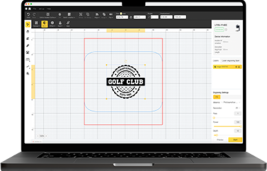
Software-Controlled Precision & Batch Production
For custom pin production, consistency is critical. The LX2 uses software-controlled cutting and engraving paths, allowing you to reproduce the same pin design multiple times with high accuracy—perfect for selling pins or fulfilling bulk orders. -
Large Working Area (Up to 500 mm × 305 mm | 19.7" × 12")
The large workspace enables you to arrange and produce multiple custom pins in a single run. This improves efficiency and ensures consistent alignment, making it ideal for batch production and scaling your pin-making workflow.
Steps to Make Custom Pins with Laser Cutting
- Design Creation: Create your pin design using vector software such as Illustrator.
- Prepare Material: Place and secure the material (acrylic, wood, etc.) on the laser bed.
- Adjust Laser Settings: Set power, speed, and pass count based on material type and thickness.
- Cut the Outline: Use the laser to precisely cut the pin shape.
- Engrave Details (Optional): Add text, patterns, or logos directly onto the surface.
- Remove Protective Film: Clean off residue or protective layers after processing.
- Attach Pin Hardware: Secure pin backs using adhesive or epoxy.
- Quality Check: Inspect edges and engraving quality before final use or packaging.
Laser cutting typically achieves a kerf width of approximately 0.1–0.2 mm, allowing for extremely fine geometric details beyond the capability of mechanical cutting methods.
For best results, ensure proper ventilation and carefully calibrated power settings to avoid material burning and maintain consistent engraving depth.
FAQs: Hot Questions about Making Custom Pins
Q1. How do I start making custom pins at home?
You can start with simple materials like paper, shrink plastic, or thin wood sheets. Cut your designs by hand and attach pin backs using strong adhesive. This is a low-cost way to test ideas.
If you want cleaner edges and more detailed results, consider using a small laser cutter. It improves precision and saves time, especially when producing multiple pins.
Q2. What materials can I use to make custom pins?
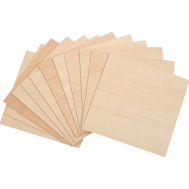
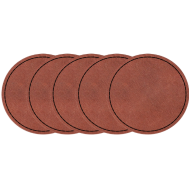
Common materials include acrylic, plywood, MDF, leather, metal blanks, and shrink plastic. Acrylic and wood are especially popular for laser cutting because they produce clean edges and support detailed designs.
The best material depends on your design style and how durable you want your pins to be.
Q3. How long does it take to make custom pins with a laser cutter?
The cutting and engraving process usually takes only a few minutes. Most of the time is spent preparing the design and attaching the pin backs.
Once your settings are optimized, laser cutting is significantly faster and more efficient than manual methods.
Q4. What types of pins are best for laser cutting?
Laser cutting is ideal for acrylic pins, wooden pins, engraved leather pins, and layered designs. It works especially well for detailed shapes, small text, and precise logos.
Q5. Do I need special software for laser cutting custom pins?
Yes, you need vector design software to create cut paths and engraving areas. Common file formats include SVG and DXF.
Many laser machines also provide dedicated software. For example, LaserPecker offers its own design platform, and tools like LightBurn allow you to import vector files and control engraving and cutting with precision.
You don't need to be an expert—basic vector design knowledge is enough to get started.
Conclusion
The best method for making custom pins depends on your production goals, budget, and desired level of detail. Manual cutting is a great starting point for beginners and small DIY projects, while guillotine cutters offer a faster solution for simple, straight-edged designs.
For more advanced applications, CNC machines provide strength and depth when working with thicker materials, making them suitable for durable and structural pins. However, they require more setup and technical knowledge.
If your focus is on precision, efficiency, and design flexibility, laser cutting is the most versatile option. It enables clean edges, intricate details, and consistent results across multiple pieces.
Whether you're creating pins for personal use, small-scale sales, or building a brand, understanding the advantages of each method will help you choose the most effective workflow and achieve high-quality results.