


The Creality Falcon A1 Pro is a popular choice for beginners who want an easy way to start laser engraving and cutting. It offers a good balance of performance, ease of use, and affordability, making it a solid entry-level machine.
However, as your projects become more ambitious, you may start running into its limitations. Whether you need a larger work area, stronger cutting power, faster engraving speeds, or more upgrade options, it may be time to look for a more capable machine.
In this guide, we'll explore the main reasons why makers look for a Creality Falcon A1 Pro alternative and compare it with the LaserPecker LX2 to help you decide which machine is the better fit for your future projects.

Part 1: Why People Look for a Creality Falcon A1 Pro Alternative?
The Creality Falcon A1 Pro is a capable machine for beginners, but it may not meet everyone's needs forever. As you take on larger projects, cut thicker materials, or produce more items in less time, you may start looking for a machine with greater performance and flexibility.
Below are five common limitations, which force makers to upgrade from the Falcon A1 Pro.
Limitation #1: Smaller Working Area
The Creality Falcon A1 Pro offers a 268 × 358 mm (10.55" × 14.09") working area, which is suitable for many everyday engraving projects such as coasters, keychains, leather patches, and small signs.
However, makers who regularly work on larger signs, decorative panels, or multiple items in a single run may find the workspace restrictive. Larger workpieces often need to be repositioned, and batch production may require multiple engraving sessions to complete the same job.
For hobby users, this may not be a major concern. But for small businesses and makers looking to improve workflow efficiency, a larger working area can provide greater flexibility by accommodating bigger projects or more items in a single setup.
Limitation #2: Limited Cutting Thickness
The Creality Falcon A1 Pro is designed for everyday engraving and light cutting. According to Creality's official specifications, the 20W laser module can cut up to 10 mm basswood and 8 mm black acrylic under optimal conditions, making it suitable for many common DIY and craft projects.
However, users who regularly work with thicker materials or more demanding cutting projects may find these limits restrictive. Tom's Hardware describes the machine as an easy-to-use laser engraver aimed at hobbyists and makers, highlighting its beginner-friendly design rather than positioning it as a heavy-duty production cutter.
For projects such as layered signs, furniture models, decorative panels, or complex 3D assemblies, higher-power laser systems can cut thicker materials in fewer passes. Reducing the number of passes can shorten production time while also helping improve cut quality by reducing heat buildup and edge charring.
Limitation #3: Less Flexibility in Laser Modules
The Creality Falcon A1 Pro is built around a 20W blue diode laser and supports an optional 2W infrared (IR) laser module for metal engraving. There is no other laser options for the Falcon A1 Pro.
While this configuration covers many everyday engraving applications, users looking for significantly higher cutting performance have limited upgrade options. For example, Creality does not currently offer official 40W or 60W interchangeable laser modules for the Falcon A1 Pro.
As a result, makers whose projects eventually require higher cutting power may need to move to a different laser cutter and engraver instead of simply upgrading the existing machine.
Limitation #4: Slower Engraving Speed
In small business production, time matters. The Falcon A1 Pro reaches up to around 600 mm/s, which is respectable for hobby use. However, it may start to feel slow when handling complex engraving jobs, detailed graphics, or repeated batch production.
By comparison, the LaserPecker LX2 reaches up to 1,000 mm/s with 10,000 mm/s² acceleration. This helps the machine reach full speed faster and maintain better efficiency on detailed paths.
For example, engraving a batch of leather patches with intricate logos may take much longer on a slower machine. Over a full day of production, faster motion performance can save hours and allow more products to be completed.
Limitation #5: Not Ideal for Engraving Taller Objects
While the Creality Falcon A1 Pro performs well for engraving flat materials and everyday craft projects, its design is less suited to taller workpieces. TechRadar noted that the machine is ideal for materials "up to about 4 cm" in height, making it better suited for relatively thin workpieces.
This can become a limitation when engraving taller objects such as deep wooden boxes, thick display pieces, or larger cylindrical items. Unlike some modular laser cutters, Creality does not currently offer an official height-expansion accessory or riser base for the Falcon A1 Pro that significantly increases its available working height.
For makers who frequently engrave tumblers, bottles, gift boxes, or other bulky workpieces, choosing a laser platform with expandable working height can provide greater flexibility as project requirements grow.
Part 2: Why LaserPecker LX2 Is a Strong Alternative to Creality Falcon A1 Pro?
If you're looking for a machine that offers more room to grow, the LaserPecker LX2 is worth considering. Compared with the Falcon A1 Pro, it provides a larger work area, more laser module options, stronger cutting performance, and faster engraving speeds—all while remaining easy to use.
Here are the key reasons why many users choose the LX2 as an upgrade from the Falcon A1 Pro.
Reason #1: Larger Working Area for Bigger Projects
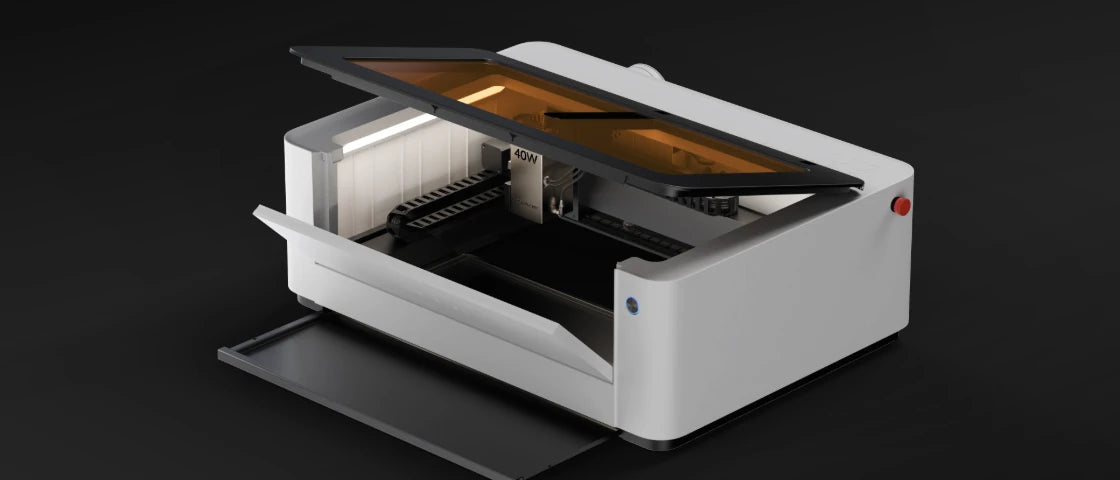
The LX2 gives users a larger creative space with a work area of up to 500 × 305 mm. Compared with the Falcon A1 Pro's 268 × 358 mm work area, the LX2 offers more room for signs, panels, templates, leather batches, and larger custom projects.
This larger workspace is especially useful for small business owners. You can place more items in one job, reduce setup time, and improve production efficiency.
Reason #2: True Modular Versatility
Unlike fixed-laser systems, the LaserPecker LX2 is built around a modular platform that supports interchangeable laser modules. Users can choose between 20W, 40W, and 60W blue diode laser modules for engraving and cutting, or install the 2W infrared (IR) laser module for direct engraving on metals and selected plastics.

This modular design allows the LX2 to adapt to different applications without requiring users to replace the entire machine. Whether you're engraving personalized gifts, cutting thicker materials, or expanding into metal marking, you can simply switch to the laser module that best fits the job.
For beginners, the 20W module provides an affordable starting point for everyday projects. As your skills or business grow, upgrading to a 40W or 60W module offers significantly greater cutting capability, while the 2W IR module opens up additional applications on stainless steel, aluminum, gold, silver, brass, titanium, and many engineering plastics.
Reason #3: Stronger Cutting Capability
The LaserPecker LX2 is designed to grow with your projects. Instead of being limited to a single laser configuration, it supports interchangeable 20W, 40W, and 60W diode laser modules, allowing users to choose the power level that best matches their cutting needs.
- 20W Module: Ideal for everyday engraving and light cutting on materials such as wood, leather, paper, and acrylic.
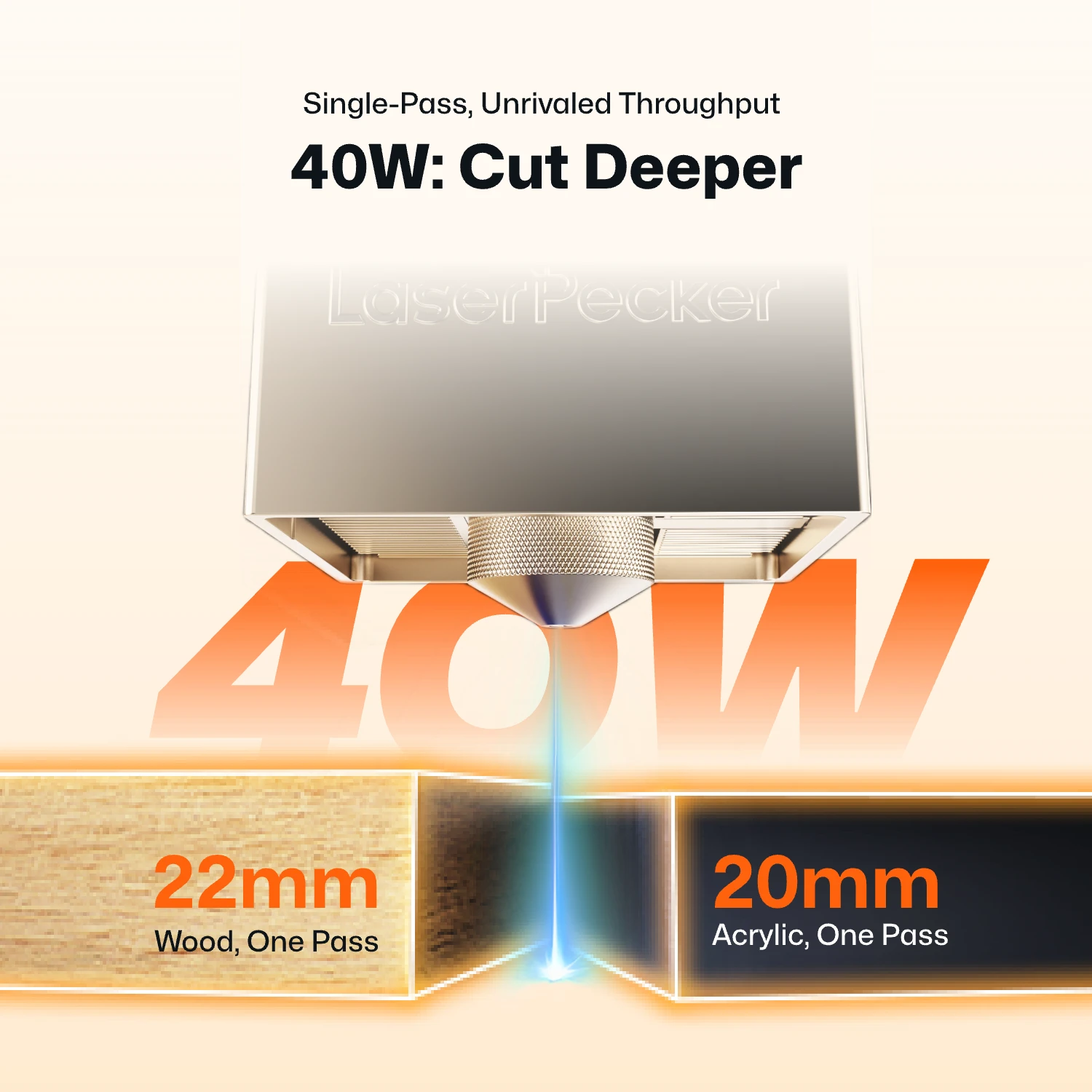
- 40W Module: Cuts up to 22 mm paulownia wood and 20 mm black acrylic in a single pass under suitable conditions.
- 60W Module: Cuts up to 25 mm wood, 30 mm black acrylic, and 0.8 mm stainless steel, making it suitable for more demanding fabrication projects.
This modular approach allows users to start with a 20W module for everyday projects and upgrade to 40W or 60W as their needs evolve. Compared with entry-level 20W laser systems, the higher-power modules process thicker materials more efficiently and often require fewer cutting passes. Depending on the material and cutting settings, fewer passes can also help reduce heat buildup, minimize edge charring, and produce cleaner cut edges.
Reason #4: Faster 1,000 mm/s Motion Speed
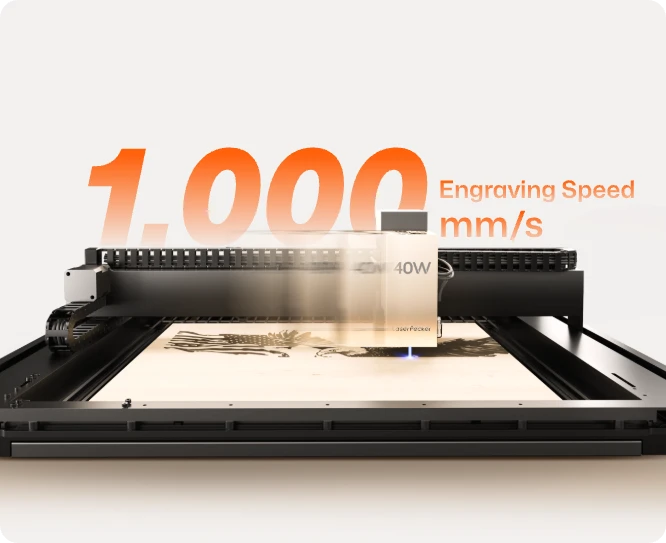
The LX2 reaches up to 1,000 mm/s engraving speed and uses 10,000 mm/s² acceleration. This allows the machine to move quickly and reach full speed faster, especially during complex engraving paths with many direction changes.
For batch production, this speed advantage can make a big difference. Whether you're engraving leather patches, product tags, signs, or custom gifts, faster motion helps reduce waiting time and improve daily output.
Reason #5: Smarter Positioning for Faster Production
The LaserPecker LX2 combines a 12MP ultra-wide camera with Point-to-Shape™ intelligent probing to simplify project setup and improve engraving accuracy. Together, these technologies reduce manual alignment, shorten setup time, and make batch production much more efficient.
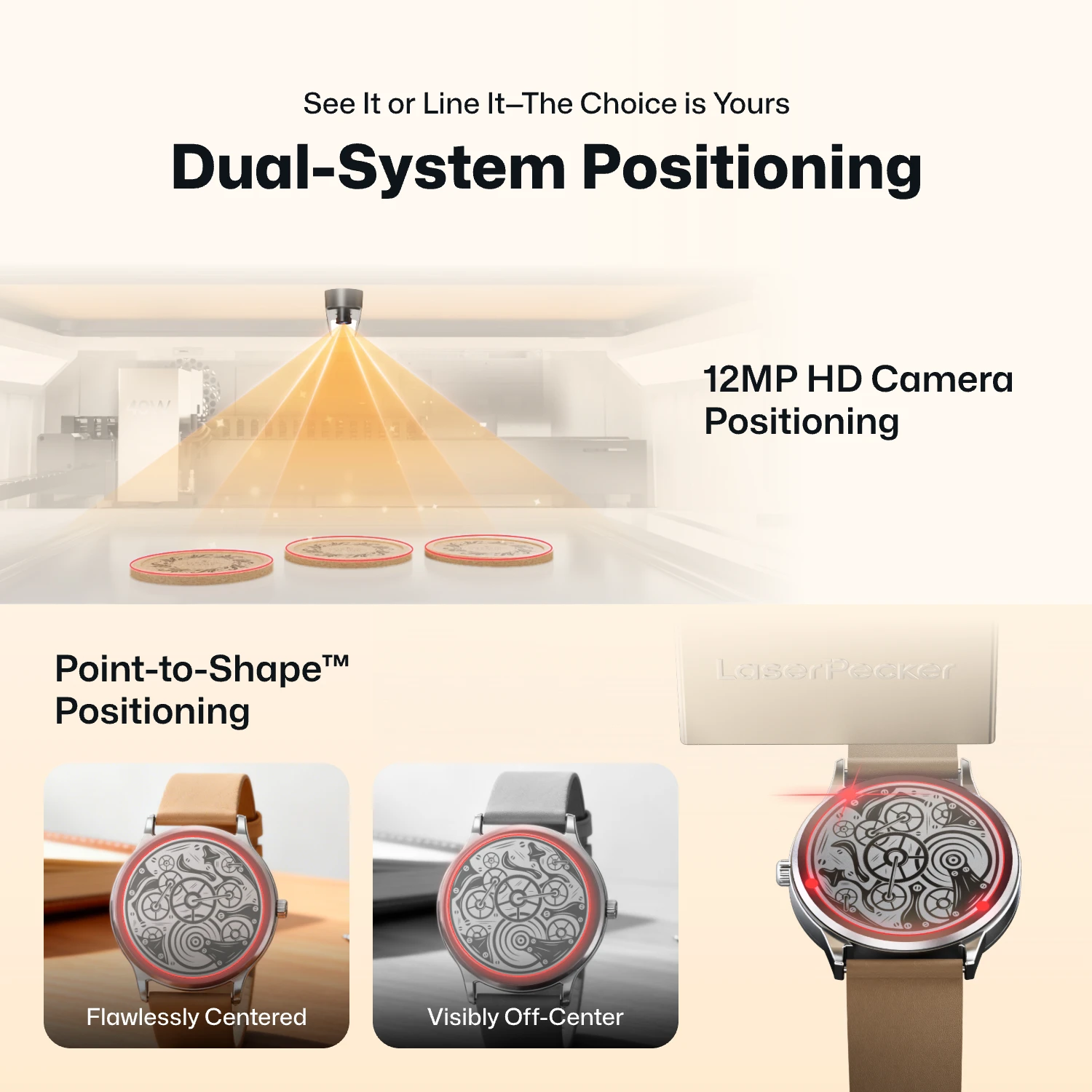
- 12MP Camera Positioning: The built-in ultra-wide camera provides a live preview of the entire workspace, allowing users to position artwork accurately before engraving begins.
- Smart Fill: Using the camera, the LX2 automatically detects multiple objects in the workspace and intelligently fills each one with the selected design, dramatically speeding up batch engraving.
- Remote Live View: The live camera feed lets users remotely monitor the workspace, verify positioning, and check engraving progress without standing next to the machine.
- Point-to-Shape™ Intelligent Probing: Instead of relying on visual recognition alone, the LX2 uses a mechanical probe to physically trace the outline of irregular objects. The detected shape is then imported into the software, allowing artwork to fit the object's exact contour with high precision.
Whether you're engraving keychains, leather patches, acrylic blanks, wooden signs, or other personalized products, the combination of camera-assisted positioning and Point-to-Shape™ helps reduce setup time, improve placement accuracy, and increase overall production efficiency.
Reason #6: Engrave Curved and Uneven Surfaces with 3D Adaptive Focus
Most desktop laser engravers are designed for flat materials, making it difficult to achieve consistent results on curved or uneven surfaces. The LaserPecker LX2 overcomes this limitation with its 3D Surface Adaptive Auto-Focus, allowing users to engrave complex three-dimensional objects with greater accuracy and consistency.
Using a mechanical probe, the LX2 automatically scans the surface of the object and creates a precise 3D height map. During engraving, the machine continuously adjusts the laser height in real time to maintain optimal focus across curves, slopes, and uneven surfaces—eliminating much of the manual focusing and trial-and-error typically required.
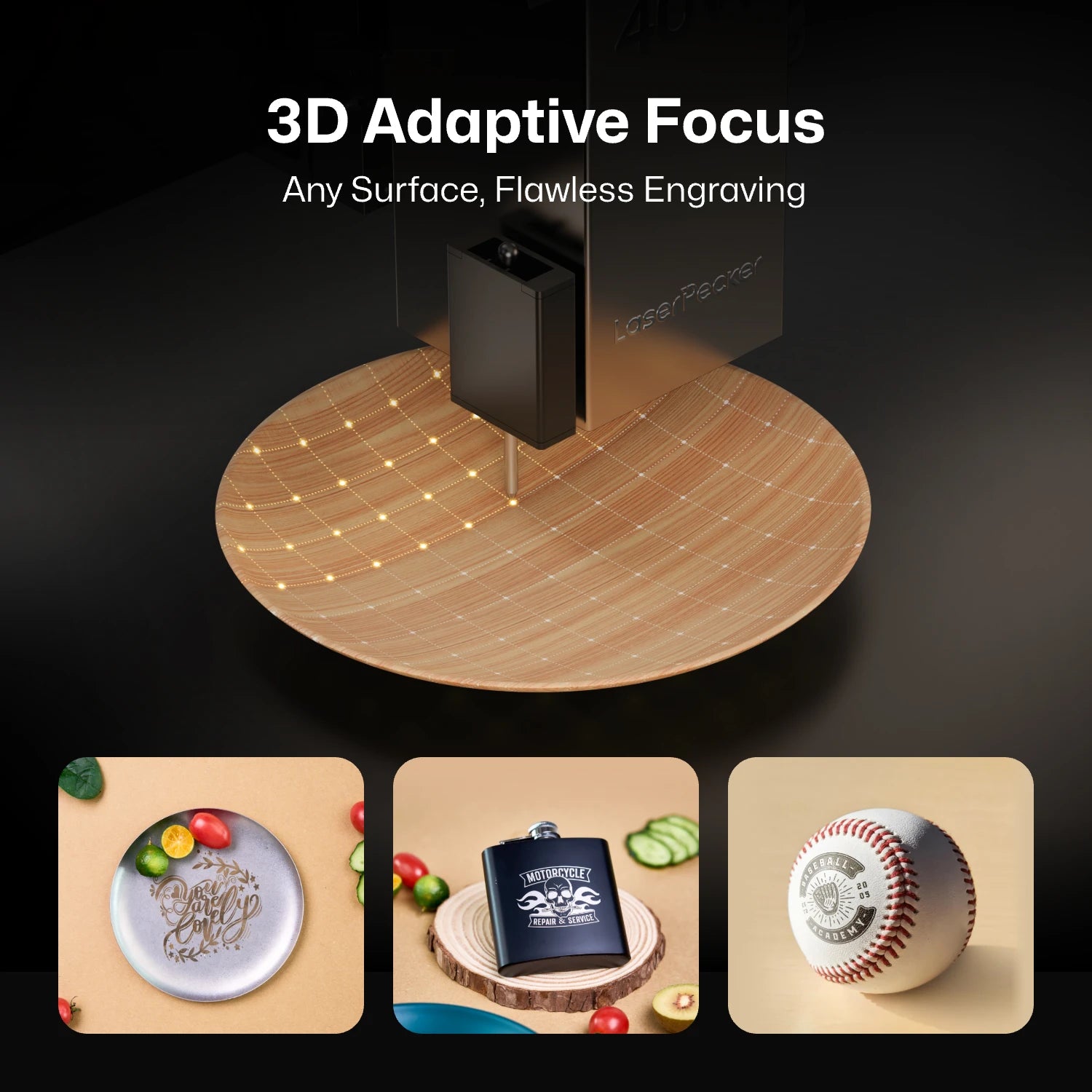
This makes it possible to engrave products such as wooden bowls, curved drinkware, glassware, sculptural objects, carved wood, and other irregularly shaped items with professional-quality results, expanding the range of projects that makers and small businesses can confidently take on.
Part 3: Creality Falcon A1 Pro vs LaserPecker LX2: Key Comparison Table
Both the Creality Falcon A1 Pro and the LaserPecker LX2 are capable laser engravers, but they are built for different needs.
The comparison table below highlights their main differences to help you quickly see which machine better matches your projects and future plans.
| Feature | Creality Falcon A1 Pro | LaserPecker LX2 |
|---|---|---|
| Machine Type | Desktop diode laser engraver & cutter | Desktop diode laser engraver & cutter |
| Work Area | 268 × 358 mm | 500 × 305 mm |
| Laser Modules | 20W diode + optional 2W IR | 20W / 40W / 60W diode + 2W IR |
| Upgrade Options | 20W diode + optional 2W IR | Interchangeable 20W / 40W / 60W diode modules + 2W IR |
| Max Working Speed | Up to 600 mm/s | Up to 1,000 mm/s |
| Max Acceleration | N/A | 10,000 mm/s² |
| Max Cutting Thickness |
10 mm basswood 8 mm black acrylic |
20W: 12 mm paulownia wood / 12 mm black acrylic 40W: 22 mm paulownia wood / 20 mm black acrylic 60W: 25 mm wood / 30 mm black acrylic / 0.8 mm stainless steel |
| Bare Metal Engraving | Optional 2W IR module required | 2W IR module supported |
| Software | LightBurn | LP Design Space, LightBurn |
FAQ: Hot Questions about Creality Falcon A1 Pro Alternatives
Q1: Is the LaserPecker LX2 suitable for beginners?
Yes. Although the LX2 offers more advanced features than the Falcon A1 Pro, it is still easy to get started with. It supports user-friendly software, camera-assisted positioning, and a straightforward setup process, making it suitable for both beginners and experienced makers.
Q2: What can the LaserPecker LX2 do that the Falcon A1 Pro can't?
Both machines can engrave and cut common materials such as wood, leather, paper, and acrylic. However, the LX2 offers a larger work area, interchangeable 20W, 40W, and 60W laser modules, a 2W IR module for direct metal engraving, and higher engraving speeds. These features make it more suitable for larger projects and growing businesses.
Q3: Which machine is better for long-term use?
That depends on your needs. If you're just getting started with laser engraving, the Falcon A1 Pro is a solid entry-level choice. But if you expect to take on larger projects, cut thicker materials, or expand your business, the LX2 offers more room to grow thanks to its modular design and upgrade options.
Q4: Is the Creality Falcon A1 Pro still worth buying?
Yes. The Falcon A1 Pro remains a good choice for beginners, hobbyists, and anyone looking for an affordable desktop laser engraver. However, if you need a larger work area, stronger cutting performance, faster engraving speeds, or the flexibility to upgrade your laser modules later, the LaserPecker LX2 is likely to be the better long-term investment.
Conclusion
The Creality Falcon A1 Pro is a solid choice for beginners and hobbyists who mainly work on smaller engraving and light cutting projects. It offers an easy way to get started without a steep learning curve.
However, if your projects continue to grow, you may eventually need a larger work area, stronger cutting performance, faster engraving speeds, or more flexibility to handle different materials. That's where the LaserPecker LX2 stands out. Its interchangeable laser modules, larger workspace, and expandable design give you more room to take on larger and more demanding projects.
If you're looking for a machine that can grow with your skills or support a small business in the future, the LX2 is a strong alternative to the Falcon A1 Pro and a worthwhile long-term investment.


