


Choosing a laser engraver and cutter is an important decision. Whether you're starting a small business or upgrading your current machine, you want something that fits your projects today and can grow with you in the future.
The Creality Falcon2 Pro is a popular choice for beginners. It works well for everyday engraving and cutting projects. But as your business grows or your projects become more complex, you may start looking for a machine that offers more speed, flexibility, and room to expand.
That's where the LaserPecker LX2 comes in. In this guide, we'll compare the Creality Falcon2 Pro with the LX2 and explain the key differences in performance, features, and workflow to help you decide which machine is the better fit for your needs.

Part 1: Why Look for a Creality Falcon2 Pro Alternative?
The Creality Falcon2 Pro works well as an entry-level machine, especially for simple projects like coasters, ornaments, and small crafts. However, as you move into more complex designs, larger projects, or batch production, its limitations can become more noticeable.
Below are the main reasons why makers begin looking for a Creality Falcon2 Pro alternative.
Reason #1: Not Designed for Quick Laser Module Switching
The Creality Falcon2 Pro is available with different laser power options, but it is not built around a quick-swap modular system. To change laser modules, users need to loosen the fixing screw, remove the existing laser head, install the new module, reconnect the cable, and refocus the machine before continuing.
Reason #2: Initial Assembly Required
The Creality Falcon2 Pro requires initial assembly before first use. According to Creality, the setup process takes approximately 10 minutes and includes installing the laser module, connecting cables, and completing the basic machine setup.
While this is a one-time process, users looking for a faster out-of-the-box experience may prefer a machine that arrives pre-assembled and ready to use.

Reason #3: Working Area Limits
The Creality Falcon2 Pro offers a 400 × 415 mm (15.7" × 16.3") enclosed working area, which is suitable for many everyday projects. However, its fixed enclosure can make it more difficult to process oversized materials, taller objects, or workpieces that extend beyond the machine's boundaries.
Reason #4: Slower Engraving Speed
Production speed can make a big difference when you're running a small business or handling batch orders. The Creality Falcon2 Pro supports engraving speeds of up to 30,000 mm/min (500 mm/s). While this is fast enough for many everyday projects, newer laser systems now offer significantly higher motion performance.
For makers producing keychains, nameplates, tags, logos, or other personalized products in batches, this higher speed and acceleration can help reduce production time and increase the number of orders completed each day.
Part 2: Why the LaserPecker LX2 Stands Out
While the Creality Falcon2 Pro is a capable entry-level machine, the LaserPecker LX2 is designed for makers who need higher productivity, greater flexibility, and room to grow.
Here's where the LX2 stands out.
Reason #1: Tool-Free Swappable Laser Modules
The LX2 lets users swap laser modules quickly without reaching for a hex key. Whether you need the cutting power of a 20W, 40W, or 60W diode laser module, or the precision of a 2W IR module for metal marking, switching modules is simple and efficient.

This makes the LX2 more adaptable for users who work across wood, acrylic, leather, metals, plastics, and other materials.
Reason #2: Larger Working Area
With a 500 × 305 mm working area, the LX2 can handle larger projects while still fitting into a desktop workspace. It is a strong fit for custom signage, skateboard decks, leather panels, wall art, and batch production.
Reason #3: Higher Engraving Speed and Faster Acceleration
The LaserPecker LX2 is built for high-productivity engraving. It supports engraving speeds of up to 1,000 mm/s and features an impressive 10,000 mm/s² acceleration, allowing the machine to reach top speed quickly and maintain smooth motion throughout the engraving process.
Acceleration is just as important as maximum speed. During real-world engraving, the laser head constantly starts, stops, and changes direction when creating text, logos, photos, and intricate graphics. Higher acceleration reduces the time spent speeding up and slowing down, helping the LX2 complete detailed designs more efficiently than machines with lower motion performance.
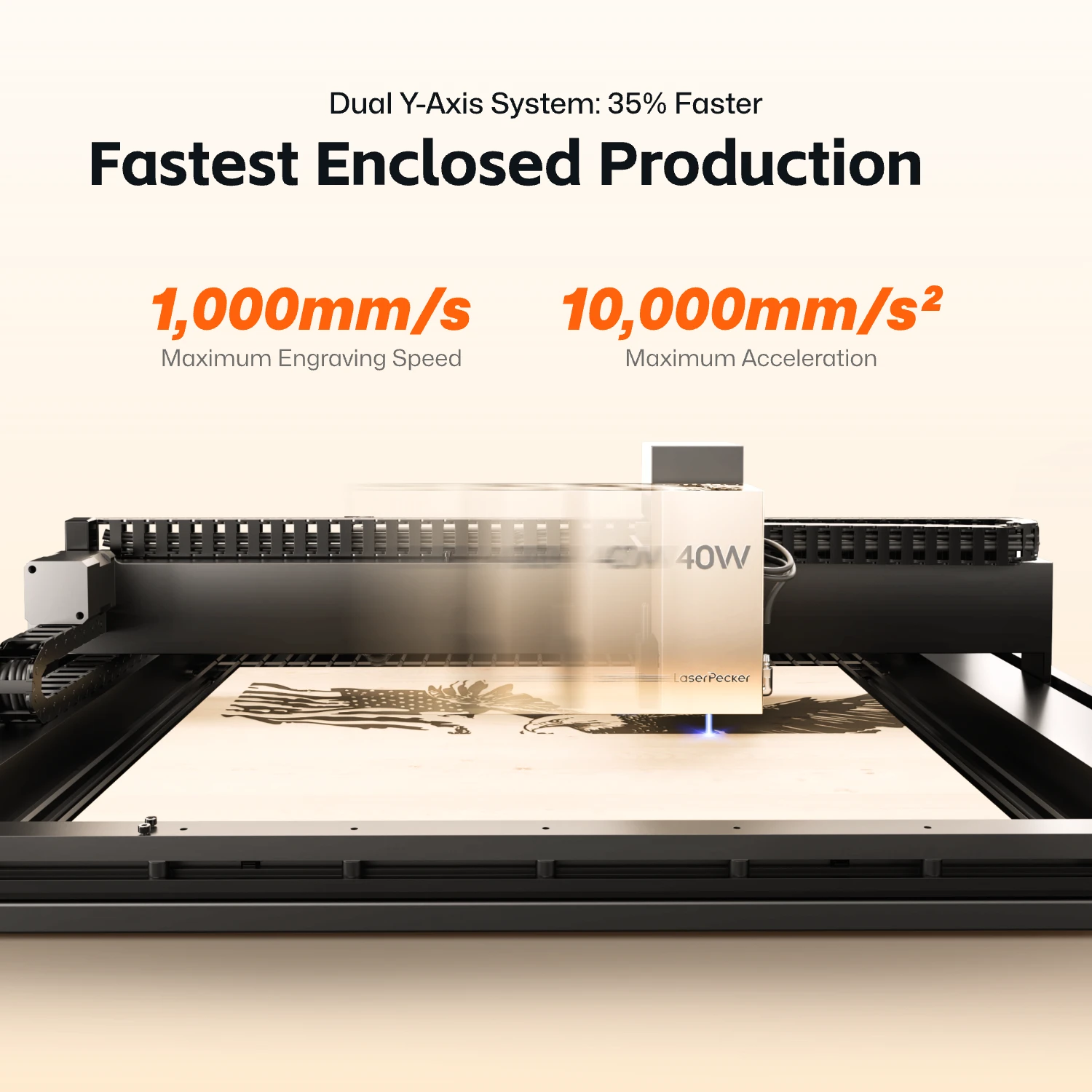
For makers producing keychains, nameplates, tags, custom gifts, or other personalized products in batches, the combination of 1,000 mm/s engraving speed and 10,000 mm/s² acceleration can significantly improve production throughput and shorten turnaround times.
Reason #4: Smarter Positioning for Faster Production
The LaserPecker LX2 combines a 12MP ultra-wide camera with Point-to-Shape™ intelligent probing to simplify project setup and improve engraving accuracy. Together, these technologies reduce manual alignment, shorten setup time, and make batch production much more efficient.
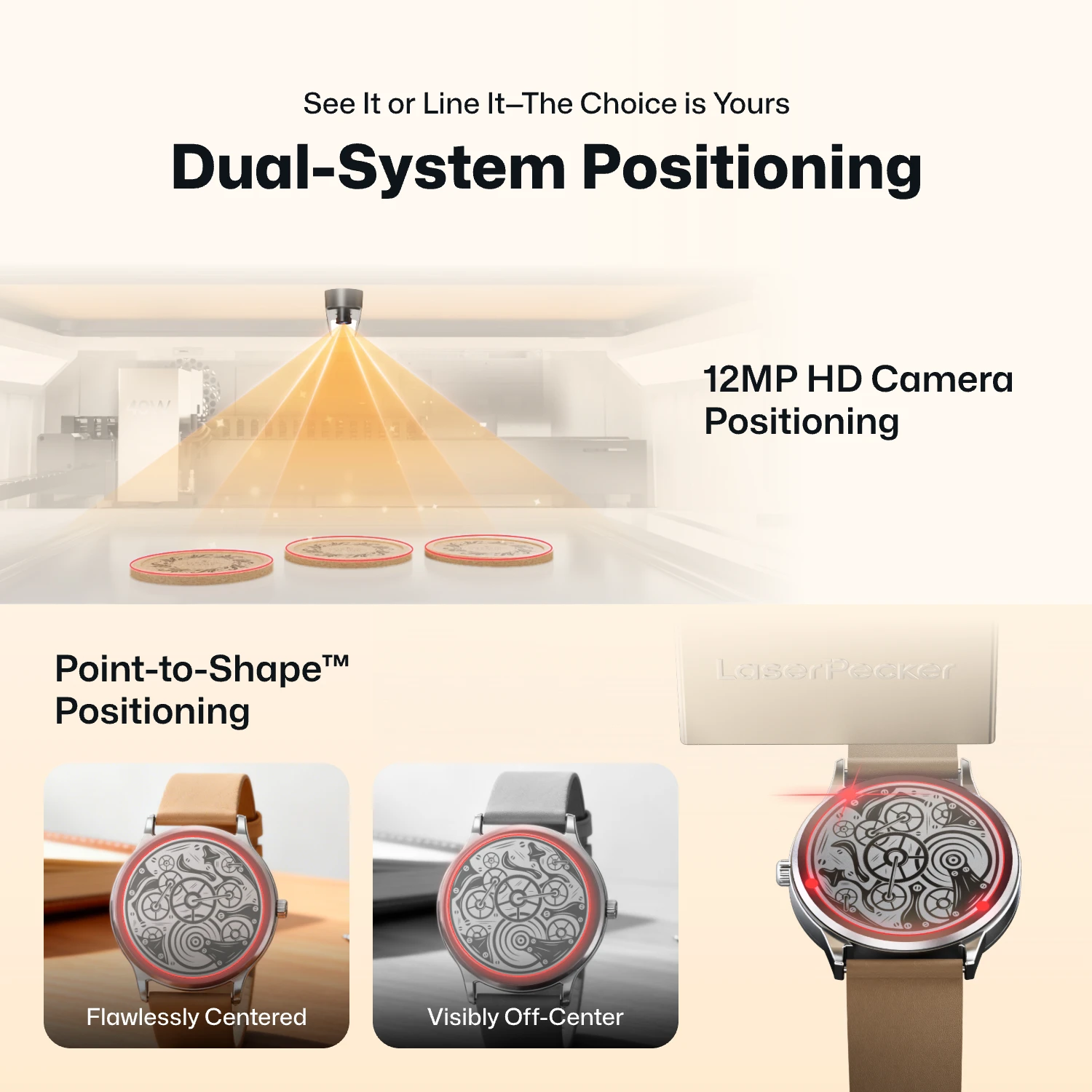
- 12MP Camera Positioning: The built-in ultra-wide camera provides a live preview of the entire workspace, allowing users to position artwork accurately before engraving begins.
- Smart Fill: Using the camera, the LX2 automatically detects multiple objects in the workspace and intelligently fills each one with the selected design, dramatically speeding up batch engraving.
- Remote Live View: The live camera feed lets users remotely monitor the workspace, verify positioning, and check engraving progress without standing next to the machine.
- Point-to-Shape™ Intelligent Probing: Instead of relying on visual recognition alone, the LX2 uses a mechanical probe to physically trace the outline of irregular objects. The detected shape is then imported into the software, allowing artwork to fit the object's exact contour with high precision.
Whether you're engraving keychains, leather patches, acrylic blanks, wooden signs, or other personalized products, the combination of camera-assisted positioning and Point-to-Shape™ helps reduce setup time, improve placement accuracy, and increase overall production efficiency.
Reason #5: Class 1 Safety with 9-Stage Protection
Safety is a key consideration for anyone using a laser engraver at home, in a classroom, or in a shared workspace. The LaserPecker LX2 is designed as a Class 1 laser product, combining a fully integrated safety design with a comprehensive 9-stage protection system to help reduce risks during everyday operation.
- Class 1 Protection: Helps contain laser exposure during normal operation, allowing users to work without wearing laser safety goggles under standard operating conditions.
- Automatic Safety Features: Includes tilt detection, cover-open detection, overheat protection, flame detection, and an emergency stop to help prevent accidents and unexpected interruptions.
- Designed for Everyday Use: Multiple built-in safety mechanisms make the LX2 a practical choice for home workshops, classrooms, maker spaces, and small businesses.
By combining Class 1 certification with intelligent safety monitoring, the LX2 allows makers to focus more on creating and less on managing safety risks.
Reason #6: Engrave Curved and Uneven Surfaces with 3D Adaptive Focus
Most desktop laser engravers are designed for flat materials, making it difficult to achieve consistent results on curved or uneven surfaces. The LaserPecker LX2 overcomes this limitation with its 3D Surface Adaptive Auto-Focus, allowing users to engrave complex three-dimensional objects with greater accuracy and consistency.
Using a mechanical probe, the LX2 automatically scans the surface of the object and creates a precise 3D height map. During engraving, the machine continuously adjusts the laser height in real time to maintain optimal focus across curves, slopes, and uneven surfaces—eliminating much of the manual focusing and trial-and-error typically required.
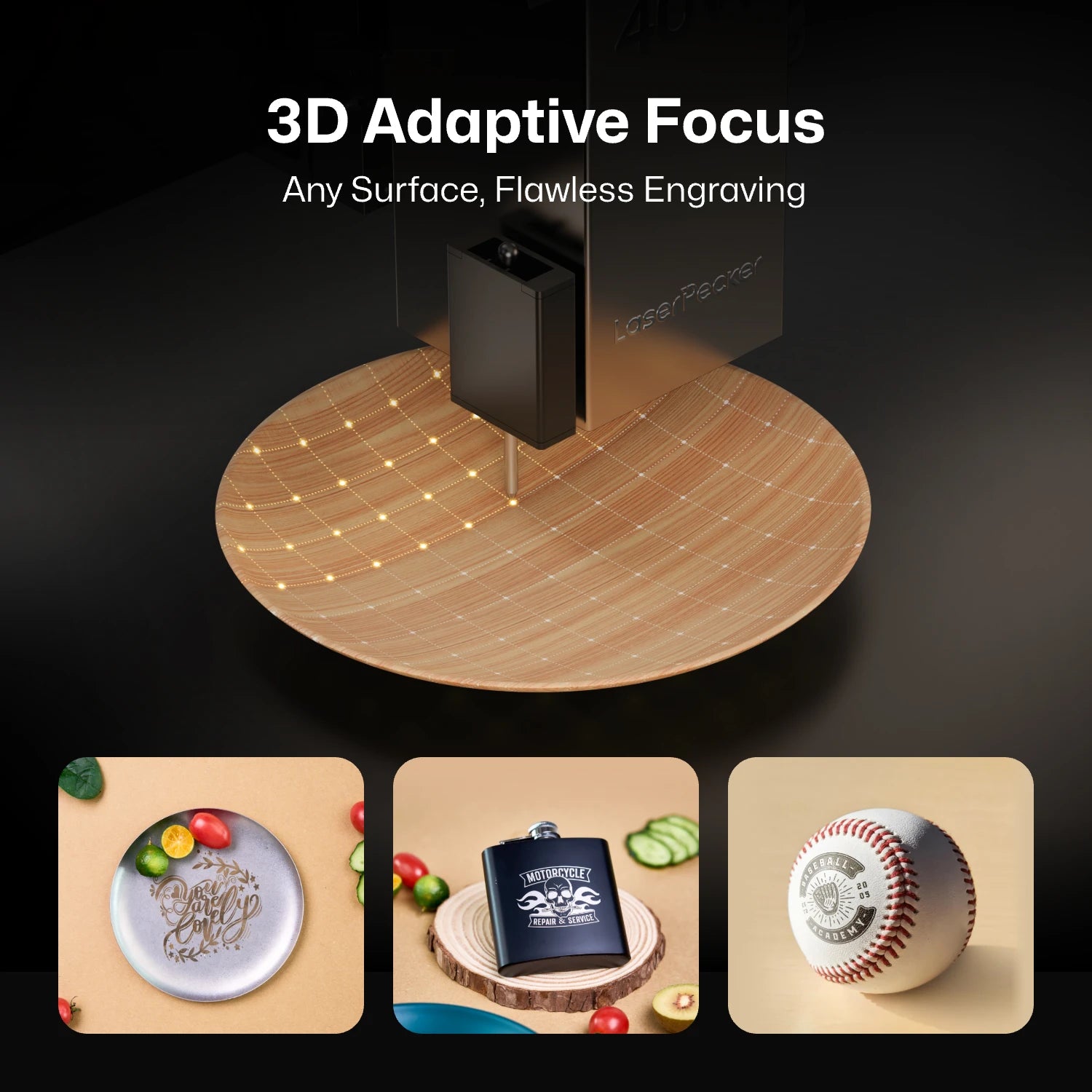
This makes it possible to engrave products such as wooden bowls, curved drinkware, glassware, sculptural objects, carved wood, and other irregularly shaped items with professional-quality results, expanding the range of projects that makers and small businesses can confidently take on.
Part 3: Creality Falcon2 Pro vs LaserPecker LX2: Quick Comparison
The table below compares the Creality Falcon2 Pro and the LaserPecker LX2 across the features that matter most, helping you quickly see which machine better fits your workflow and future projects.
| Feature | Creality Falcon2 Pro | LaserPecker LX2 |
|---|---|---|
| Laser System | 22W / 40W / 60W Blue Diode | 20W / 40W / 60W Blue Diode + 2W 1064nm IR (Swappable) |
| Laser Module Design | Module replacement required | Tool-free swappable modules |
| Working Area | 400 × 415 mm | 500 × 305 mm |
| Max Engraving Speed | 30,000 mm/min (500 mm/s) | 60,000 mm/min (1,000 mm/s) |
| Acceleration | N/A | 10,000 mm/s² |
| Camera System | Built-in Camera | 12MP Ultra-wide Camera |
| Smart Positioning | Standard Camera Preview | Point-to-Shape™, Smart Fill & Remote Live View |
| Auto Focus | Standard Autofocus | 3D Surface Adaptive Auto-Focus |
| Metal Engraving | Optional 1064nm IR Module | Dedicated 2W 1064nm IR Module |
| Laser Safety | Class 1 Enclosed Design | Class 1 with 9-Stage Safety Protection |
| Software | LightBurn / LaserGRBL | LaserPecker Design Space, LightBurn & PC Software |
| Assembly | Initial assembly required | Pre-assembled with minimal setup |
| Single-Pass Cutting (40W) | Up to 20 mm wood | Up to 22 mm wood |
| Best For | Entry-level enclosed laser engraving and cutting | Professional creators, small businesses, and high-productivity workflows |
FAQ: Hot Questions about Creality Falcon2 Pro Alternatives
Q1. Can the LaserPecker LX2 cut metal?
Yes—but it depends on the laser module and the type of metal.
With the 60W blue diode laser module, the LaserPecker LX2 can cut stainless steel sheets up to 0.8 mm (0.03") thick, making it suitable for thin metal fabrication, custom tags, decorative pieces, and other precision projects.
For metal engraving, the LX2 also supports a dedicated 2W 1064nm infrared (IR) laser module, which can directly engrave bare metals—including stainless steel, titanium, aluminum, brass, gold, and silver—with high precision. This combination of metal cutting and professional metal engraving makes the LX2 a versatile solution for makers working with a wide variety of metal projects.
Q2. Does the LaserPecker LX2 work with LightBurn?
Yes. The LaserPecker LX2 fully supports LightBurn, allowing advanced users to take advantage of powerful features such as layers, custom parameters, and optimized production workflows. It also works with LaserPecker Design Space (LDS), which provides an intuitive experience for beginners on both desktop and mobile devices.
Q3. Can I upgrade the laser module on the LaserPecker LX2?
Yes. One of the LX2's biggest advantages is its modular laser ecosystem. Users can quickly switch between 20W, 40W, and 60W blue diode laser modules for cutting and engraving, as well as a dedicated 2W 1064nm IR module for direct metal engraving. This allows a single machine to adapt to different materials and applications without replacing the entire system.
Conclusion
The Creality Falcon2 Pro is a solid starting point for beginners. However, the LaserPecker LX2 offers stronger speed, smarter positioning, tool-free swappable laser modules, IR metal engraving support, and a more flexible structure.
If you want a machine that can keep up as your skills grow and your projects become more demanding, the LaserPecker LX2 is a strong Creality Falcon2 Pro alternative for home workshops, makers, and small businesses.


