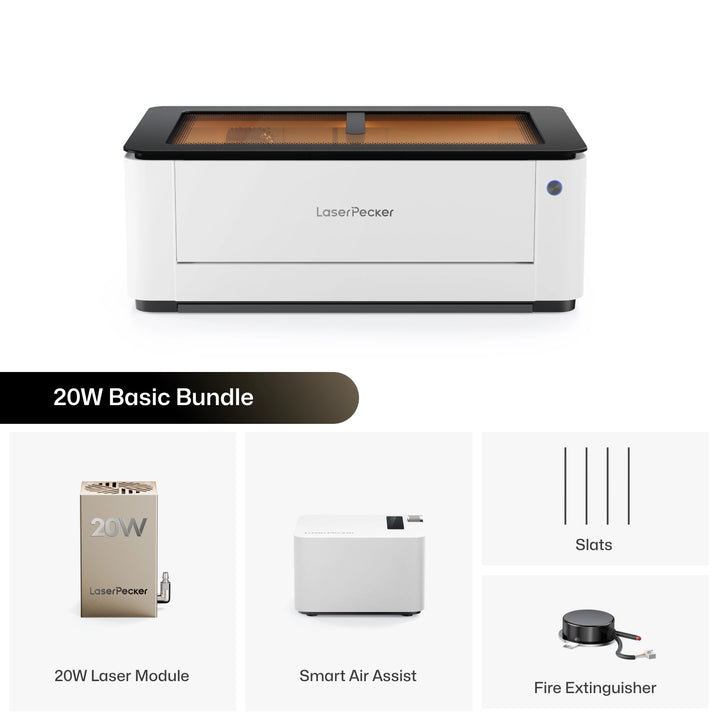
For small business owners, Etsy sellers, and dedicated makers, choosing the right desktop laser cutter and engraver can directly affect production speed, material options, and upfront cost.
The FLUX HEXA is a powerful CO2 laser cutter built for serious workshop use. However, its high price, fixed CO2 laser system, maintenance needs, and limited flexibility may not fit every creator.
That is why many users start looking for a FLUX HEXA alternative. Here, we will compare the FLUX HEXA with the LaserPecker LX2 and explain why the LX2 may be a better choice for creators who want speed, flexibility, direct metal engraving, and lower long-term maintenance.

Part 1: Why Do People Look for a FLUX HEXA Alternative?
The FLUX HEXA is a capable CO2 laser machine, especially for large-format cutting and organic materials. But for many small businesses and modern makers, several limitations can become hard to ignore.
Limitation #1: Higher Initial Purchase Price
The FLUX HEXA is positioned as a premium desktop CO2 laser cutter, with an official starting price of $5,000+. For hobbyists, Etsy sellers, and small businesses, this represents a significant upfront investment compared with many modern diode laser systems.
For buyers with limited equipment budgets, a lower-cost machine can free up funds for materials, accessories, marketing, or other business expenses.
Limitation #2: Lower Maximum Engraving Speed
The FLUX HEXA supports engraving speeds of up to 900 mm/s, which is fast enough for many everyday engraving projects. However, some newer laser systems offer even higher maximum speeds and faster acceleration, helping reduce processing time for large batches and detailed engraving jobs.
For makers who regularly produce custom orders or run small businesses, faster motion performance can improve workflow efficiency and increase overall productivity.
Limitation #3: Fixed CO2 Laser Tube
The FLUX HEXA uses a fixed 60W CO2 glass laser tube. This gives it strong cutting ability on many organic materials, but it also means users are locked into one laser type.
You cannot switch to a different laser wavelength for direct metal engraving, plastic marking, or other specialized applications. For businesses that want to work across more materials, this fixed setup can limit flexibility.
Limitation #4: Lower Camera Resolution and Single Positioning System
The FLUX HEXA uses a built-in HD camera for visual positioning. This can help with layout, but it relies mainly on a single camera-based alignment system.
For small details, layered designs, or high-value blanks, creators may prefer a more advanced positioning system with higher camera resolution and additional physical positioning support.
Limitation #5: Standard Single-Point Autofocus
The FLUX HEXA uses an autofocus system that measures the material height before engraving. This works well for most flat workpieces and everyday engraving tasks.
However, unlike systems with 3D surface scanning or adaptive autofocus, it does not continuously map height changes across uneven surfaces during the engraving process. For creators who frequently engrave curved or irregular objects, more advanced surface-adaptive focusing systems can offer greater flexibility.
Limitation #6: Limited Rotary Engraving Diameter Range
With the optional Rotary 2.0 accessory, the FLUX HEXA supports cylindrical objects up to 115 mm (4.5 in) in diameter. This is suitable for many common cups, bottles, and tumblers.
However, objects with diameters larger than 115 mm fall outside the supported range. For creators who frequently engrave larger drinkware, wide vases, or other oversized cylindrical items, a rotary system with a larger supported diameter may provide greater flexibility.
Limitation #7: More CO2 Laser Maintenance
Like most CO2 laser machines, the FLUX HEXA requires more long-term maintenance than a diode laser system. The glass CO2 tube has a limited lifespan and will eventually need replacement.
Its water-cooling system also requires routine care. Users need to monitor coolant condition, keep the cooling system working properly, and maintain optical parts such as mirrors and lenses.
Part 2: Why Choose LaserPecker LX2 Instead of FLUX HEXA?
The LaserPecker LX2 is designed for creators who want a more flexible, modular, and cost-effective laser system. It offers strong engraving speed, swappable laser modules, direct metal engraving, and lower maintenance complexity.
Reason #1: About One-Third the Starting Price
The LaserPecker LX2 offers a much lower entry price than the FLUX HEXA. The LX2 starts at $1,649, while the FLUX HEXA starts at $5,455. That means the LX2 costs about 30% of the HEXA's starting price, saving buyers approximately $3,800 upfront.
For hobbyists, Etsy sellers, and small businesses, those savings can be invested in materials, accessories, marketing, or other equipment instead of being tied up in the initial machine purchase.
Reason #2: Faster Engraving Performance
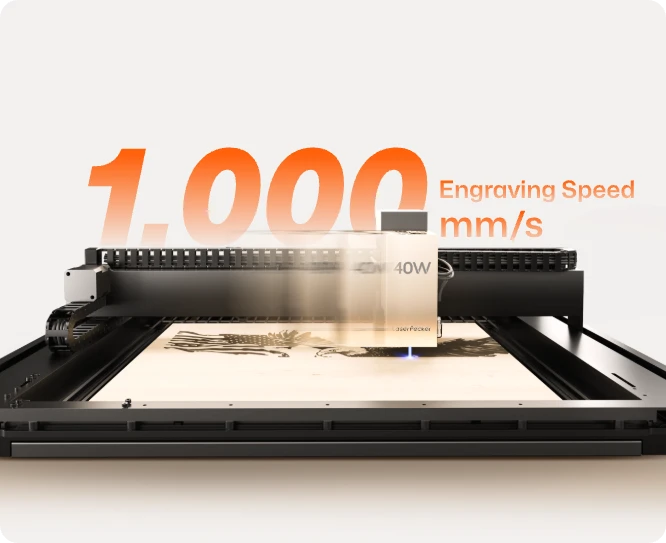
The LX2 reaches engraving speeds of up to 1,000 mm/s with acceleration up to 10,000 mm/s².
The higher acceleration allows the machine to reach full speed more quickly when engraving detailed graphics, helping improve productivity during batch production.
Reason #3: Swappable Laser Modules
Unlike the fixed CO2 laser used by the P2S, the LX2 supports interchangeable laser modules.
- 20W Diode Laser for everyday engraving and cutting.
- 40W Diode Laser for stronger cutting performance.
- 60W Diode Laser for demanding cutting applications.
- 2W Infrared Laser for direct engraving on stainless steel, gold, silver, titanium, brass, and other metals.
This modular design allows one machine to handle many different types of projects.

Reason #4: Direct Metal Engraving with 2W IR Module
With the 2W 1064 nm IR module, the LX2 can engrave directly on many bare metals, including stainless steel, aluminum, copper, silver, titanium, and gold.
This means users do not need marking sprays or coating products for many metal engraving projects. It is useful for jewelry, metal tags, tools, tumblers, business cards, and personalized gifts.
Reason #5: 12MP Camera with Dual Positioning System
The LaserPecker LX2 combines a 12MP ultra-wide camera with Point-to-Shape™ intelligent probing to simplify project setup and improve engraving accuracy. Together, these technologies reduce manual alignment, shorten setup time, and make batch production much more efficient.
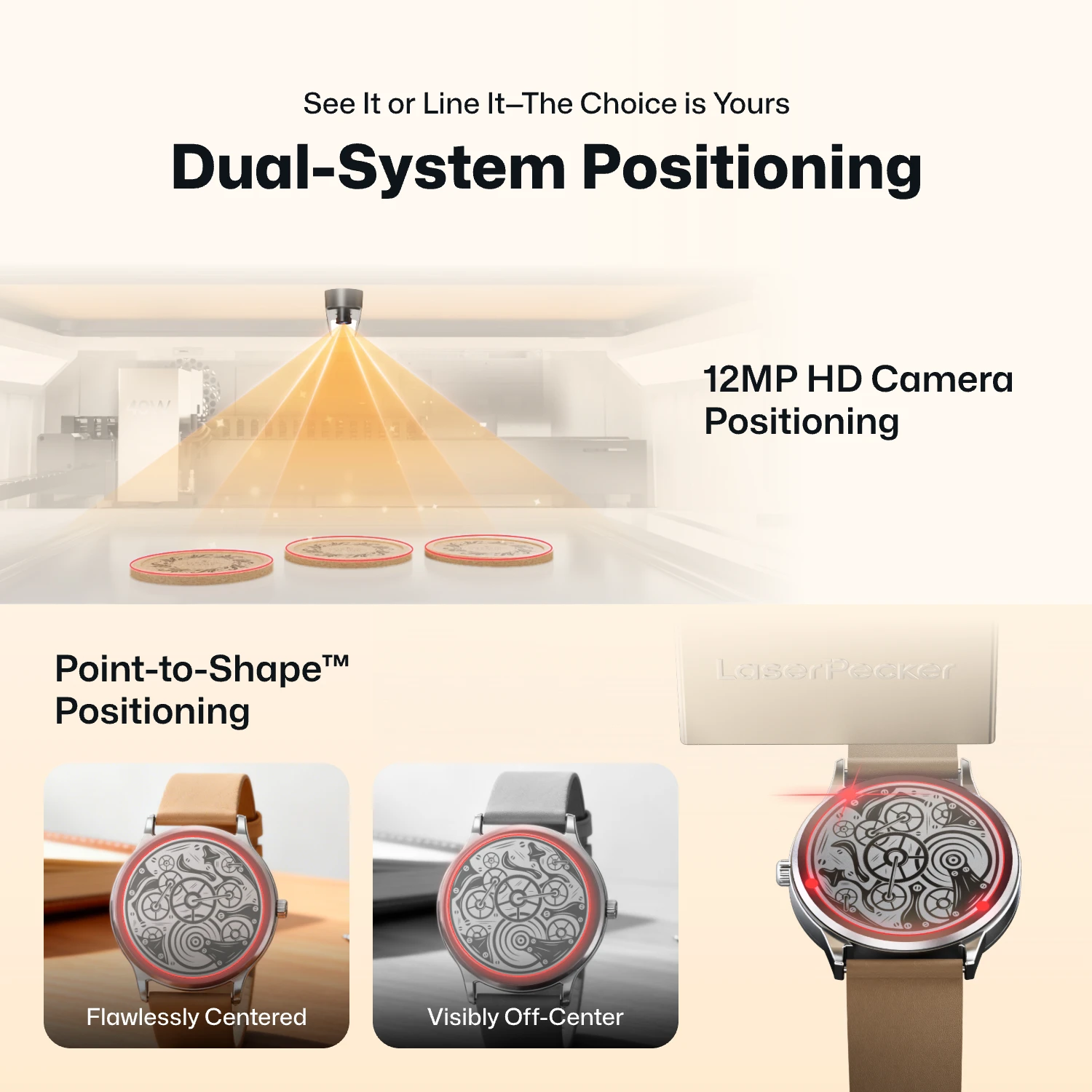
- 12MP Camera Positioning: The built-in ultra-wide camera provides a live preview of the entire workspace, allowing users to position artwork accurately before engraving begins.
- Smart Fill: Using the camera, the LX2 automatically detects multiple objects in the workspace and intelligently fills each one with the selected design, dramatically speeding up batch engraving.
- Remote Live View: The live camera feed lets users remotely monitor the workspace, verify positioning, and check engraving progress without standing next to the machine.
- Point-to-Shape™ Intelligent Probing: Instead of relying on visual recognition alone, the LX2 uses a mechanical probe to physically trace the outline of irregular objects. The detected shape is then imported into the software, allowing artwork to fit the object's exact contour with high precision.
The higher-resolution camera provides a clearer preview of your material, making it easier to position designs accurately before engraving. Whether you're engraving a single item or arranging multiple products for batch production, the system helps reduce setup time and improve positioning accuracy.
Reason #6: 3D Adaptive Focus for Curved Surfaces
The LX2 includes 3D Surface Adaptive Auto-Focus. Its probe-based system can scan the surface of an object and adjust focus for curved or uneven materials.
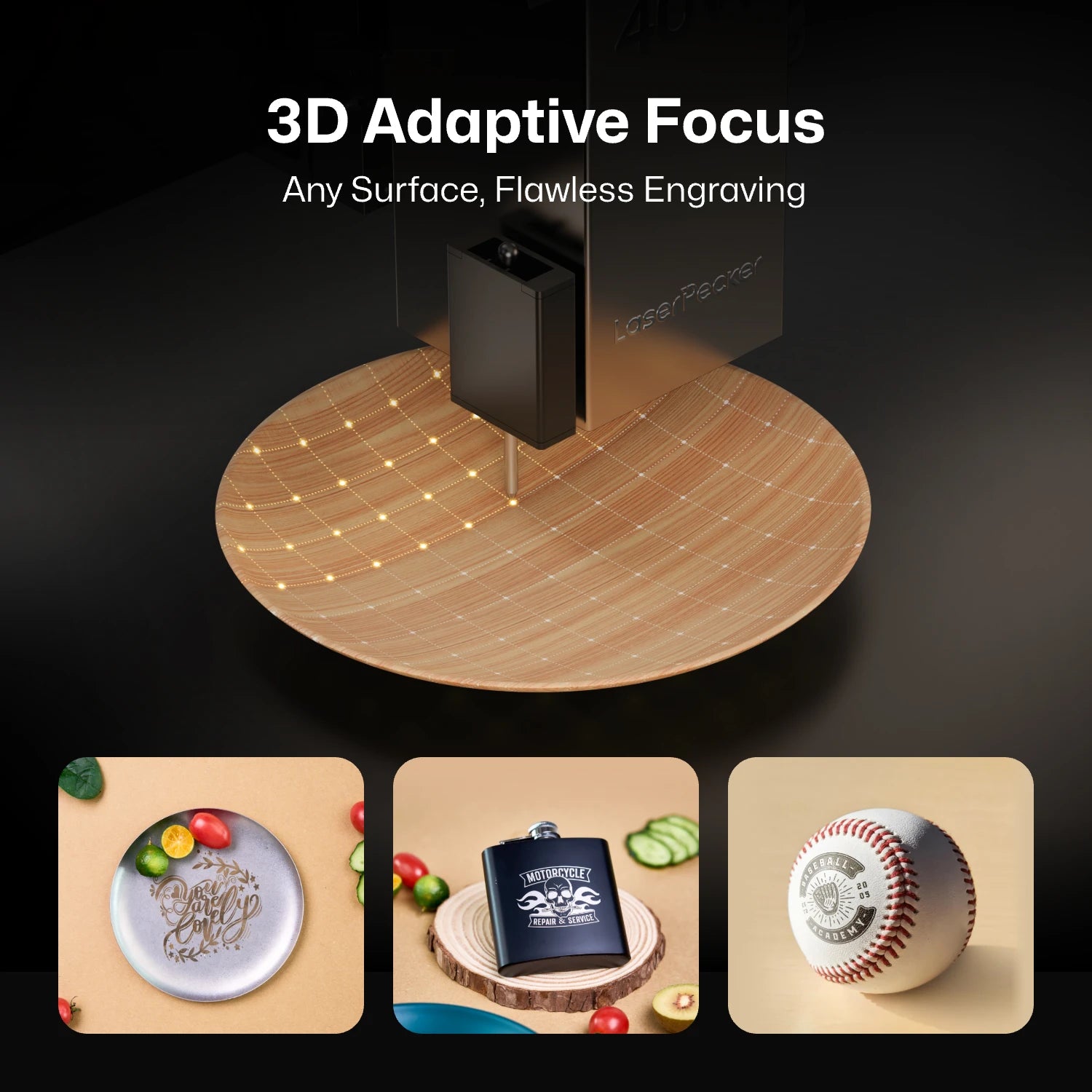
This makes it more practical for engraving objects that are not perfectly flat, such as curved surfaces, sloped items, and irregular handmade pieces.
Reason #7: Wider Rotary Engraving Diameter Range
With the Rotary Extension, the LaserPecker LX2 supports cylindrical objects ranging from 3 mm to 200 mm in diameter, providing greater flexibility for rotary engraving.
The wide supported diameter range makes it suitable for engraving everything from pens and small tools to mugs, bottles, tumblers, wine glasses, and larger cylindrical objects, giving creators more options for personalized products.

Reason #8: Lower Maintenance Complexity
The LX2 uses solid-state diode and IR laser technology, so it does not require a CO2 glass tube, mirror alignment, or water-cooling maintenance.
For small businesses, this can mean less downtime, fewer maintenance tasks, and lower long-term running costs.
Part 3: FLUX HEXA vs LaserPecker LX2 Comparison Table
The table below compares the key differences between the FLUX HEXA and the LaserPecker LX2.
| FLUX HEXA | LaserPecker LX2 | |
|---|---|---|
| Laser Type | CO2 glass laser tube | Modular diode / infrared laser system |
| Laser Output Power | 60W CO2 | 20W / 40W / 60W diode + 2W IR |
| Laser Module Flexibility | Fixed laser system | Swappable modular laser system |
| Working Area | 730 × 410 mm | 500 × 305 mm |
| Maximum Engraving Speed | Up to 900 mm/s | Up to 1,000 mm/s with 10,000 mm/s² acceleration |
| Camera & Positioning | HD camera with visual alignment | 12MP / 6K camera + Point-to-Shape™ positioning |
| Autofocus Method | Single-point autofocus with 60 mm travel | 3D Surface Adaptive Auto-Focus |
| Cooling System | Integrated liquid water-cooling loop | Air cooling |
| Max Cutting Capacity | Up to 21 mm, depending on material | Up to 25 mm wood, 30 mm black acrylic, and 0.8 mm stainless steel with 60W module |
| Metal Engraving | Requires marking spray or coating for bare metal | Direct bare metal engraving with 2W IR module |
| Max Rotary Engraving Diameter | Up to 115 mm (Rotary 2.0) | 3–200 mm (Rotary Extension) |
| Software Compatibility | Beam Studio, LightBurn | LaserPecker Design Space, LightBurn |
| Laser Safety | Class 1 | Class 1 |
| Connectivity | Wi-Fi, USB, Ethernet, direct network cable | Wi-Fi, USB, USB Drive |
| Starting Price | From $5,455 | From $1,649 |
Part 4: Where the FLUX HEXA Still Holds an Advantage
Although the LaserPecker LX2 offers stronger flexibility, lower maintenance, direct metal engraving, and a more affordable entry price, the FLUX HEXA still has advantages in some use cases.
Advantage #1: Larger Working Area for Large Sheet Materials
The FLUX HEXA offers a 730 × 410 mm (28.7 × 16.1 in) working area, compared with the LaserPecker LX2's 500 × 305 mm (19.7 × 12 in) workspace. This gives the HEXA nearly twice the working area, making it better suited for larger sheet materials and oversized projects.
The larger workspace is especially useful for signs, architectural models, furniture panels, large acrylic sheets, and production jobs where minimizing material repositioning can improve efficiency.
FAQs: Common Questions About FLUX HEXA Alternatives
Q1: Can the LaserPecker LX2 replace a CO2 laser like the FLUX HEXA?
It depends on the type of projects you do. The LX2 is not a direct replacement for every CO2 laser job, especially if you mainly cut large sheets of clear acrylic. However, it offers more flexibility with swappable laser modules, direct metal engraving, faster engraving speeds, strong cutting capability and lower maintenance.
Q2: Does the LaserPecker LX2 need water cooling?
No. The LX2 uses air-cooled diode and infrared laser modules. It does not require water cooling, CO2 tube replacement, or mirror alignment, making routine maintenance much simpler.
Q3: Does the LaserPecker LX2 work with LightBurn?
Yes. The LX2 supports LightBurn, allowing users to design, edit, and control engraving projects with one of the most popular laser software programs available.
Q4: Which machine is better for metal engraving?
If you want to engrave bare metal, the LaserPecker LX2 is the better choice. Its 2W infrared laser module can engrave many metals directly without using marking spray. A standard CO2 laser like the FLUX HEXA usually requires a marking spray or coating for bare metal.
Conclusion
The FLUX HEXA is a powerful CO2 laser cutter with a large working area and excellent cutting performance for wood, acrylic, leather, and other common materials. If your work focuses on large sheet materials, it is still a strong option.
However, many makers today want more flexibility. Features like modular laser options, direct metal engraving, faster engraving speeds, and lower maintenance have become increasingly important for hobbyists and small businesses.
The LaserPecker LX2 is designed with those needs in mind. Its swappable laser modules, 12MP camera, 3D Surface Adaptive Auto-Focus, and support for both diode and infrared lasers make it a versatile machine for many different types of projects.
If you're looking for a FLUX HEXA alternative that offers greater flexibility, lower maintenance, and better long-term value, the LaserPecker LX2 is a strong option to consider.