


A reliable name tag engraver should produce clear, durable text while handling the materials and production volume required for your projects. The right machine can create employee name badges, identification tags, desk plates, equipment labels, pet tags, and personalized gifts with consistent results.
In this guide, we compare five common types of name tag engraving machines, including laser engravers, rotary and CNC machines, handheld engraving pens, impact markers, and Cricut machines. You will learn how each option works, which materials it supports, and how to choose the best name tag making machine for DIY projects, small businesses, or batch production.

In this article:
- Part 1: 5 Types of Name Tag Engraving Machines
- Type 1: Name Tag Laser Engraver
- Type 2: Rotary / CNC Name Tag Engraver
- Type 3: Handheld Electric Engraving Pen
- Type 4: Impact Marking Machines for Metal Name Tags
- Type 5: Cricut Machines for Name Tags
- Part 2: How to Choose the Right Name Tag Engraver Machine?
- Part 3: Best Choice for Most People - Name Tag Laser Engraver
- Part 4: FAQs about Name Tag Engravers
Part 1: 5 Types of Name Tag Engraving Machines
Type 1: Name Tag Laser Engraver
Laser engravers use a focused beam to mark or remove material without a cutting bit touching the workpiece. A suitable name tag laser engraving machine can reproduce names, job titles, company logos, QR codes, and serial numbers from a digital design.
The main advantages include:
- High precision for small text and detailed logos
- Repeatable results across multiple name tags
- Fast digital customization without changing physical tools
- Minimal mechanical wear because the process is contactless
Material compatibility depends on the laser source. Diode and CO2 lasers are commonly used for compatible wood, leather, acrylic, and engraving laminate, while fiber or infrared lasers are better suited to many metals and certain plastics. Always confirm the material and laser compatibility before processing, especially when working with plastic.
Type 2: Rotary or CNC Name Tag Engraver
A rotary or CNC name badge engraving machine uses a motor-driven cutter to remove material physically. Computer-controlled movement guides the cutting bit along the programmed text or design.
These machines are widely used for engraving laminate, rigid plastic, brass, aluminum, and other compatible badge materials. They can create recessed lettering with consistent depth, making them useful for professional signage and identification work.
However, consider the following limitations:
- Cutting bits wear out and require replacement
- Material clamping and tool setup take additional time
- Different materials may require different cutters
- Very fine graphics may be harder to reproduce than with a laser
Type 3: Handheld Electric Engraving Pen
A handheld electric name engraver uses a vibrating or rotating tip to scratch a design directly into the surface. The operator guides the tool by hand, so the appearance and depth of the mark depend heavily on control, pressure, and experience.
Handheld engraving pens are:
- Affordable
- Compact and portable
- Suitable for simple, one-off projects
- Available with tips for several materials
They are less suitable for small fonts, detailed logos, or batch production because manual engraving is difficult to repeat consistently. A handheld tool may be practical for occasional DIY tags, but it is rarely the best name tag engraver machine for commercial production.
Type 4: Impact Marking Machines for Metal Name Tags
Impact marking machines, including dot-peen systems, use a controlled stylus to create a series of indentations in metal. The dots form letters, numbers, logos, and machine-readable identification codes.
These machines are commonly used for industrial nameplates, equipment tags, asset identification, and serial-number marking. They produce durable marks on compatible metals and can perform well in demanding production environments.
The main drawback is design flexibility. Dot-peen marks have a distinctive dotted appearance and are generally less suitable for photographic images, decorative graphics, or the smooth finish expected on customer-facing name badges.
Type 5: Cricut Machines for Name Tags
Cricut machines are primarily digital cutting machines used with materials such as vinyl, paper, cardstock, and selected thin sheet materials. Compatible Cricut Maker models can also use an engraving tip to mark approved metal blanks and other supported materials.
This workflow can be useful for craft-style name badges that combine cut vinyl, layered components, printed graphics, or lightly engraved blanks. It is especially accessible to users who already own a compatible Cricut machine.
However, Cricut engraving is pressure-based and limited by the machine model, tool, blank dimensions, and approved material list. It does not provide the same material range, engraving speed, or non-contact workflow as a dedicated laser or rotary name tag machine. It is therefore better suited to occasional decorative projects than high-volume badge production.
Comparison Table of Name Tag Engravers
| Machine Type | Typical Materials | Detail Level | Batch Consistency | Maintenance | Best For |
|---|---|---|---|---|---|
| Laser Engraver | Compatible wood, acrylic, leather, plastic, and metal; depends on laser source | Very high | Excellent | Low to medium | Detailed custom tags and flexible production |
| Rotary/CNC | Engraving laminate, rigid plastic, and compatible metals | High | Very good | Medium to high | Recessed lettering and professional signage |
| Engraving Pen | Selected metal, plastic, wood, and glass | Low; operator-dependent | Poor | Low | One-off DIY projects |
| Impact Marker | Compatible metals | Medium for text and codes | Excellent | Medium | Industrial identification tags |
| Cricut | Model- and tool-approved craft materials and blanks | Medium | Good | Low | Decorative and occasional craft projects |
No single machine is best for every application. A rotary engraver is a strong option for traditional two-layer plastic badges, while an impact marker is better suited to rugged industrial tags. For users who need fine detail, digital customization, and the ability to work with several compatible materials, a laser engraver offers the most flexible overall workflow.
Part 2: How to Choose the Right Name Tag Engraver Machine
The best name tag making machine depends on what you plan to engrave, how many tags you need to produce, and what kind of finish you want. Evaluate the following factors before comparing specific models.
Consideration #1: Match the Machine to the Material
Start with the name tag blanks you expect to use most often:
- Engraving laminate and rigid plastic: Rotary engraving is a proven choice for cutting through a colored surface layer, while a compatible laser can mark selected laser-safe plastics.
- Acrylic: Laser compatibility depends on the acrylic type, color, thickness, and laser wavelength. Clear acrylic generally requires a suitable CO2 laser or a tested preparation method.
- Metal: Fiber or compatible infrared lasers are well suited to many bare metals, while diode lasers generally require coated, anodized, or pretreated surfaces.
- Wood and leather: A suitable diode or CO2 laser can create detailed names and logos, although natural variation may affect contrast.
Never engrave unidentified plastic. Some plastics can melt, ignite, damage the machine, or release hazardous fumes when heated.
Consideration #2: Check the Required Detail and Legibility
If your tags include small fonts, thin logo elements, QR codes, barcodes, or serial numbers, choose a machine that can reproduce them clearly at the final tag size. Run a sample before production and confirm that every letter or code remains readable.
Consideration #3: Plan the Production Workflow
For schools, offices, conferences, hotels, retailers, or personalization businesses, repeatability matters as much as engraving quality. Useful workflow features may include:
- Reusable positioning jigs
- Batch engraving support
- Variable text or serial-number functions
- Easy import of names from a prepared list
- A work area large enough for multiple blanks
A simple machine may be sufficient for occasional tags, while commercial production benefits from faster setup, reliable positioning, and consistent output.
Consideration #4: Consider Safety and Ventilation
Laser engraving can produce smoke, particles, and fumes. Use suitable ventilation or filtration, follow the machine manufacturer's safety instructions, and keep the work area supervised. An enclosure can help control reflections and contain fumes, but it does not replace proper material identification or exhaust management.
Rotary and impact machines introduce different risks, including moving tools, sharp chips, noise, and the need to clamp the workpiece securely.
Consideration #5: Calculate the Total Cost of Ownership
Look beyond the initial price of the name tag engraving machine. Compare:
- Replacement cutters, engraving tips, and other consumables
- Ventilation, filtration, enclosures, and accessories
- Software and file-preparation requirements
- Maintenance and calibration
- Setup time and production speed
- Material waste caused by failed alignment or unsuitable settings
The most economical machine is the one that reliably produces the tags you sell or use—not necessarily the model with the lowest purchase price.
Part 3: Best Choice for Most People - Name Tag Laser Engraver
A laser system is a practical choice when you want to personalize name tags in several compatible materials, reproduce detailed artwork, or change names without preparing a new physical cutting tool.
Recommended Name Tag Engraver: LaserPecker LP5
The LaserPecker LP5 combines a 20W fiber laser with a 20W blue diode laser, allowing users to produce name tags from compatible metals and selected nonmetal materials with one machine.
Its digital workflow is suited to personalized names, job titles, logos, serial numbers, and QR codes. For repeated orders, users can prepare a positioning jig and arrange multiple blanks consistently before engraving.
-
20W fiber laser for compatible metal tags
The fiber source can mark or engrave materials commonly used for durable nameplates and identification tags, including compatible stainless steel, aluminum, brass, titanium, and coated metals. -
20W blue diode laser for selected nonmetal tags
The diode source extends the workflow to compatible wood, leather, dark opaque acrylic, and other tested materials, making it easier to offer different name tag styles. -
Up to 10,000 mm/s engraving speed
High marking speed can reduce processing time when producing repeated names, logos, or identification data, although actual speed depends on the material, design, and required engraving depth. -
Detailed digital customization
Fine text, logos, QR codes, and variable information can be prepared digitally and reproduced without changing a physical engraving bit between designs.
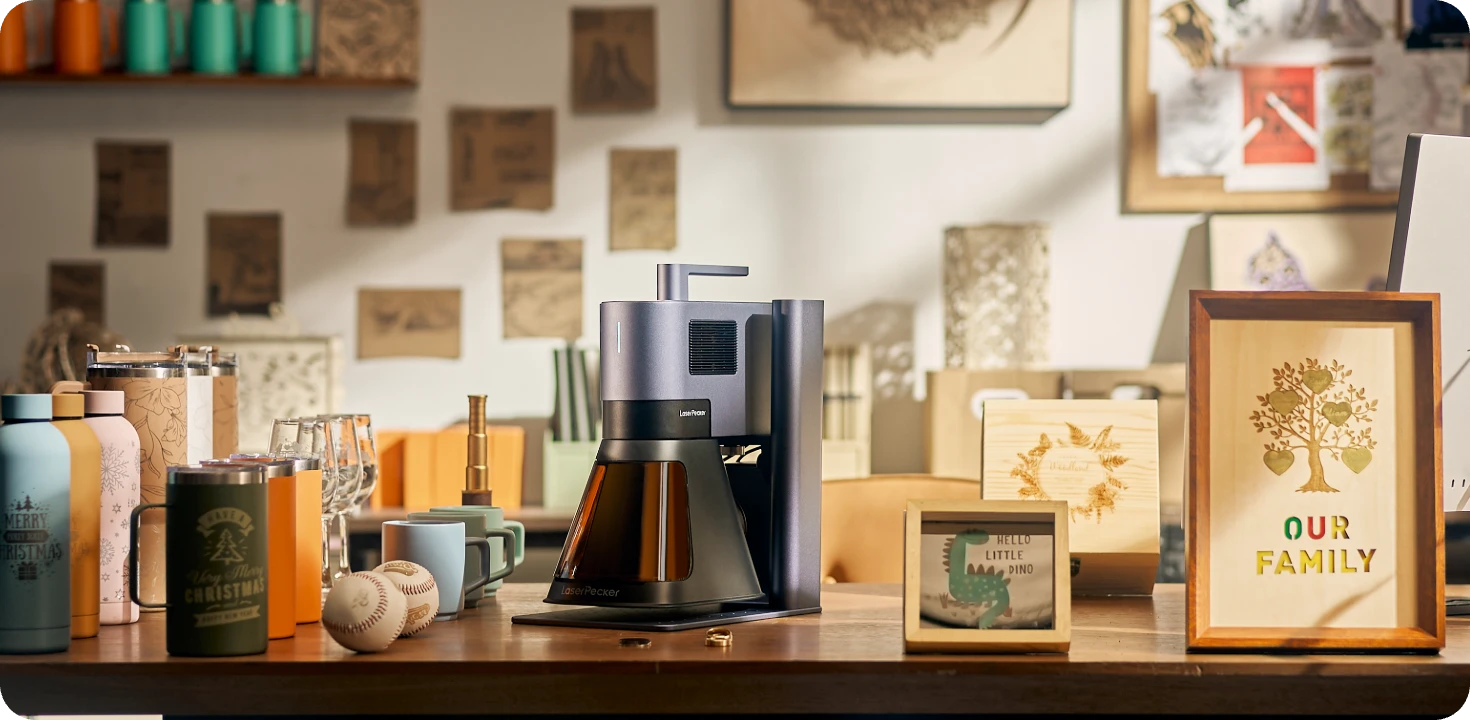
The LP5 is most relevant when a business needs to engrave both compatible metal and nonmetal tags. If your work focuses exclusively on traditional two-layer plastic badges, compare it with a dedicated rotary plastic name tag engraving machine before making a final decision.
Part 4: FAQs About Name Tag Engravers
Q1. What machine is used to engrave name tags?
Name tags can be engraved with laser engravers, rotary or CNC engraving machines, handheld engraving pens, or impact marking machines. Laser engravers are useful for detailed digital customization across several compatible materials, while rotary machines are a traditional choice for two-layer plastic badges and recessed lettering. Impact machines are mainly used for industrial metal tags.
Q2. What is the best name tag engraving machine?
The best machine depends on the material and production volume. A dual-source laser engraver is versatile for businesses working with compatible metal and nonmetal tags. A rotary engraver may be better for traditional engraving laminate, while a dot-peen machine is more appropriate for rugged industrial identification. Compare material compatibility, work area, batch workflow, ventilation, maintenance, and software before buying.
Q3. Can a laser engraver make name tags?
Yes. A compatible laser engraver can add names, titles, logos, serial numbers, barcodes, and QR codes to suitable name tag blanks. Some laser systems can also cut the outer shape, but cutting capability depends on the laser source, material, thickness, color, and machine power.
Q4. Can you laser engrave plastic name tags?
Some laser-safe plastics and engraving laminates can be laser engraved, but not every plastic is suitable. Results depend on the plastic composition and laser wavelength. Never process unidentified plastic, PVC, vinyl, or any material that the machine or material supplier does not confirm as laser-safe, because heating unsuitable plastic may produce hazardous fumes or damage the equipment.
Q5. What materials are best for engraved name tags?
Common options include engraving laminate, acrylic, anodized aluminum, stainless steel, brass, wood, and leather. Engraving laminate is widely used for lightweight employee badges, metal is suitable for durable identification, and wood or leather provides a more natural appearance. The best choice depends on the intended environment, attachment method, appearance, and engraving machine.
Q6. Is a laser engraver or rotary engraver better for name badges?
A laser engraver is generally better for fine graphics, rapid design changes, and non-contact processing. A rotary engraver is often preferred for deep, tactile lettering in two-layer plastic or metal. Businesses that mainly produce traditional plastic employee badges may benefit from a rotary system, while those offering multiple materials and highly customized designs may prefer a laser.
Q7. Can a Cricut engrave name tags?
Compatible Cricut Maker machines can engrave approved blanks with the correct engraving tip. This works well for occasional craft projects and lightly marked aluminum tags. However, the available materials, dimensions, and engraving depth are more limited than with a dedicated laser or rotary name tag machine.
Q8. What file format should I use for name tag engraving?
SVG, AI, DXF, and PDF are commonly used vector formats, although support varies by engraving software. Vector files are useful for sharp text, outlines, and logos. PNG, JPG, or BMP files may be used for raster graphics and photographs. Before production, confirm the formats supported by your software and convert fonts to paths or outlines when necessary.
Q9. How do you engrave multiple name tags efficiently?
Create a reusable jig that holds each blank in the same position, arrange multiple tags within the machine's work area, and use variable text or sequential data when the software supports it. Test one sample first, verify alignment and readability, and then run the full batch. Consistent blanks and documented settings also reduce setup time for repeat orders.
Conclusion
The best name tag engraver is the machine that matches your primary material, required finish, and production volume. Handheld engraving pens are suitable for occasional DIY work, rotary machines perform well on traditional engraving laminate, and impact markers provide durable identification on compatible metals.
For users who need detailed logos, small text, variable information, and repeatable customization across several compatible materials, a laser engraver offers a flexible digital workflow. However, the correct laser source must be matched to the material, especially when engraving metal, acrylic, or plastic.
Before choosing a name tag engraving machine, test the actual blanks you plan to use, confirm material safety, and calculate the full cost of the machine, ventilation, accessories, software, and maintenance. A well-matched setup will produce clearer tags, reduce failed jobs, and make both one-off personalization and batch production more efficient.


