
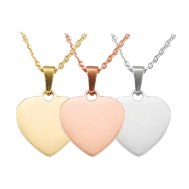
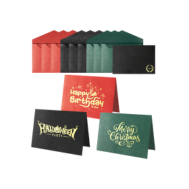
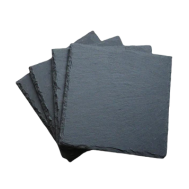
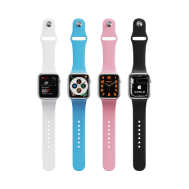























Plastic engraving is becoming super popular for things like product design, electronic labels, signs, prototypes, and even cool personalized gifts. No matter if it's acrylic, ABS, coated plastics, or laminated sheets, you gotta have the correct tools to engrave plastic the right way. With so many choices out there in 2026, figuring out where to begin can be tricky, mostly if you're just getting started.
This guide will walk you through the 4 plastic engraving tools. We'll chat about what each one does well and not so well. This should make it easier to pick the best one for your projects, your budget, and how much stuff you plan to make.

In this article:
Part 1: Top 4 Tools for Engraving Plastic: Pros and Cons
Different plastic engraving tools work in different ways. Some cut away material, while others use heat or force. It's important to know how each tool works with plastic so you don't melt, bend, or create bad engravings.
Here are four common types of engraving tools for plastic, as of 2026.
Tool 1: Laser Engraving Machines
Laser engraving machines use a focused light beam to vaporize the plastic surface, creating precise marks. This is becoming a go-to for plastic engraving because:
One big plus is their ability to create detailed work. Lasers can produce fine lines, small text, and complex patterns that are hard to copy with hand tools. This makes them great for logos, QR codes, serial numbers, and detailed art.
Laser engraving also gives consistent results. After the settings are set, each engraved item will look the same. This avoids errors in large volumes. Also, because the method doesn't apply any pressure, you can engrave thin plastics without damaging them.
Keep in mind, not all plastics are laser-safe. Some melt or give off bad fumes, so pick your material wisely and make sure you have good airflow.
What’s good:
- Super detailed results
- Consistent quality for making copies
- No tool wear or contact needed
- Good for designs
Things to consider:
- Costs more to start
- Doesn’t work with all plastics
- Need good airflow and settings
Tool 2: CNC Engraving Tools
CNC engraving tools use spinning blades to carve the plastic. They're common in shops and work well with thicker plastics.
CNC machines are good at deep engraving and cuts, especially on hard plastics like acrylic. They can handle big pieces and thick materials that lower-power lasers might struggle with.
One downside is that they can’t produce super fine details. Quality depends on the blade size, so small text can be tough. Also, CNC machines can be loud, slower for detailed work, and need regular blade changes.
What’s good:
- Can cut thick, hard plastics
- Good for deep engravings
- Reliable for lots of work
Things to consider:
- Not as detailed as lasers
- Blades wear down and affect the quality
- Slower for detailed designs
- Need more upkeep
Tool 3: Dot Peen Marking Machine
Dot peen machines mark plastic by hitting the surface with a pin, creating a series of dots that form text or numbers.
This is often used for industrial markings like serial numbers. Dot peen machines are tough and work well on hard plastics.
The downside is that the result isn’t pretty. It’s not fit for decorations or detailed graphics. The noise can be an issue in shops.
What’s good:
- Markings are tough and last long
- Good for industrial IDs
- Little prep needed
Things to consider:
- Doesn’t look great for decorations
- Can't make complex designs
- Makes noise
Tool 4: Handheld and Electric Auxiliary Tools
This includes hand tools, electric pens, rotary tools, and heated knives. Hobbyists like these because they're cheap and easy to find.
These are okay for quick jobs, but results depend on how good you are. Getting consistent depth or straight lines is tough, mainly on smooth surfaces. Heat tools can cause melting.
What’s good:
- Cheap and easy to get
- Good for do-it-yourself projects
- Portable and flexible
Things to consider:
- Results can vary
- Can't get super detailed
- Not good for making a lot of copies
Comparison Table of Plastic Engraving Tools
| Tool Type | Precision | Consistency | Speed | Skill Required | Best Use Case |
|---|---|---|---|---|---|
| Laser Engraving Machine | Extremely High | Excellent | Fast | Low | Logos, patterns, batch work |
| CNC Engraving Tools | Medium-High | Good | Medium | Medium-High | Deep cuts, thick plastic |
| Dot Peen Machine | Low | High | Fast | Low | Industrial markings |
| Handheld Tools | Low | Low | Slow | High | Simple DIY tasks |
it is easy to see that Laser engraving stands out when you look at all four methods, giving you a sweet spot of accuracy, speed, consistency, and design options. If you care about sharp looks, pro results, and making a lot of items, a laser engraver is the way to go in 2026.
so, which laser engraving machine is best for plastic?
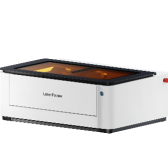
If you're looking to engrave plastic, the LaserPecker LP4 is a terrific laser engraver for both home and professional use.
First off, the LP4 is very precise. Laser engraving lets you make super-fine lines, tiny text, and really detailed designs that you just can't get with hand tools. This is awesome for branding, labels, and cool decorations.
Next, the LP4 is great at engraving complicated stuff. You can engrave textures, gradients, and even pictures right onto plastic. This opens up a lot of creative options that you can't do with other tools.
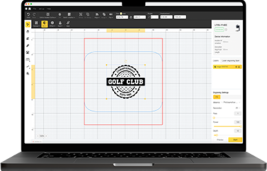
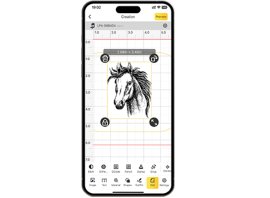
Also, the LP4 is easy to work with. Instead of spending years learning hand skills like with traditional engraving, the LP4 uses software. Just import your design, change the settings, and start engraving like a pro, even if you're just starting out.
Part 2: How Do I Choose the Right Plastic Engraving Tool?
Picking the perfect plastic engraving tool isn't just about price or the name on the box. Because different plastics act differently when you apply heat, pressure, or a blade, knowing what you're working with is key.
1. Material Type
Different plastics don't engrave the same. Acrylic, ABS, PETG, and coated plastics all work great with laser engraving. You get crisp, clear marks. But softer materials like PVC or unknown plastics can melt, smoke, or warp when exposed to heat. More importantly, PVC releases toxic gases when heated, which are harmful to both people and equipment.
For this reason, laser engravers are not recommended for processing PVC or similar materials. CNC machines or other non-thermal methods may be safer alternatives, but proper ventilation and protective measures are still essential. A laser is your best choice if you plan to use various plastics. You can adjust the power and speed to fit each one.
Consistent, repeatable results
Every engraving follows the same digital design, which is essential for branding, batch production, and professional-quality products. The LaserPecker features a "engrave again" option on its touchscreen, which greatly improve the efficiency.
2. Precision and Detail Requirement
Need to engrave tiny words, thin lines, serial numbers, or fancy logos? A laser is the way to go. Mechanical tools often can't handle the small stuff and leave rough edges. Lasers can copy complex images and pictures with great clarity every time.
3. Production Volume and Efficiency
If you're only doing a project here and there, simple hand tools or small mechanical engravers will do. But if you're engraving plastic often – like nameplates, panels, or tags – a laser will speed things up and keep things consistent. Plus, you can engrave the same design over and over with no mistakes using digital files.
4. Budget
Hand tools are cheap but don't do much. CNC machines cost more upfront and need regular upkeep. Lasers cost more at first, but they can save you money in the long run. They cut down on time, waste less material, and reduce mistakes, especially for small shops.
5. Ventilation and Safety
Engraving plastic can make fumes, mainly when you heat it. Laser engravers need proper ventilation or filters. But they're safer since there's no direct contact, lowering the chance of slipping. Machines like the LaserPecker LP4, used with a good exhaust system, are safer and cleaner than open mechanical engraving.
FAQs: Questions about Plastic Engraving Tools
1. Can I Use Laser Engraving for All Types of Plastic?
Well, hold up – not every plastic is your friend when it comes to laser engraving. Some, like acrylic and ABS, are super easy to work with. But steer clear of PVC and vinyl. They let off some nasty fumes that you don’t want to mess with. Just make sure to be careful. Before you start engraving, check to be sure your stuff is okay to use. I would try a small piece first, so you don't ruin anything.
2. Laser Engraving Vs. Mechanical Engraving: Which Is More Cost-Effective?
Okay, so laser engraving machines cost more upfront, but they’re way easier to run, and they're faster, too.
Mechanical engraving tools won’t hurt your wallet as much at first, but you’ll spend more time working, fixing things, and cleaning up afterwards. Doing lots of stuff at once? Laser engraving will save you money in the end. Plus, you get more even results, so you won't have to throw anything away.
3. How Deep Can Laser Engraving Go on Plastic?
Laser engraving doesn’t usually go very deep. It's more for surface stuff. How deep you can go depends on the plastic, the laser, and how many times you run it. Lasers are cool for making clear marks on top, but they're not the best for deep cuts. You can run the laser over the material a few times to get deeper without messing it up too much.
4. How Do I Prevent Melting or Warping When Engraving Plastic?
Turn the power down, speed things up, and use air if you can. Test it out first to get it right. Keep the air moving to keep things cool. If you set it up right, you’ll get a nice engraving without bending the plastic.
Conclusion
In 2026, there are many ways to engrave plastic, but the tools don't all work the same. CNC machines, dot peen systems, and hand tools are useful, but laser engraving machines are the most exact, fast, and easiest to expand.
If you want to engrave plastic with quality, without much effort, and with advanced design options, the LaserPecker LP4 laser engraver is a great pick. Laser engraving is now the standard for making custom plastic items, from prototypes to personalized things or production parts.