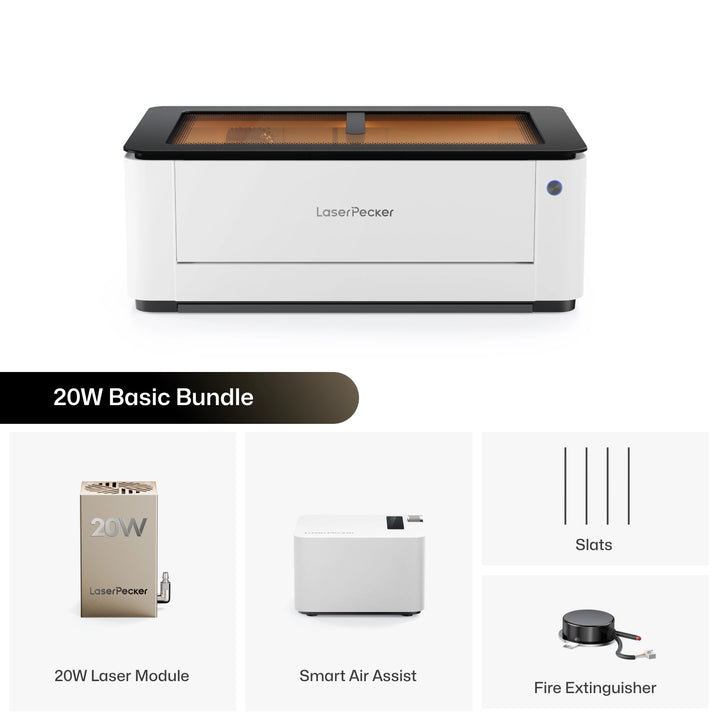
Finding the right laser cutter isn't just about choosing the machine with the highest power. It also depends on the materials you work with, the projects you make, and how you plan to use it.
The xTool P2S is a popular 55W CO2 laser cutter that performs well on materials like wood, acrylic, leather, and paper. Its enclosed design and large working area make it a good choice for workshops and small businesses.
However, as your projects grow, you may start looking for a machine that's easier to maintain, more portable, supports more types of materials, or offers better value for the money.
In this guide, we'll compare the xTool P2S with the LaserPecker LX2 and explain the key differences to help you decide which one is the better fit for your needs.

Part 1: Why People Look for an xTool P2S Alternative?
The xTool P2S is a powerful CO2 laser cutter, but it won't be the best choice for everyone. As your skills improve or your business grows, you may start looking for a machine that's easier to maintain, more flexible, and costs less to own over time.
Limitation #1: No Upgrade Path for Different Laser Types
The xTool P2S uses a built-in 55W CO2 laser tube that cannot be replaced with a different type of laser. While it performs very well on materials like wood, acrylic, leather, paper, and cardboard, its capabilities remain fixed throughout the life of the machine.
As your projects evolve, you may want to engrave bare metals, jewelry, tools, or industrial parts that are better suited to an infrared or fiber laser. With the P2S, adding those capabilities means buying a separate machine rather than upgrading the one you already own.
For hobbyists and small businesses that regularly work with different materials, a machine with interchangeable laser modules offers greater flexibility and can adapt more easily as production needs grow.
Limitation #2: Not Ideal for Fast Engraving
The xTool P2S offers a maximum engraving speed of 600 mm/s, which is fast for a desktop CO2 laser cutter. However, businesses that process large batches every day may eventually find that production speed becomes a limiting factor.
For applications like personalized gifts, serial numbers, jewelry, or metal marking, machines with higher engraving speeds can significantly reduce production time and improve daily output.
Limitation #3: Large Machine That Needs a Permanent Workspace
The xTool P2S weighs approximately 45 kg (99 lbs) and features a large enclosed design. Like most CO2 laser cutters, it also requires proper ventilation, making it better suited for a dedicated workspace.
For users with a permanent workshop, this may not be a major issue. However, the machine is difficult to move between locations or transport to classrooms, exhibitions, craft fairs, or pop-up events. If portability or workspace flexibility is important, its size can become a limitation.
Limitation #4: Higher Purchase Price
With a starting price of around $3,399, the xTool P2S is one of the more expensive desktop CO2 laser cutters on the market. While it offers powerful cutting performance and a large working area, the higher upfront cost can be difficult to justify for hobbyists, startups, and small businesses.
This concern is also reflected in community discussions. In a Reddit thread about xTool P2 ownership, one user described the machine as "The unit itself is overpriced and under featured...", while other users debated whether the P2 offers enough value compared with newer laser systems at similar or lower price points.

For buyers working within a limited budget, it's common to compare the P2S with other laser cutters that offer different features, greater flexibility, or a lower total cost of ownership.
Limitation #5: Higher Maintenance Requirements
Like other CO2 laser cutters, the xTool P2S uses a sealed glass laser tube, a water-cooling system, and multiple optical components. To maintain consistent cutting and engraving performance, users need to clean the mirrors and lenses regularly, check the cooling system, and perform other routine maintenance.
Compared with modern diode laser machines, CO2 systems generally require more ongoing maintenance because they have more components that need periodic care. Over time, users may also need to replace wear parts such as the laser tube, mirrors, or lenses as part of normal ownership.
For many hobbyists and small businesses, these additional maintenance tasks are simply part of owning a CO2 laser. However, users looking for a simpler, lower-maintenance workflow often prefer diode laser systems, which eliminate the need for water cooling, CO2 laser tubes, and multi-mirror optical paths.
For users who prefer a lower-maintenance workflow, diode laser systems can be an attractive alternative because they eliminate CO2 laser tubes, water-cooling systems, and optical mirror maintenance.
Limitation #6: Cannot Directly Engrave Bare Metals
The xTool P2S uses a 55W CO2 laser, which works exceptionally well on materials such as wood, acrylic, leather, paper, glass, and many other non-metal materials. However, it cannot directly engrave bare metals like stainless steel, aluminum, brass, titanium, gold, or silver.
To mark metal, users typically need to apply a laser marking spray or coating before engraving. This adds extra preparation time, additional cost, and cleanup after each project.
As makers expand into products such as jewelry, metal business cards, tumblers, tools, pet tags, knives, or industrial parts, this limitation becomes more noticeable. Many users eventually add a separate infrared or fiber laser to their workshop in order to engrave bare metals directly.
Part 2: Why Choose the LaserPecker LX2 Instead?
The LaserPecker LX2 was designed to solve many of the limitations found in traditional desktop laser cutters. It combines modular laser technology, faster motion performance, easier maintenance, and greater flexibility in a compact Class 1 system.
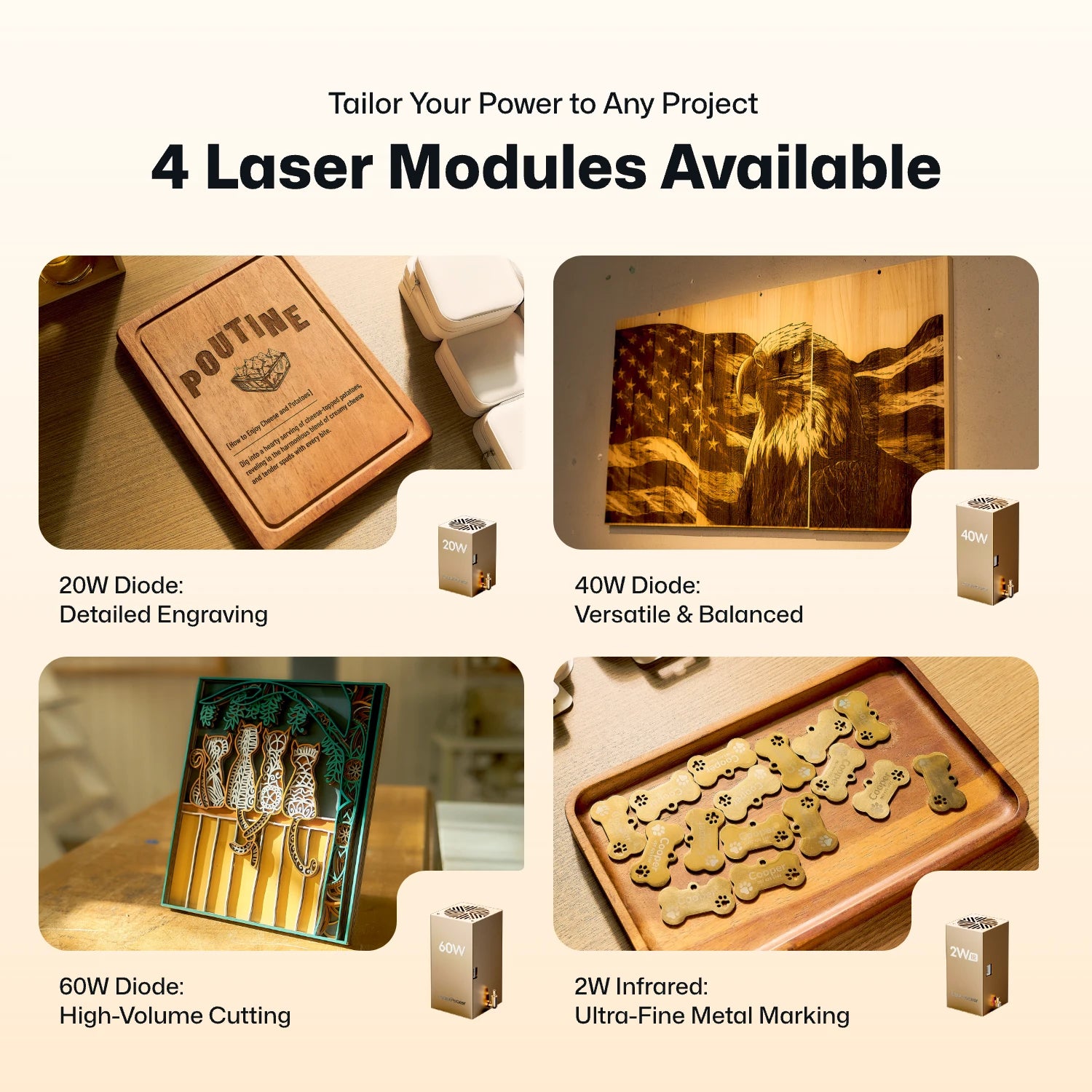
Reason #1: Swappable Laser Modules
Unlike the fixed CO2 laser used by the P2S, the LX2 supports interchangeable laser modules.
- 20W Diode Laser for everyday engraving and cutting.
- 40W Diode Laser for stronger cutting performance.
- 60W Diode Laser for demanding cutting applications.
- 2W Infrared Laser for direct engraving on stainless steel, gold, silver, titanium, brass, and other metals.
This modular design allows one machine to handle many different types of projects.
Reason #2: Faster Engraving Performance
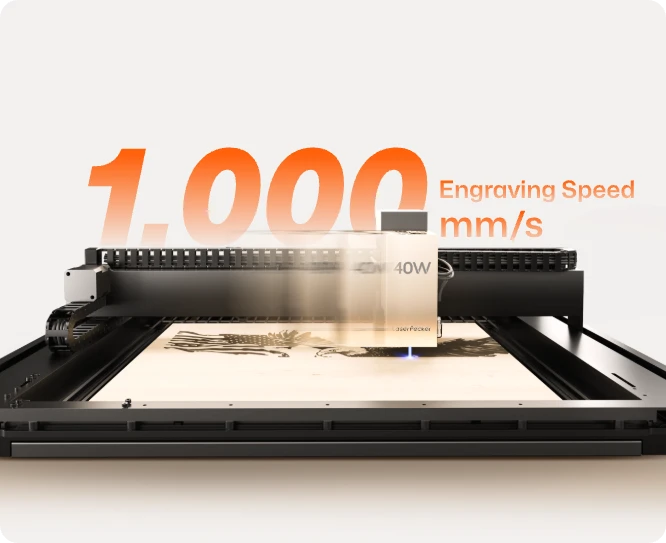
The LX2 reaches engraving speeds of up to 1,000 mm/s with acceleration up to 10,000 mm/s².
The higher acceleration allows the machine to reach full speed more quickly when engraving detailed graphics, helping improve productivity during batch production.
Reason #3: Lower Maintenance
Unlike traditional CO2 laser cutters, the LaserPecker LX2 uses solid-state diode laser modules instead of a sealed glass CO2 laser tube. As a result, it doesn't require water cooling, optical mirror maintenance, or eventual CO2 tube replacement.
This simpler design reduces routine maintenance and helps keep the machine running with less downtime. For hobbyists and small businesses, that means spending less time maintaining the machine and more time creating projects.
The LX2's modular design also makes future upgrades easier. Instead of replacing the entire machine to gain new capabilities, users can simply swap laser modules as their needs change.
Reason #4: Engrave Curved and Uneven Surfaces with 3D Adaptive Focus
Most desktop laser engravers are designed for flat materials, making it difficult to achieve consistent results on curved or uneven surfaces. The LaserPecker LX2 overcomes this limitation with its 3D Surface Adaptive Auto-Focus, allowing users to engrave complex three-dimensional objects with greater accuracy and consistency.
Using a mechanical probe, the LX2 automatically scans the surface of the object and creates a precise 3D height map. During engraving, the machine continuously adjusts the laser height in real time to maintain optimal focus across curves, slopes, and uneven surfaces—eliminating much of the manual focusing and trial-and-error typically required.
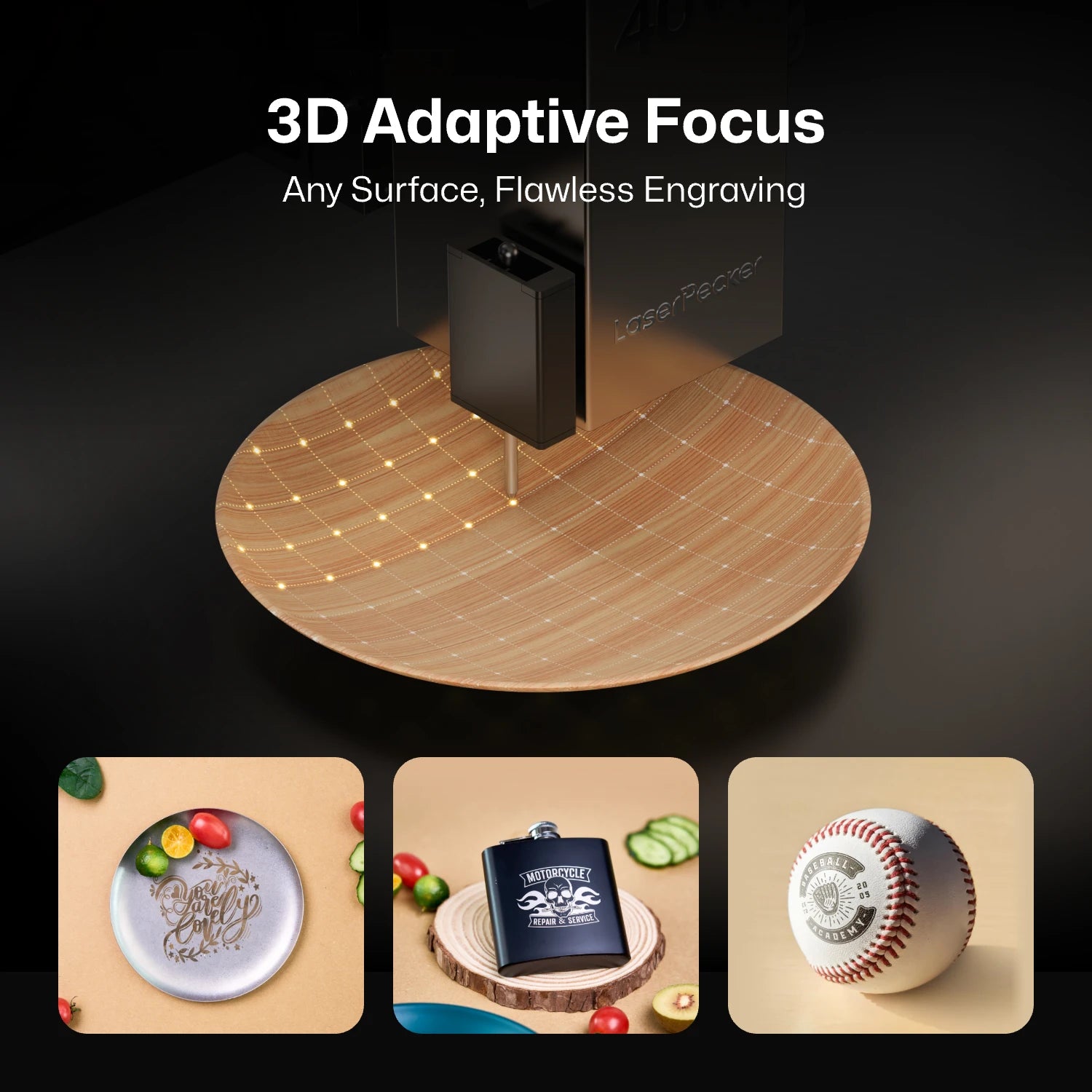
This makes it possible to engrave products such as wooden bowls, curved drinkware, glassware, sculptural objects, carved wood, and other irregularly shaped items with professional-quality results, expanding the range of projects that makers and small businesses can confidently take on.
Reason #4: Lower Starting Price
For many makers and small businesses, budget is one of the biggest factors when choosing a laser cutter. The LaserPecker LX2 starts at $1,649, while the xTool P2S starts at around $3,399. That's a difference of approximately $1,750, making the LX2's starting price about 51% lower.
The lower upfront investment makes the LX2 more accessible for hobbyists, startups, and growing businesses. Instead of spending most of the budget on the machine itself, users can invest in accessories, materials, or additional laser modules as their needs evolve.
Combined with its modular laser system, lower maintenance requirements, and support for both diode and infrared laser modules, the LX2 offers excellent long-term value while requiring a much smaller initial investment.
Part 3: xTool P2S vs LaserPecker LX2 Comparison Table
Both machines are capable laser cutters, but they are designed for different users. The xTool P2S focuses on high-power CO2 cutting, while the LaserPecker LX2 emphasizes flexibility, modular upgrades, and a modern workflow.
| Specification | xTool P2S | LaserPecker LX2 |
|---|---|---|
| Laser Type | 55W CO2 Laser | 20W / 40W / 60W Diode + 2W IR |
| Laser Modules | Fixed CO2 Laser | Interchangeable Modules |
| Working Area | 600 × 305 mm | 500 × 305 mm |
| Maximum Engraving Speed | 600 mm/s | 1,000 mm/s |
| Maximum Acceleration | Not Officially Specified | 10,000 mm/s² |
| Bare Metal Engraving | Requires Laser Marking Spray | Direct Engraving with 2W IR Module |
| Clear Acrylic | Excellent | Best for Dark / Opaque Acrylic |
| Maintenance | CO2 Tube, Mirrors & Water Cooling | Lower Routine Maintenance |
| Laser Upgrade | Not Supported | Supports Swappable Laser Modules |
| Camera System | Dual Cameras (Panoramic + Close-up) | 12MP Camera + Point-to-Shape™ |
| Connectivity | USB / Wi-Fi | USB / Wi-Fi / USB Flash Drive |
| Software | xTool Creative Space + LightBurn | LaserPecker Design Space + LightBurn |
| Weight | 45 kg (99 lbs) | 22.5 kg (49.6 lbs) |
| Starting MSRP | $3,399 | $1,649 |
Part 4: Where the xTool P2S Still Has an Advantage?
While the LaserPecker LX2 offers more flexibility, lower maintenance, and a lower starting price, the xTool P2S is still the better choice for some types of projects.
Advantage #1: Better for Clear Acrylic
The xTool P2S uses a 55W CO2 laser, which is well suited for cutting and engraving clear acrylic. It produces clean cuts and smooth edges, making it a good option for projects like signs, display panels, retail fixtures, and other transparent acrylic products.
By comparison, most diode laser systems, including the LX2, work much better on dark or opaque acrylic than on clear acrylic.
Advantage #2: Larger Working Area
The xTool P2S has a larger working area of 600 × 305 mm, compared with the LX2's 500 × 305 mm. The extra width gives you more space for larger projects or lets you engrave more small items in one batch.
If you often work with large signs, full-size material sheets, or batch production, the larger workspace can help improve efficiency.
FAQ: Common Questions About xTool P2S Alternatives
Q1: Is the LaserPecker LX2 good for beginners?
Yes. The LX2 is easy to learn, making it a good choice for beginners while still offering enough features for experienced makers. Its user-friendly software, modular laser system, built-in camera, and Class 1 enclosed design help new users get started quickly without limiting future projects.
Q2: Can the LaserPecker LX2 cut clear acrylic?
No. Like most diode laser machines, the LX2 works best with dark or opaque acrylic. If you mainly work with clear acrylic, a CO2 laser such as the xTool P2S is the better choice.
Q3: Can the LX2 engrave metal directly?
Yes. With the optional 2W infrared laser module, the LX2 can directly engrave many metals, including stainless steel, aluminum, titanium, brass, gold, and silver, without using laser marking spray.
Conclusion
Both the xTool P2S and the LaserPecker LX2 are excellent laser machines, but they are designed for different types of users.
If your main focus is cutting clear acrylic or working with large sheet materials, the xTool P2S is still a great option.
If you want a machine that's easier to maintain, costs less to get started with, engraves metal directly, and can grow with your projects through interchangeable laser modules, the LaserPecker LX2 is worth considering. It gives hobbyists, makers, and small businesses a flexible system that can handle a wide range of engraving and cutting projects without needing multiple machines.