


Granite is a durable, naturally beautiful stone widely used for memorials, signage, gifts, and decorative artwork. Laser engraving creates detailed, high-contrast text, graphics, and photos without physical contact, making it suitable for both custom projects and commercial production.
This guide explains how to laser engrave granite step by step, choose the right equipment, and achieve clean, professional results.

In this article:
- Part 1: The Overview of Laser Engraving Granite
- 1.1 What Is Granite Laser Engraving
- 1.2 How Does Laser Engraving Work on Granite
- 1.3 Why Use Laser for Granite Engraving
- Part 2: What Can You Create with Laser Engraved Granite?
- Case Study: How to Laser Engrave a Pet Memorial Photo on Granite in 5 Steps
- FAQs: Hot Questions about Laser Engraving Granite
Part 1: The Overview of Laser Engraving Granite
1.1 What Is Granite Laser Engraving?
Laser engraving granite is the process of using a focused laser beam to permanently mark the surface of granite. Rather than cutting deeply into the stone, the laser creates microscopic fractures and color changes within the mineral structure.
On dark granite, this produces a light gray or white mark that offers strong visual contrast while preserving the stone's natural texture.
Because the process is digitally controlled, laser engraving granite allows users to reproduce detailed text, logos, line art, QR codes, and photographs with consistent accuracy.
1.2 How Does Laser Engraving Work on Granite?
Granite is composed of hard minerals such as quartz, feldspar, and mica, making it highly resistant to wear. During laser engraving, concentrated energy rapidly heats tiny areas of the surface, causing localized micro-fracturing instead of deep material removal. The resulting color change creates the engraved image without significantly weakening the stone.
Since granite reacts differently depending on its color, polish, and mineral composition, testing engraving parameters before production is recommended. Factors such as laser power, speed, resolution, and image preparation all influence the final contrast and detail. With optimized settings, laser engraving can produce crisp, permanent markings while maintaining the integrity of the material.
1.3 Why Use Laser for Granite Engraving?
Laser engraving is a precise, durable, and flexible way to create permanent designs on granite. As a non-contact process, it avoids tool wear and delivers consistent results.
Reason 1: High-Contrast, Permanent Marks
Laser engraving changes the granite surface to create lasting marks that resist fading, moisture, weather, and everyday wear. It is ideal for memorial plaques, signs, and outdoor markers.
Reason 2: Fine Details for Images and Text
With properly prepared artwork, a laser can reproduce small text, thin lines, logos, QR codes, and grayscale photos with clear detail.
Reason 3: Works on Different Granite Finishes
Polished black granite usually provides the strongest contrast, while honed and textured finishes can also work well. Always test a small area and adjust the power, speed, and resolution before engraving the final piece.
Part 2: What Can You Create with Laser Engraved Granite?
Laser engraving granite is used across personal, artistic, and commercial applications because it produces durable markings with fine detail.
From commemorative pieces to architectural signage, the technology supports a wide variety of projects while preserving the natural appearance of the stone.
The following examples illustrate some of the most common ways laser engraving granite is used today.
Memorial Plaques and Headstones
Memorial products are among the most established applications for laser engraving granite. Polished black granite, in particular, provides strong contrast that makes names, dates, inscriptions, portraits, and decorative elements clearly visible. Since the engraving becomes part of the stone surface, it remains legible even after years of outdoor exposure.
Laser engraving also allows families and memorial businesses to include personalized details such as photographs, religious symbols, handwritten signatures, or meaningful artwork. The ability to reproduce intricate grayscale images makes laser engraving granite suitable for creating lasting tributes with a high level of detail.
Personalized Granite Gifts
Granite offers a distinctive alternative to traditional materials for customized gifts. Smaller granite pieces can be engraved into photo plaques, coasters, cutting boards, desk accessories, or commemorative keepsakes for weddings, anniversaries, retirements, and other special occasions.
Because each design is created digitally, users can easily personalize names, dates, quotes, or original artwork without changing the production process. Laser engraving granite also helps preserve fine details, allowing customized gifts to remain meaningful and durable over time.
Business Signs and Nameplates
Businesses frequently use engraved granite for office signage, reception displays, company logos, directional markers, and building identification. Granite's natural appearance conveys a professional look, while laser engraving produces crisp lettering and graphics that withstand daily use with minimal maintenance.
For companies offering custom signage services, laser engraving simplifies the production of individual orders or small batches. Design files can be updated quickly to accommodate different branding requirements, employee nameplates, or location-specific information while maintaining consistent engraving quality.
Decorative Artwork and Home Décor
Artists, designers, and makers also use laser engraving granite to create decorative pieces that highlight the stone's natural texture. Popular projects include wall art, family name plaques, inspirational quotes, landscape illustrations, decorative tiles, and custom tabletop displays.
The ability to engrave detailed line art and grayscale imagery gives creators greater design flexibility than many traditional stone-marking methods. Whether producing a single custom piece or a collection of home décor products, laser engraving granite allows users to combine natural stone with personalized designs for a distinctive finished product.
#1 Recommended - Small Laser Engraver for Granite
The LaserPecker LP5 is well suited for engraving text, logos, portraits, and decorative artwork on granite plaques, memorial pieces, signs, and personalized stone gifts.
-
20W Fiber Laser for Permanent Granite Engraving
The fiber laser creates durable surface markings on suitable granite, making it ideal for names, dates, logos, line art, and memorial designs. -
3D Grayscale Engraving for Detailed Artwork
Grayscale control helps reproduce portraits, illustrations, and designs with varying tonal depth, especially on dark, polished granite. -
Up to 10,000 mm/s Engraving Speed
The high-speed galvo system supports faster engraving of plaques and repeated designs, improving efficiency for custom orders and small-batch production. -
Deep Engraving for More Defined Designs
Multiple controlled passes can create more pronounced recessed details where the granite type and project requirements allow.

#2 Recommended - Larger Desktop Laser Engraver for Granite
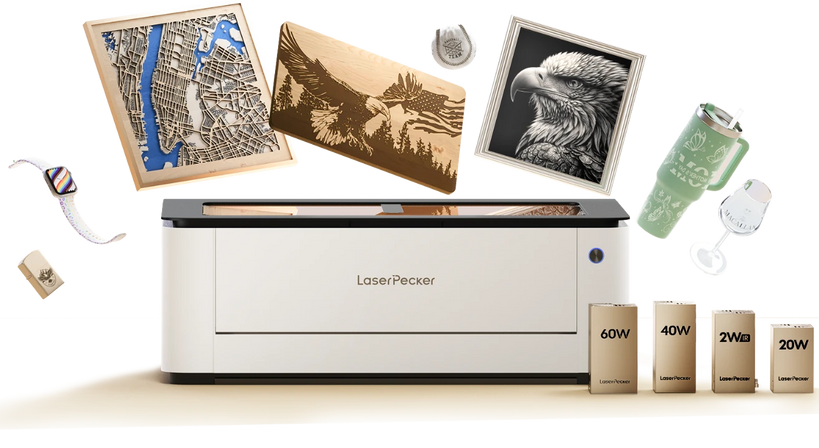
The LaserPecker LX2 is well suited for engraving granite plaques, signs, memorial pieces, photo designs, and personalized stone décor. Its precise laser system can create detailed, permanent surface markings, especially on dark, polished granite.
The large working area, overhead camera, and adaptive autofocus make it easier to position artwork and engrave granite pieces of different sizes and surface heights. Because granite varies in color, finish, and mineral composition, a small material test is recommended before engraving the final design.
-
Precision of ≤0.01 mm for Detailed Engraving
The high-precision motion system helps reproduce fine text, logos, line art, and photo details clearly on suitable granite surfaces. -
12MP/6K Overhead Camera for Accurate Placement
The camera provides a clear preview of the granite piece, making it easier to position designs on plaques, tiles, and irregularly shaped stone. -
3D Surface Adaptive Autofocus
Adaptive focusing helps maintain an appropriate working distance when engraving granite pieces with uneven surfaces or slight variations in height. -
500 × 305 mm Working Area
The spacious work area accommodates larger granite plaques and allows multiple smaller pieces to be arranged for repeated or batch engraving.
Case Study: How to Laser Engrave a Pet Memorial Photo on Granite in 5 Steps
To better demonstrate the complete engraving workflow, let's create a personalized granite memorial plaque for a beloved pet.
In this case study, we'll engrave a high-resolution pet photo along with the pet's name and memorial dates onto a polished black granite plaque. This project showcases many of the techniques commonly used for photo engraving on stone and can easily be adapted for memorials, personalized gifts, or decorative artwork.
For this project, we use the LaserPecker LX2 to engrave the granite plaque. The following steps focus on the complete workflow, from preparing the stone to cleaning the finished engraving.
Preparation Checklist for Laser Engraving Granite
Before starting your project, prepare the following items:
- A polished black granite plaque
- A high-resolution photo of the pet
- A desktop laser engraving machine suitable for stone
- LaserPecker Design Space or LightBurn
- Proper ventilation or a smoke extraction system
- Safety glasses if required by your machine
Preparing everything in advance allows the engraving process to run smoothly and reduces the chance of alignment or setup errors.
Step 1: Choose and Prepare the Granite Surface
For this memorial plaque, a polished black granite tile was selected because it produces strong contrast when engraved. Before processing, inspect the surface for scratches or chips that could affect image quality.
Next, clean the granite thoroughly using isopropyl alcohol and a lint-free cloth. Removing dust and fingerprints helps the laser interact evenly with the surface, resulting in more consistent engraving across the entire photograph.
Step 2: Set Up the LaserPecker LP5 and Import Your Design
For this project, the LaserPecker LX2 was selected because it provides the precision needed for detailed photo engraving on granite. Secure the polished granite plaque on the work surface, then import the prepared pet memorial design into LaserPecker Design Space or LightBurn.
Before engraving the final plaque, confirm that the photo and text are correctly aligned within the engraving area. If needed, resize or reposition the design to leave even margins around the edges of the stone.
Step 3: Create and Optimize Your Design
Import the owner's photo of their Golden Retriever and convert it to grayscale. Increase the image contrast slightly to better define the dog's eyes, nose, and fur texture after engraving.
Below the portrait, add the pet's name, "Buddy", along with the memorial dates using a clean serif font. Preview the complete layout before sending the file to the machine.
Step 4: Configure Laser Settings and Position the Granite
Because every granite plaque has slightly different surface characteristics, run a small test pattern in the lower corner of the stone before engraving the full memorial. Compare several power and speed combinations until the portrait shows clear grayscale contrast while the engraved lettering remains crisp and easy to read.
Step 5: Start Engraving and Clean the Finished Surface
Once engraving is complete, wipe away any stone dust with a microfiber cloth to reveal the finished memorial. The polished black granite now displays a detailed portrait of Buddy alongside the engraved name and memorial dates, creating a durable tribute suitable for both indoor display and outdoor remembrance.
FAQs: Laser Engraving Granite
Q1: Can a laser engraver engrave granite?
Yes. A laser creates permanent surface changes that produce visible marks, especially on dark granite.
Q2: What type of laser is best for granite engraving?
Diode lasers are suitable for general granite marking, while fiber lasers can provide greater precision and faster production.
Q3: Is the LaserPecker LP5 good for granite engraving?
Yes. The LaserPecker LP5 can create detailed text, logos, and artwork on suitable granite surfaces. It is also useful for mixed-material projects.
Q4: Does laser engraving damage granite?
Not when the settings are correct. Excessive power or slow speeds may cause a rough surface, so test the settings on a sample first.
Q5: Can you engrave photos on granite?
Yes. High-contrast grayscale photos work best, particularly on polished black granite.
Q6: Is laser engraving on granite permanent?
Yes. The laser changes the stone’s surface, creating a durable mark that does not easily fade.
Q7: Can beginners laser engrave granite?
Yes. Beginners should start with simple designs, test the settings, and prepare images carefully before engraving the final piece.
Conclusion
Laser engraving is a precise and efficient way to create permanent text, graphics, and photos on granite. It is suitable for memorials, signs, gifts, and decorative projects.
For the best results, use prepared artwork, test the laser settings, and clean the granite before engraving. The LaserPecker LX2 offers a flexible option for granite engraving and other material projects.


