Jigsaw puzzles have always been a beloved pastime, blending fun, creativity, and problem-solving into one activity. In the past, puzzles were mostly mass-produced, offering limited designs. But with the rise of laser cutting technology, that has completely changed. Now, you can turn your favorite photos or artwork into one-of-a-kind puzzles with stunning precision.
In this guide, we'll walk you through everything you need to know about laser-cut puzzles—from choosing the right materials to adjusting engraving and cutting settings—and show you how to craft a laser cut acrylic puzzle from a photo in just five simple steps.

In this article:
- Part 1: The Overview of Jigsaw Puzzle Laser Cutting
- 1.1 What is Jigsaw Puzzle Laser Cutting
- 1.2 How Does Laser Cutting Work for Jigsaw Puzzle?
- 1.3 Laser Engraving & Cutting Machines for Jigsaw Puzzles
- Part 2: Applications of Laser Cut Jigsaw Puzzles
- Case Study: Create a Laser Cut Acrylic Jigsaw Puzzle from a Photo in 5 Steps
Part 1: The Overview of Jigsaw Puzzle Laser Cutting
1.1 What is Jigsaw Puzzle Laser Cutting?
Jigsaw puzzle laser cutting is the process of using a laser cutter to create puzzles with precise and consistent shapes. Unlike traditional cutting methods, a laser beam can cut intricate curves and unique puzzle tabs with extreme accuracy.
This allows makers to design puzzles from photos, artworks, or custom patterns while ensuring every piece fits perfectly. It's a popular method for producing personalized puzzles, small-batch gifts, or professional-quality products.

Source: LaserPecker LP4 FaceBook Group
1.2 How Does Laser Cutting Work for Jigsaw Puzzles?
Laser cutting jigsaw puzzles uses a highly focused laser beam to cut precise interlocking puzzle pieces from materials such as wood, acrylic, MDF, plywood, or cardboard. Guided by a digital design file, the laser follows the puzzle outline with exceptional accuracy, producing clean edges and perfectly fitting pieces.
One of the biggest advantages of a laser cut jigsaw puzzle is that the same machine can both engrave and cut. You can first engrave a photo, illustration, logo, or custom artwork onto the material, then cut along the puzzle template to create a fully personalized puzzle.
Compared with traditional die-cut manufacturing, laser cut jigsaw puzzles offer several advantages:
- Exceptional precision for perfectly fitting puzzle pieces.
- Clean, smooth edges with minimal post-processing.
- Complete design freedom for custom shapes, sizes, and piece counts.
- Compatible with wood, acrylic, MDF, plywood, cardboard, and other laser-safe materials.
- The ability to engrave photos, names, logos, or artwork before cutting.
1.3 Laser Engraving & Cutting Machines for Jigsaw Puzzles
Not all laser machines are equally suited for creating jigsaw puzzles. For the best results, you need a machine that combines precision, power, and versatility.
Actually, it depends on your engraving needs. For home or small-scale jigsaw puzzle laser cutting project, diode laser cutting machines are the best choice. Because these are easy to use and budget-friendly compared with other jigsaw puzzle cutting tools.
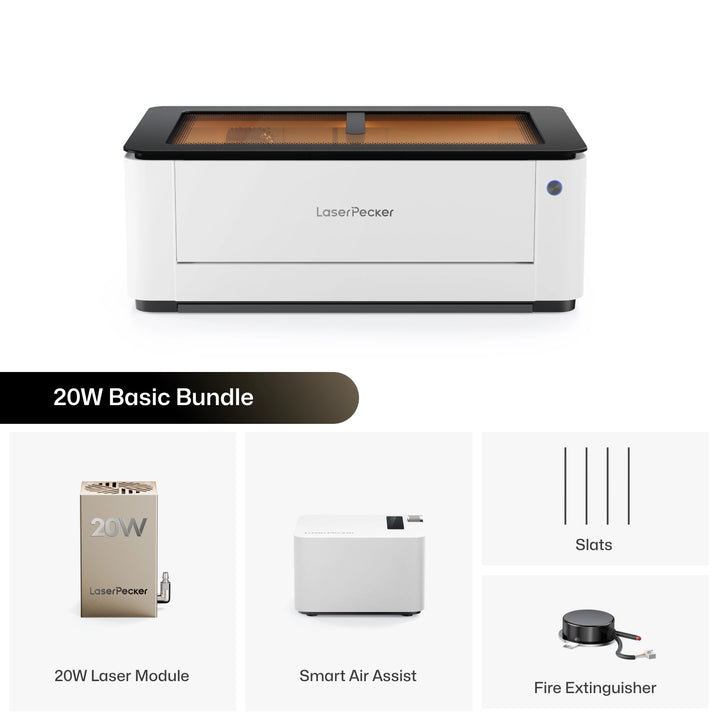
Recommended Laser Cutter for Jigsaw Puzzle Making: LaserPecker LX2
The LaserPecker LX2 is a powerful desktop laser cutter designed for creating custom wooden jigsaw puzzles, educational toys, personalized gifts, and creative craft projects.
-
Up to 60W High-Power Diode Laser
The LX2 supports 20W, 40W, and 60W laser modules, providing fast, clean cutting performance on plywood, basswood, MDF, and other wood materials commonly used for jigsaw puzzles. -
High Precision for Interlocking Puzzle Pieces
The LX2 delivers accurate cuts with smooth edges, making it ideal for creating intricate puzzle shapes and tightly fitting interlocking pieces. -
Air Assist for Cleaner Wood Cutting
The built-in air assist helps reduce smoke marks, minimizes edge charring, and produces cleaner puzzle pieces with less post-processing. -
Large 500 × 305 mm Working Area
The spacious workspace allows users to cut larger puzzles or multiple puzzle sets in a single job, improving productivity for DIY makers and small businesses.
Part 2: Applications of Laser-Cut Puzzles
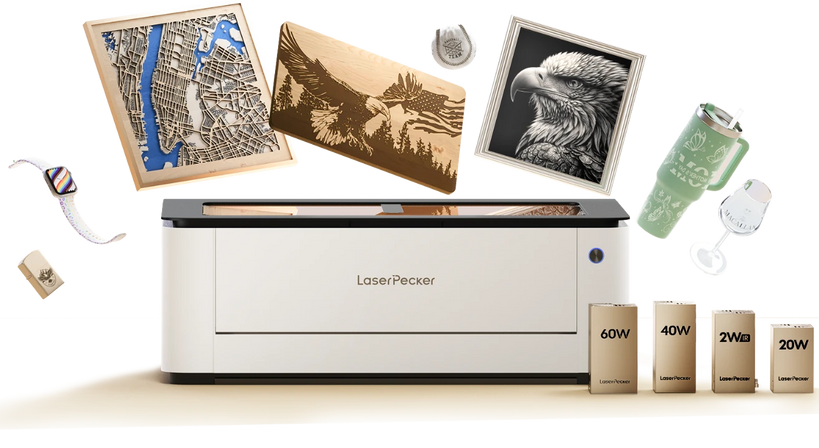
Laser cut jigsaw puzzles are more than just entertaining games. Thanks to the precision and flexibility of laser cutting jigsaw puzzles, they can be customized for education, personalized gifts, marketing, home décor, and commercial products.
Application #1: Hobby & Collectibles
Puzzle enthusiasts enjoy unique designs beyond mass-produced options. Laser-cut puzzles can feature complex shapes, irregular patterns, or themed collections, appealing to collectors and hobbyists who appreciate craftsmanship.
Application #2: Educational Tools
Puzzles help children develop problem-solving, memory, and motor skills. Laser-cut puzzles allow educators to design custom learning tools, such as alphabet puzzles, number games, or geography maps. They're durable, reusable, and easy to tailor for different age groups.
Application #3: Personalized Gifts
Custom puzzles made from photos or artwork are popular gifts for birthdays, weddings, and anniversaries. With laser cutting, every piece can be perfectly shaped while the engraved or printed image adds a personal touch. These puzzles turn cherished memories into an engaging activity.
Application #4: Promotional & Branding Products
Businesses often use custom puzzles as unique marketing tools. By engraving company logos or brand messages onto puzzle pieces, companies can create interactive giveaways that stand out from ordinary merchandise.
Application #5: Home Décor & Art
Laser-cut puzzles can also be transformed into decorative items. For example, a finished wooden puzzle of a scenic photo can be framed and displayed as wall art. Artists and crafters often use puzzles to experiment with intricate cutouts and creative designs.
Case Study: Create a Laser Cut Acrylic Jigsaw Puzzle from a Photo in 5 Easy Steps
Now that you understand the fundamentals of laser cutting jigsaw puzzles, it's time to create your own personalized puzzle. In this step-by-step tutorial, you'll learn how to turn a favorite photo into a custom laser cut jigsaw puzzle using a diode laser cutter.
Preparation checklist for laser cutting Wood Jigsaw Puzzle:
- Cutting Material: 4 mm Acrylic Sheet
- Cutting Machine: Diode Laser Cutter
- Cutting Design: Jigsaw puzzle designs, letters, shapes, etc.
Although this tutorial demonstrates an acrylic puzzle, the same workflow can also be used to create laser cut wooden jigsaw puzzles using plywood, MDF, or other laser-safe wood materials with the appropriate laser settings.
Follow the five steps below to create a professional-quality laser cut jigsaw puzzle that makes a memorable gift, educational tool, or personalized keepsake.
Step 1: Choose Your Material - 4mm Acrylic Sheet
Selecting the right material is crucial for laser cutting Jigsaw Puzzle. Different materials require specific laser settings to ensure precise cutting.
Besides, please remember that it's important to ensure that the acrylic material for making puzzle is laser safe to avoid any potential safety hazards.
In this guide, we'll use a case study on laser cutting Acrylic Jigsaw Puzzle!
Step 2: Choose the Right Laser Cutting Machine for Acrylic Cutting
Here, we recommend LaserPecker LX2 that excels in Acrylic Jigsaw Puzzle laser cutting.
*Aside from the LX2, you can also choose LP5 and LP2 Plus for small jigsaw puzzle making project, which also deliver great performance for Acrylic Jigsaw Puzzle.
Step 3: Prepare Your Cutting Design
Use LaserPecker graphic design app/software or third-party graphic design tools like photoshop to create or import the jigsaw puzzle design you want to cut on the acrylic's surface. Consider size, shape, and other details.
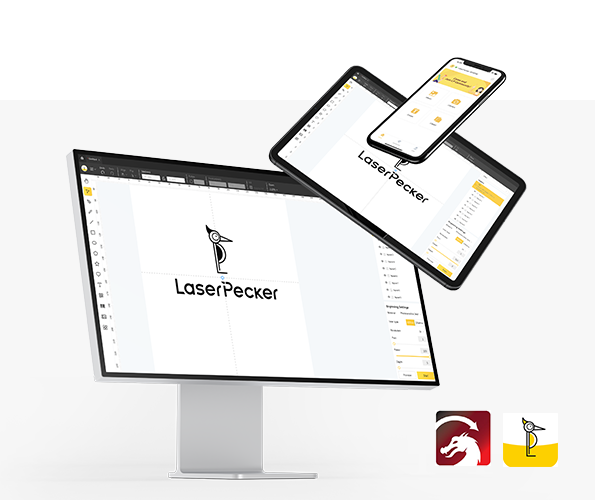
*You can also visit LaserPecker CraftZone for inspiration, generate jigsaw puzzle template online or to purchase laser cut jigsaw puzzle files online.
Step 4: Set up the Jigsaw Puzzle Laser Cutting Machine
Firstly, Make sure your cutter is powered on, and then connect your laser cutter to your computer or mobile device using the appropriate interface (Wifi, USB cable, etc.)
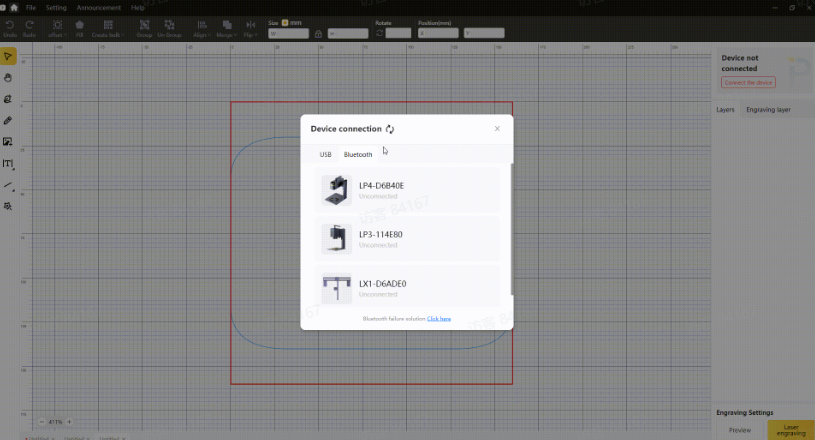
Secondly, Open the LaserPecker Design Space and load your design. (formats like JPG/PNG/G-Code/SVG etc are all acceptable)

Source: LaserPecker CraftZone
Thirdly, place the items in the designated working area, turn on Preview Mode, and make sure the laser is properly focused.
Fourthly, check if your design fits properly on the material surface. If not, adjust its size and position to match the material's dimensions.
Finally, Access the software's laser settings to adjust parameters like power, speed, and resolution according to the Jigsaw Puzzle's properties and design intricacy.
To get the best result, you need to Eegrave the photo onto the surface for a permanent, detailed look and then let the laser cutter cutting along the puzzle template lines to separate the pieces.
For a 4 mm acrylic sheet using the LaserPecker LX2, the recommended starting settings are:
Laser Engraving
- Laser: 2W 1064 nm IR
- Power: 100%
- Speed: 50mm/s
- Passes: 1
Laser Cutting
- Laser: 40W 450 nm Diode
- Power: 100%
- Depth: 5mm/s
- Passes: 1
To explore other recommended laserpecker engraving and cutting parameters, refer to the settings table that applies to any laserpecker machines, including LP1, LP2, LP3, LP4 and LP5.
Step 5: Start Cutting Your Jigsaw Puzzle With Laser Now
Double-check everything to avoid mistakes. Then, hit the start button and watch the magic happen. The laser brings your design to life. Keep an eye on it, and you're all set! Once cut, mix the pieces and start assembling! You can gift it to a loved one, use it as a creative learning tool, or frame it as wall art after assembly.
When operating a laser machine, it's advisable to wear goggles or use a laser protection cover to protect your eyes and body from potential harm, as the blue laser can pose risks.
Additionally, please be mindful that smoke or toxic gases may be emitted during the laser cutting process. Wearing a mask or employing an air purifier is essential for safety.
Conclusion
Laser cutting jigsaw puzzles makes it easy to transform photos, artwork, and custom designs into unique keepsakes with professional-quality precision.
By selecting the right material, choosing a reliable laser cutter, preparing a high-quality design, and optimizing your engraving and cutting settings, you can confidently create beautiful custom puzzles for personal enjoyment or commercial production.