


Laser engraving water bottles is a durable way to create personalized gifts, promotional products, team bottles, and custom outdoor gear. Unlike stickers or printed designs, laser-engraved marks do not fade, peel, or wash away.
This guide covers suitable bottle materials, the benefits of laser engraving, machine selection, basic engraving steps, safety tips, and common questions for beginners.

In this article:
- Part 1: Understanding Water Bottle Laser Engraving
- Part 2: Why Laser Engraving Is Ideal for Custom Water Bottles
- Part 3: What Types of Water Bottles Can Be Laser Engraved
- Part 4: Popular Applications for Laser Engraved Water Bottles
- Case Study: How to Laser Engrave a Personalized Stainless Steel Hiking Bottle with a Mountain Logo and Name
- FAQs: Hot Questions about Laser Engraving Water Bottles
Part 1: Understanding Water Bottle Laser Engraving
1.1 What Is Water Bottle Laser Engraving?
Water bottle laser engraving uses a focused laser beam to create permanent designs directly on a bottle’s surface. It can add names, logos, QR codes, patterns, measurement lines, and other custom designs.
Unlike stickers or printed graphics, laser-engraved marks resist water, handling, and everyday wear. The final result depends on the bottle material, coating, and laser settings.
1.2 How Does Laser Engraving Work on Water Bottles?
A laser marks the bottle without touching it. On powder-coated stainless steel, it removes the coating to reveal the metal underneath. On bare stainless steel, it modifies the surface to create a permanent mark.
Power, speed, and focus should be adjusted for each material. Using suitable settings helps create clean details while reducing the risk of overheating or surface damage.
Part 2: Why Laser Engraving Is Ideal for Custom Water Bottles
Reason 1: Create Permanent Personalized Designs
Laser engraving creates permanent names, quotes, dates, logos, and artwork directly on water bottles. It is suitable for everyday drinkware, travel bottles, graduation gifts, and wedding favors.
Digital designs can be quickly edited and reused, helping creators and small businesses produce different personalized bottles with consistent results.
Reason 2: Produce Durable Logos That Won't Fade
Laser engraving creates logos directly on the bottle surface without ink or adhesive. The marks resist fading, peeling, scratching, and regular washing.
This makes engraved bottles suitable for promotional products, employee gifts, gyms, outdoor activities, and company events.
Reason 3: Ideal for Small Businesses and Bulk Orders
Laser engraving supports both one-off projects and small-batch production. Once prepared, the same design can be reproduced across multiple bottles.
Because it uses editable digital files, businesses can handle personalized and bulk orders without physical templates or complex setup.
Reason 4: Compatible with Many Bottle Materials
Laser engraving works with powder-coated stainless steel, bare stainless steel, anodized aluminum, and insulated tumblers.
Each surface produces a different result, so users should select the right laser type and settings for the bottle material.
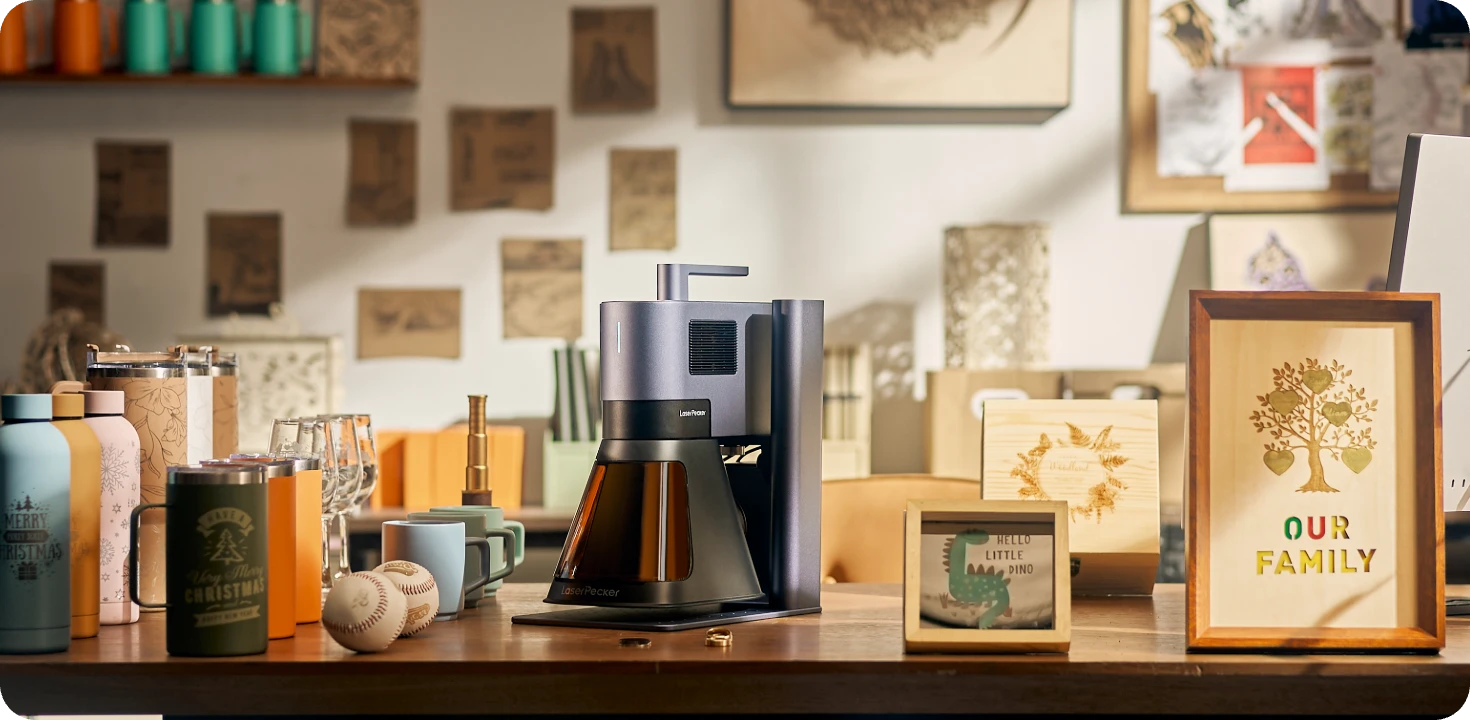
Recommended Laser Engraver for Water Bottles: LaserPecker LP5
The LaserPecker LP5 is a dual-laser engraver suitable for customizing stainless steel water bottles, powder-coated bottles, insulated tumblers, and other drinkware. It can create permanent names, logos, patterns, and identification marks for personalized gifts or branded products.
-
20W Fiber Laser for Metal Bottles
The fiber laser creates precise, permanent markings on bare stainless steel and other compatible metal bottle surfaces. -
0.0027 mm Precision
Produce crisp text, logos, QR codes, and intricate graphics on bottles and other products. -
Rotary Extension for Curved Surfaces
The Rotary Extension rotates bottles and tumblers steadily, helping maintain alignment for side engraving, continuous text, and 360-degree patterns. -
Engraving Speeds up to 10,000 mm/s
High-speed engraving helps shorten production time when creating promotional bottles, event gifts, or batches of customized drinkware.
Part 3: What Types of Water Bottles Can Be Laser Engraved?
Type 1: Powder-Coated Stainless Steel Bottles
The laser removes the colored coating to reveal the stainless steel underneath, creating a clear and durable design.
These bottles are suitable for names, logos, sports graphics, and decorative patterns. Test the settings first because coatings vary between manufacturers.
Type 2: Bare Stainless Steel Water Bottles
Bare stainless steel bottles can be marked or deeply engraved directly on the metal surface.
Fiber lasers are commonly used for precise stainless steel marking. They are suitable for logos, product identification, and detailed custom designs.
Type 3: Aluminum Water Bottles
Anodized aluminum can produce clean, high-contrast marks while keeping the bottle lightweight.
These bottles are commonly used for sports and promotional products. Settings should be adjusted for the anodized finish and color.
Type 4: Insulated Tumblers and Travel Mugs
Powder-coated tumblers and travel mugs are suitable for personalized names, logos, and decorative designs.
For cylindrical items, a rotary attachment helps rotate the bottle steadily for wraparound patterns, continuous text, and 360-degree engraving.
Type 5: Plastic Water Bottles
Some plastic bottles can be laser engraved, but results depend on the type of plastic and its reaction to heat.
Always confirm the material, test it first, and use proper ventilation. Some plastics may be unsafe or unsuitable for laser processing.
Case Study: How to Laser Engrave a Personalized Stainless Steel Hiking Bottle in 5 Steps
This case study shows how to engrave a mountain logo, a name, and a short quote on a deep blue powder-coated stainless steel hiking bottle.
Preparation Checklist
- Powder-coated stainless steel hiking bottle
- Laser engraving machine
- LaserPecker Rotary Extension
- LaserPecker Design Space or LightBurn
- SVG mountain logo
- Alcohol wipes or a clean cloth
- Positioning tools
Clean the bottle and measure the engraving area before starting.
Step 1: Choose the Bottle and Plan the Layout
Place the mountain logo in the center, the name “Ethan Carter” below it, and a short quote near the lower edge. Check that the design is balanced and readable on the curved surface.
Step 2: Set Up the LaserPecker LP5 with the Rotary Extension
Install the Rotary Extension and secure the bottle so it rotates smoothly without slipping. Import the SVG file and use the preview function to check its position and alignment.
Step 3: Prepare the Artwork
Use a simple single-color vector logo and a clear sans-serif font. Remove unnecessary details and leave enough space between the logo, name, and quote.
Step 4: Configure the Engraving Settings
Test the power and speed on a similar coated surface first. Choose settings that remove the powder coating cleanly without damaging the stainless steel underneath.
Step 5: Engrave and Inspect the Bottle
Start engraving after confirming the layout and settings. Clean the finished bottle, then check the logo edges, text clarity, and alignment. The result should show a clear silver design against the deep blue coating.
FAQs: Hot Questions about Laser Engraving Water Bottles
Q1. Can you laser engrave stainless steel water bottles?
Yes. A laser can remove the coating from powder-coated bottles or mark bare stainless steel with a suitable fiber laser. Test the settings on a similar surface first.
Q2. Can you engrave powder-coated tumblers?
Yes. The laser removes the colored coating to reveal the metal underneath. Names, logos, patterns, and other designs can produce clear contrast.
Q3. Will laser engraving damage the insulation?
Laser engraving normally affects only the outer surface and does not damage the vacuum insulation when suitable settings are used. Avoid engraving too deeply.
Q4. What designs work best for water bottles?
Simple designs with clear outlines and enough spacing usually work best. Names, logos, coordinates, short quotes, and vector graphics are popular choices.
Q5. Can beginners engrave water bottles?
Yes. Beginners can start with a simple design on a powder-coated stainless steel bottle. Preview the design, test the settings, and follow proper safety procedures.
Q6. Do I need a rotary attachment?
A rotary attachment is helpful for cylindrical bottles because it rotates the item evenly and keeps the design aligned. It is especially useful for wraparound designs and repeated orders.
Q7. What is the best laser engraver for water bottles?
The best machine depends on the bottle material. The LaserPecker LP5 combines fiber and diode lasers for engraving bare metal, coated bottles, aluminum, and other compatible materials.
Q8. Can laser engraving survive dishwashing?
Laser-engraved designs are permanent and generally resist regular washing better than stickers or printed graphics. Follow the bottle manufacturer's care instructions for the best results.
Q9. Can you engrave logos for business orders?
Yes. Laser engraving can reproduce the same logo across promotional bottles, employee gifts, and branded drinkware. It is suitable for both small batches and larger custom orders.
Q10. Can you engrave bottles with different colors?
Yes. Powder-coated stainless steel and anodized aluminum bottles are available in many colors. Because each coating may produce different contrast, test the settings before engraving a batch.
Conclusion
Laser engraving is a durable way to create personalized water bottles, branded drinkware, and custom gifts. Good results depend on choosing a suitable bottle, laser, design, and settings.
With proper preparation and testing, creators can produce clear, long-lasting designs for individual projects or business orders.


