















In a previous guide, we explored deep laser engraving on stone and demonstrated how a laser engraver can create depth and texture on materials such as granite and marble.
Here, we'll focus on laser embossing on slate, which is one of the most visually impressive and beginner-friendly engraving techniques available.

In this article:
Part 1: What is Slate Laser Embossing?
Slate laser embossing is an advanced laser embossing technique that uses grayscale depth mapping to create raised or recessed designs on a slate surface. By varying the engraving depth across different areas of an image, the laser can produce realistic textures, contours, and three-dimensional effects that stand out visually and physically.
Unlike standard laser engraving, which typically creates a flat design with consistent depth, laser embossing removes different amounts of material to create a sculpted appearance. The result is a detailed 3D effect that adds depth, dimension, and visual impact to the finished piece.
To create the embossing effect, the laser engraver interprets grayscale values within a depth map image. Darker areas are engraved deeper, while lighter areas remain closer to the surface, producing realistic highlights, shadows, and relief effects.
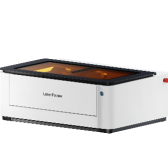
Recommended Laser Engraver for Slate Laser Embossing: LaserPecker LP5
The LaserPecker LP5 is a powerful dual-laser engraver designed for creating embossed-style effects on slate coasters, plaques, signage, artwork, and personalized stone gifts.
-
Deep Engraving and Embossing Capability
The LP5 can create pronounced depth and textured relief effects on slate, making it ideal for embossed-style logos, artwork, monograms, and decorative designs. -
20W Fiber Laser for High-Contrast Slate Embossing
The 20W fiber laser delivers sharp, visible engravings on slate surfaces, helping create detailed designs with strong visual impact. -
10,000 mm/s Ultra-Fast Engraving Speed
The high-speed galvo system allows users to complete slate projects efficiently while maintaining professional-quality engraving results.

Part 2: How to Laser Emboss Slate with the LaserPecker LP5
Follow the steps below to create a high-quality laser engraving slate board project with realistic depth and texture.
Step 1: Import a Depth Map Image
Open LaserPecker Design Space (LDS) and import a depth map image. Depth maps use grayscale values to define engraving depth, allowing the laser to create realistic 3D effects. You can download depth map images online or create your own using image editing software.

Step 2: Select the 3D Grayscale Effect
Select the image and open the Effects menu. Choose 3D Grayscale and then select either:
- Concave Engraving – Creates a recessed design by engraving directly into the artwork.
- Convex Engraving – Removes material around the artwork to create a raised effect.

Step 3: Adjust the Layer Count
The available layer range is 0–254. Higher layer counts create smoother transitions, finer details, and deeper embossing effects. Lower layer counts engrave faster but may produce a rougher appearance.
Step 4: Preview the Engraving Layers
Use the Layer Preview feature to inspect each engraving layer before starting the job. If the first or last layers appear completely black or white, reducing the layer count can help shorten engraving time without significantly affecting the final result.

Step 5: Adjust the Design Size and Position
Resize and position the artwork to match the dimensions of the slate. Proper alignment helps ensure the finished engraving is centered and proportioned correctly.
Step 6: Configure the Engraving Settings
For slate laser embossing, use the following starting parameters:
- Laser Source: 1064nm
- Resolution: 4K
- Frequency: 30
- Power: 100%
- Depth: 20%
- Layer Height: 0.01
Step 7: Position and Focus the Slate
Place the slate in the engraving area and use the preview function to verify positioning. Adjust the focus carefully to ensure the laser remains sharp and consistent across the entire design.
Step 8: Start the Laser Embossing Process
After confirming all settings, begin engraving. Depending on the design complexity, layer count, and engraving area, the embossing process may take some time to complete.


Pro Tip: During engraving, use a fan or extraction system to remove smoke and dust from the work area. Keeping the slate surface clean improves engraving quality and helps produce sharper embossing details.
For the best results, choose slate specifically designed for laser engraving. Avoid stones with uneven surfaces, deep grooves, excessive moisture, or structural defects, as these can affect focus accuracy and engraving consistency.
After engraving is complete, allow the slate to cool before handling it, as the material may remain hot immediately after processing.
Part 3: How to Clean and Polish Slate After Laser Embossing
After completing your laser embossing project, proper cleaning helps reveal the full depth, contrast, and detail of the engraved design. During the engraving process, fine stone dust can settle on the surface and inside recessed areas, making the embossed effect appear less defined.
The good news is that cleaning embossed slate is simple and requires only a few basic tools.
Step 1: Remove Loose Dust
Use a soft-bristled brush to gently remove dust and debris from the engraved surface. Pay special attention to recessed areas where engraving residue may accumulate.
Step 2: Wipe the Surface Clean
Use a clean microfiber cloth to wipe away any remaining particles. For stubborn residue, lightly dampen the cloth with water and carefully clean the slate surface.
Step 3: Inspect the Embossed Details
Once the slate is clean, inspect the design under good lighting. Cleaning often reveals additional contrast and detail that may have been hidden by engraving dust.

FAQs: Hot Questions about Slate Embossing
Q1. Which laser would be best for slate embossing?
Always goes for a fiber laser engraver with 3D grayscale capabilities when it comes to slate embossing. In this blog we use LaserPecker LP5. Its equipped with 20W dual-laser system and embossing mode. It is a strong choice for deep and detailed slate engraving.
Q2. What is the difference between embossing and stamping?
Embossing uses a laser to carve out depth gradually, allowing for fine control over relief and texture.
Stamping uses a mold or die to press a design into the material, often in one forceful motion.
Q3. What is reverse embossing called?
Reverse embossing is oftened called as debossing or deep engraving, which we introduced in Deep Laser Engraving on Stone. It creates an indented effect rather than a raised one.
Conclusion
Slate embossing combines the elegance of natural stone with the precision of modern laser engraving. Whether you're creating textured signage, personalized decor, or artistic reliefs, the LaserPecker LP5 makes it possible to achieve professional-grade results.
With the right setup, careful prep, and a few pro tips—like using USB flash drives for large grayscale files—you can bring depth and dimension to your next creative project.
Ready to turn flat stone into stunning 3D art? Fire up your LP5 and let your creativity fly from the surface.